Experience a fluid interface that lives where you do. Your data stays perfectly in sync across every screen you own.
Enter the session code, or scan the QR code to be directed to the session.
Go to the student link and enter the 6-digit session code provided by your teacher.
If you accidentally refresh the page or lose your connection, the system remembers you and will put you back into the session automatically.
By default, your screen will follow the teacher. Use the Sync button to jump back to the teacher's current slide at any time. You can navigate to previous slides at your own pace if you need to review something.
Add Reaction on each slide
Keep track on the Session
Join the session
729 144
SIME URN
Use-case overview
RL + DES approach
Keep view on the slides
Ask questions or request specifications
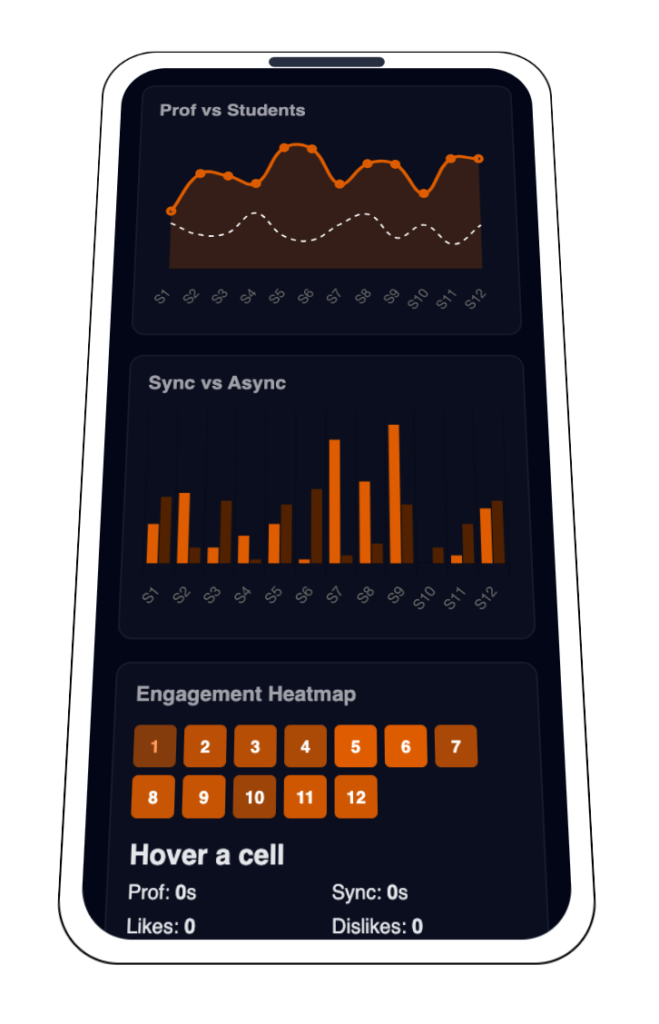
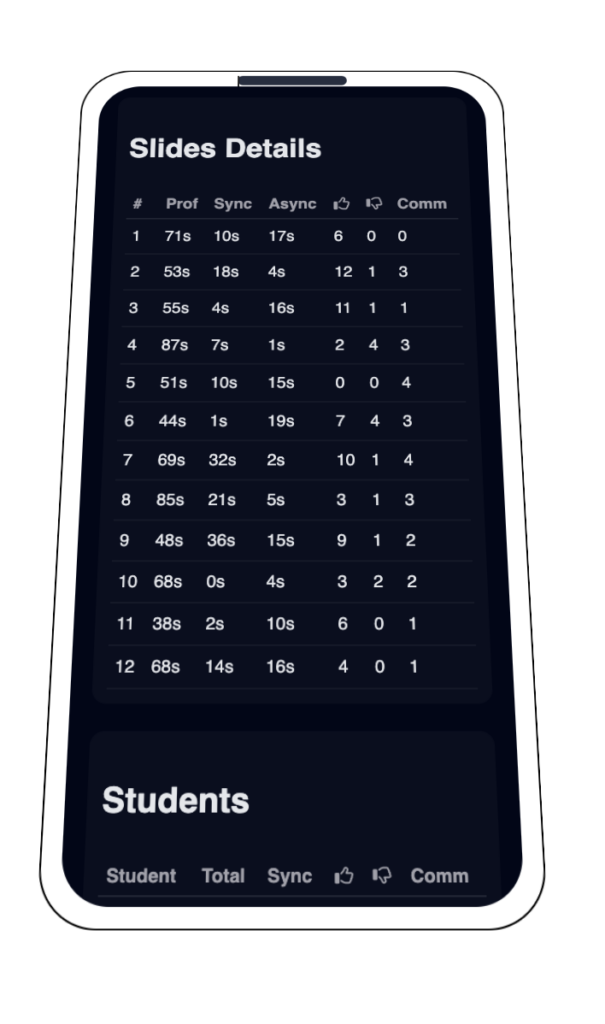
Explore how you interacted with the material. Review your comments, check slide-by-slide retention, and see which topics required the most focus.
As soon as the live session concludes, your screen will automatically transition to the Session Insights dashboard. You don’t need to click anything; the UI adapts in real-time to show you a personalized summary of your learning journey.
Yes! The dashboard highlights slides where your time spent significantly exceeded the average. These are flagged as “Learning Challenges,” helping you identify exactly which topics you should revisit before your next exam.
Your engagement is measured by your activity on each slide. This includes the time you spent viewing the content, the reactions you shared (likes/dislikes), and the comments you wrote. It compares your focus time with the professor’s pace to see if you were in sync.
Yes! Because the UI is fully responsive, you can scan the Session QR Code on the final screen to “mark your presence” and save the link. This allows you to review your performance and comments on your phone or tablet at any moment, even after you’ve left the classroom.
To keep the environment supportive, your specific data is private. However, you will see a Comparative Analytics overlay that shows the class average. This allows you to see if you found a topic difficult while others found it easy, or if the entire class struggled with a specific concept.
Absolutely. Every thought or question you typed during the session is archived in the Comment Archive section. You can see your notes alongside the specific slide they belong to, making it much easier to remember your “lightbulb moments.”