
Polls written with AI
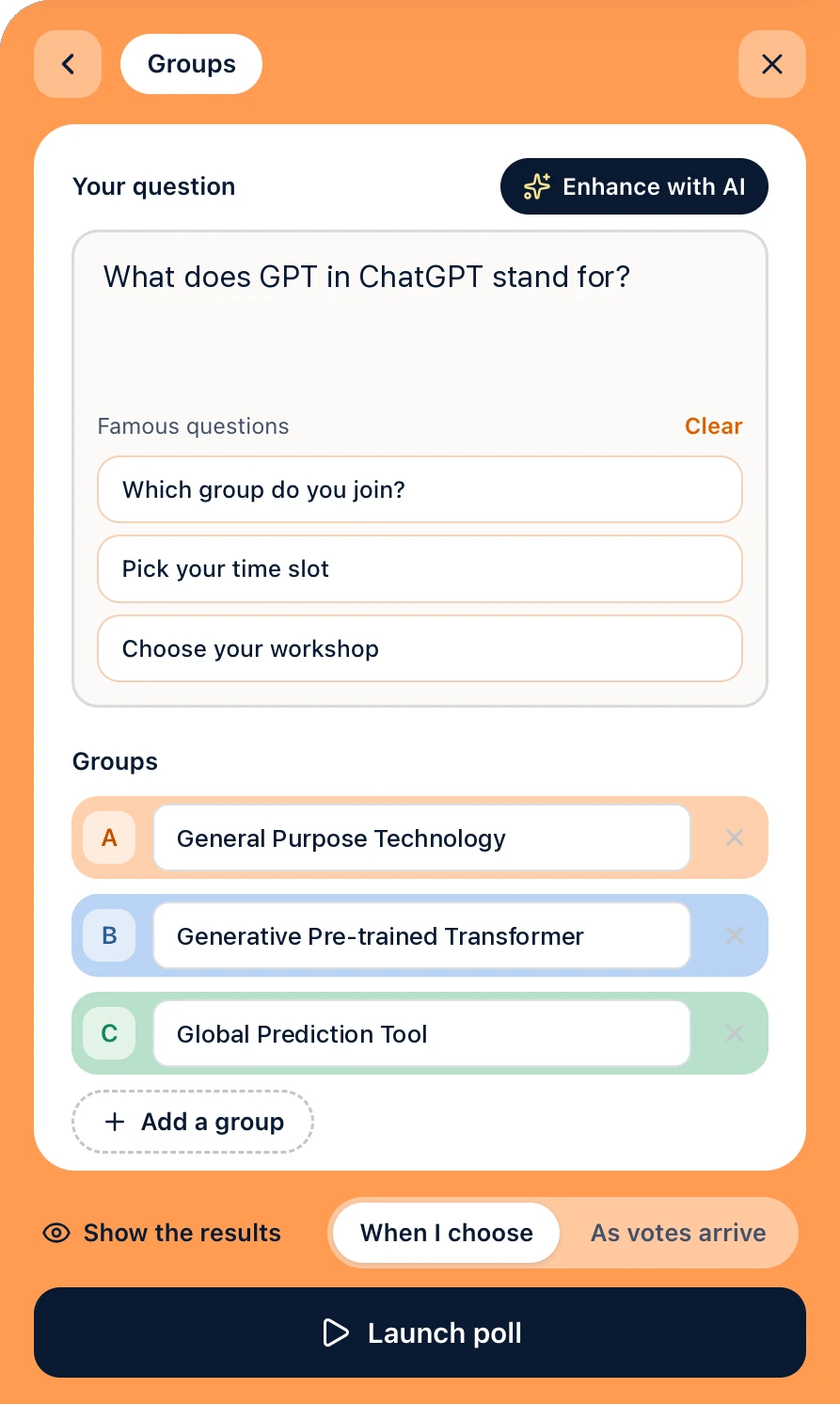
Type your question as it comes and press Enhance with AI: Diaposi rewords it clearly and can add the answers for you. Famous questions for each kind of poll are one click away.
Join a Diaposi live session

Products
Interactive sessionPolls, Q&A and quizzes on your slidesInteractive whiteboardHost a live board with your participantsAugmented learningStudy your documents with Diaposi AIPlan my studyStudy sessions placed in your weekPractice sessionQuizzes and mock exams from your filesFeatures overview
Add live Q&A, reactions, polls, quizzes and more to the slides you already have. Invite the room with a QR code: they join from a phone, laptop or tablet in seconds.
Drop your PowerPoint, PDF or Word file. Your slides stay exactly as they are, nothing to rebuild.
Your presentation, uploaded
PowerPoint, Word or PDF
Show the QR code or the session code. Participants join from a phone, laptop or tablet, no account needed.
diaposi.com

Join with
81642395
Present and launch Q&A, polls and quizzes on your slides, and follow the room's pulse as you speak.
What do you expect to learn from this session?
24
/ 31 participants have answered
Participants ask anonymously or with their name, and vote for the questions they want answered. You reply, put only the most voted on screen, and review the whole Q&A whenever you want, ready to turn into a poll, a quiz and more.
12 kinds of poll, from multiple choice and word cloud to ranking and guess the number. Anonymous or named, with a timer, results live or when you choose, in bars, a donut or a pie.
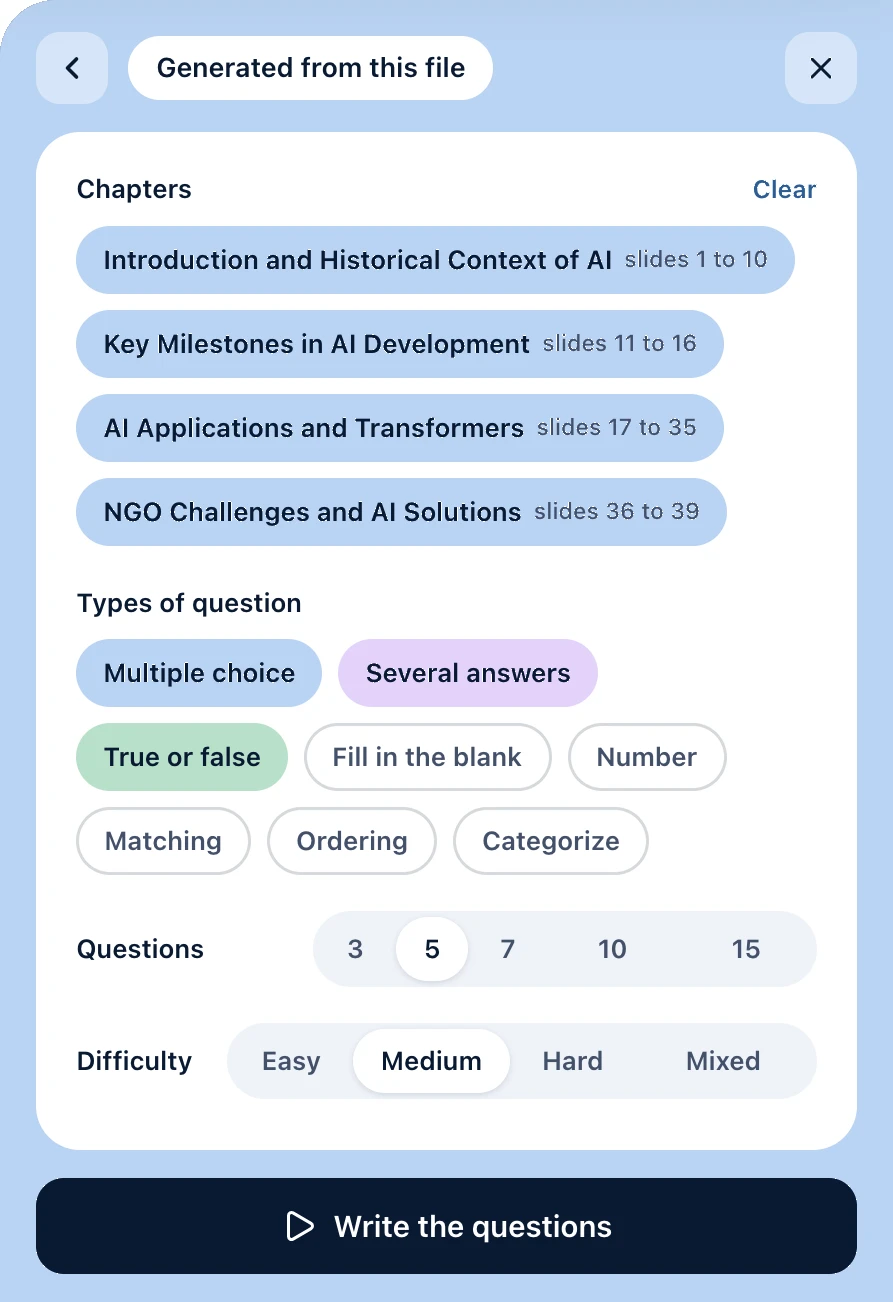
Diaposi writes the questions from your slides, by chapter and at the level you pick, or you write your own. 9 kinds of question, run together or at each one's pace, with a leaderboard and a podium.
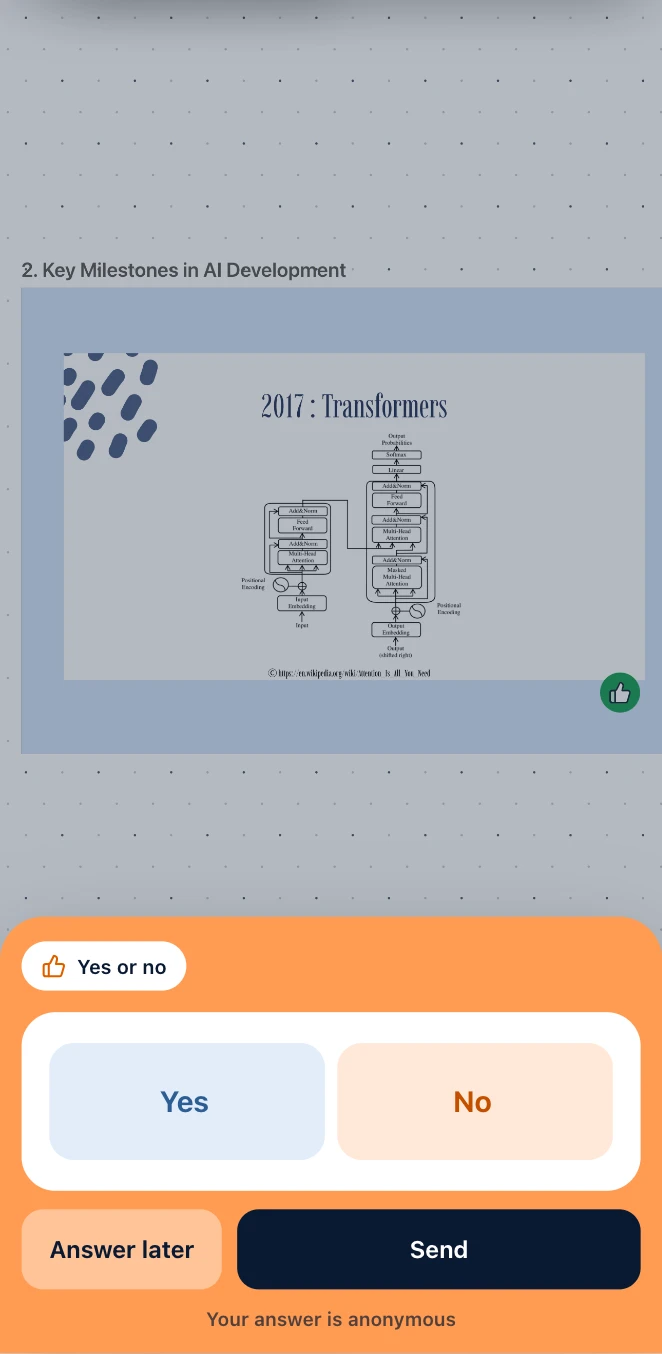
Participants say when they follow and when they are lost. You see the room's understanding as you speak.
A summary of your presentation for every participant: in a sentence, the chapters, and what they can answer by the end.
All your slides at a glance: jump to any one, hide some, drag them into a new order or add a whiteboard between two. See the room's reactions on each slide, while every participant follows on their own screen.
Collect what landed, what still needs a second pass, and where attention dropped, slide by slide.
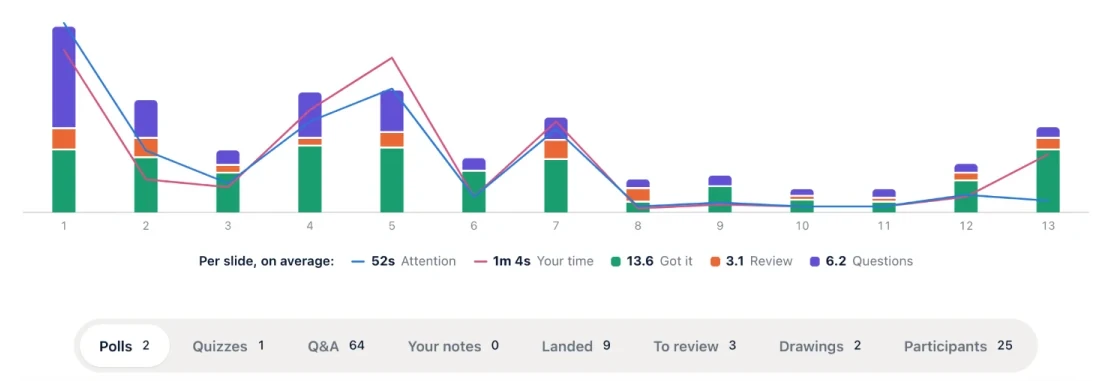
Every session stays in your space: rename it, run it again with a new code or compare two rooms.
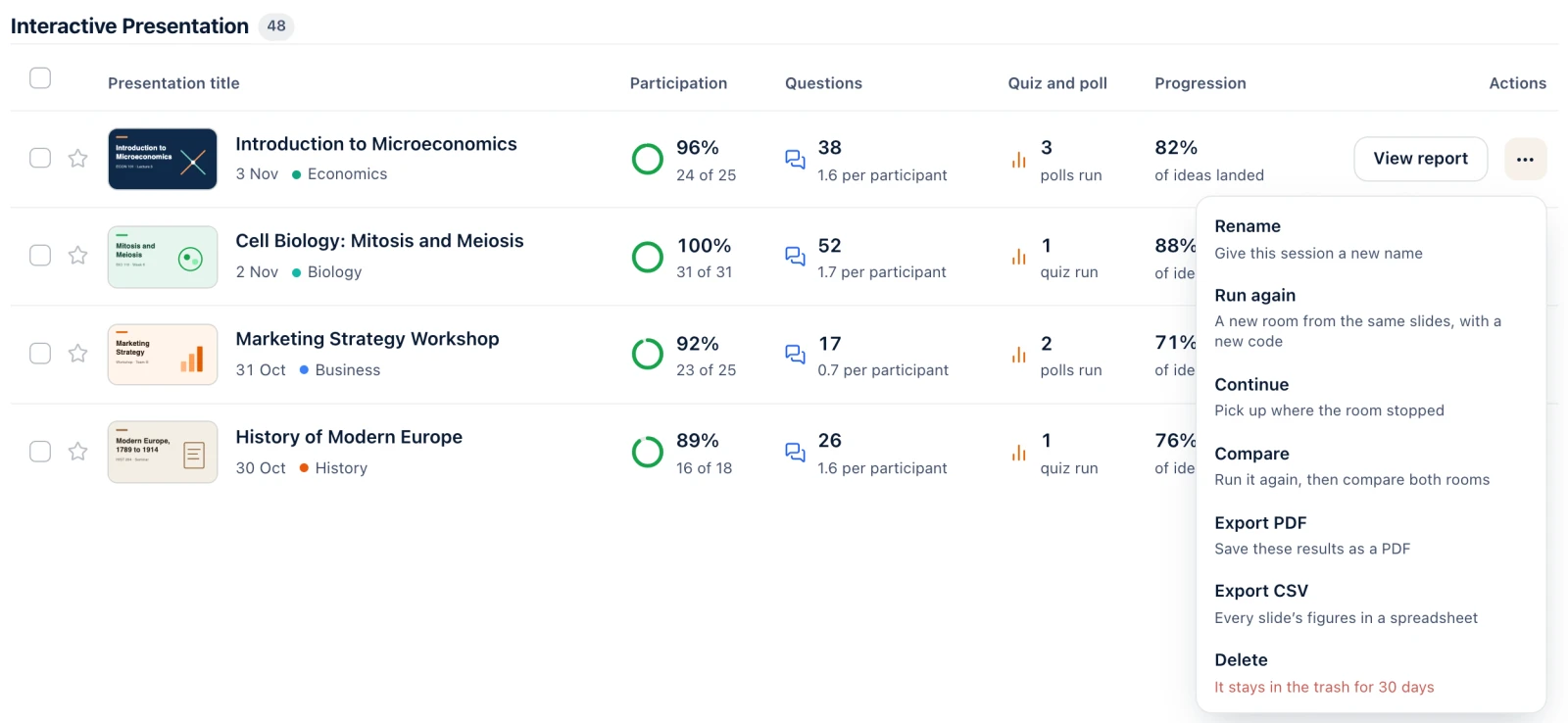
Type your question as it comes and press Enhance with AI: Diaposi rewords it clearly and can add the answers for you. Famous questions for each kind of poll are one click away.
Pick the chapters, the types of question, how many and the difficulty: Diaposi writes the questions from your slides. The same for a survey or a full mock exam, and you read every question before the room does.
Diaposi names your presentation, finds its chapters and files it in your space, in order. Each presentation gets its summary and its key takeaways.
They scan the QR code and follow your slides on their own screen, with the slide you are on always in view. They react to each slide, ask their questions, take notes and keep everything after the session.

Diaposi is built for European data protection rules. Data is sent encrypted and kept on European infrastructure, and you stay in control of what is linked to your account and your sessions, which you can delete at any time.
Participants join with a code and a name, without an account, and your report lists them by that name. Reactions never carry it, a question shows it as its author chooses, and a poll or a survey only when it asks for names.
Only the people who join your session. Your file is private by default, and nothing in it is published or shared outside your room.
No. What you upload is only used to prepare your session, and the AI behind Diaposi does not train its models on it.
No. They join from their browser with a code or a QR code, on a phone, a laptop or a tablet. Only the host has an account.