Follow a live Diaposi Session
Your host presents from the Diaposi cockpit, and the session sets the pace. You follow on your own screen, where every slide can be explained again, noted and kept for later.

Products
Diaposi SessionDiaposi Augmented LearningExam sessionSelf examQuiz sessionSelf quizLearning measured and quantifiedFeatures overview
Learner cockpit(Coming soon)Presenter cockpit(Coming soon)Diaposi AI(Coming soon)Poll(Coming soon)QuizWhiteboard(Coming soon)Three ways to learn
Join a session(Coming soon)Follow your presenterLearn on your own(Coming soon)Diaposi Augmented Learning turns your existing slides, notes and PDFs into an interactive study experience. It explains difficult concepts, gives examples, identifies prerequisites, creates quizzes and mock exams, plans what to study next, and tracks learning progress in one place.
Start for free: create your account
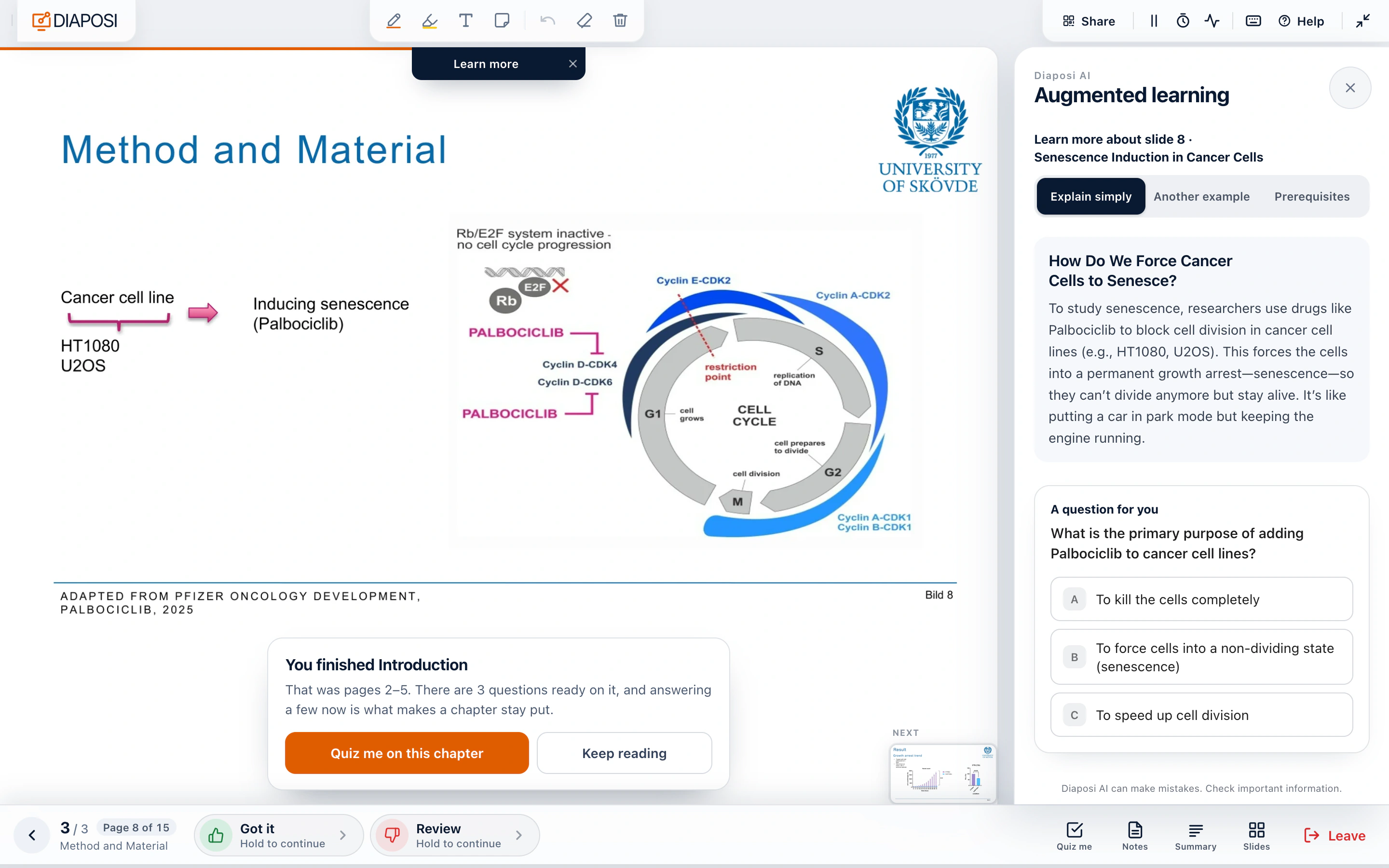
Your host presents from the Diaposi cockpit, and the session sets the pace. You follow on your own screen, where every slide can be explained again, noted and kept for later.
Someone is presenting these pages outside Diaposi. You bring the deck, follow along at their pace, and Diaposi keeps you level with them.
Nobody is pacing this but you. Diaposi sets the order and the pace, plans your sessions and tests you on what you covered.
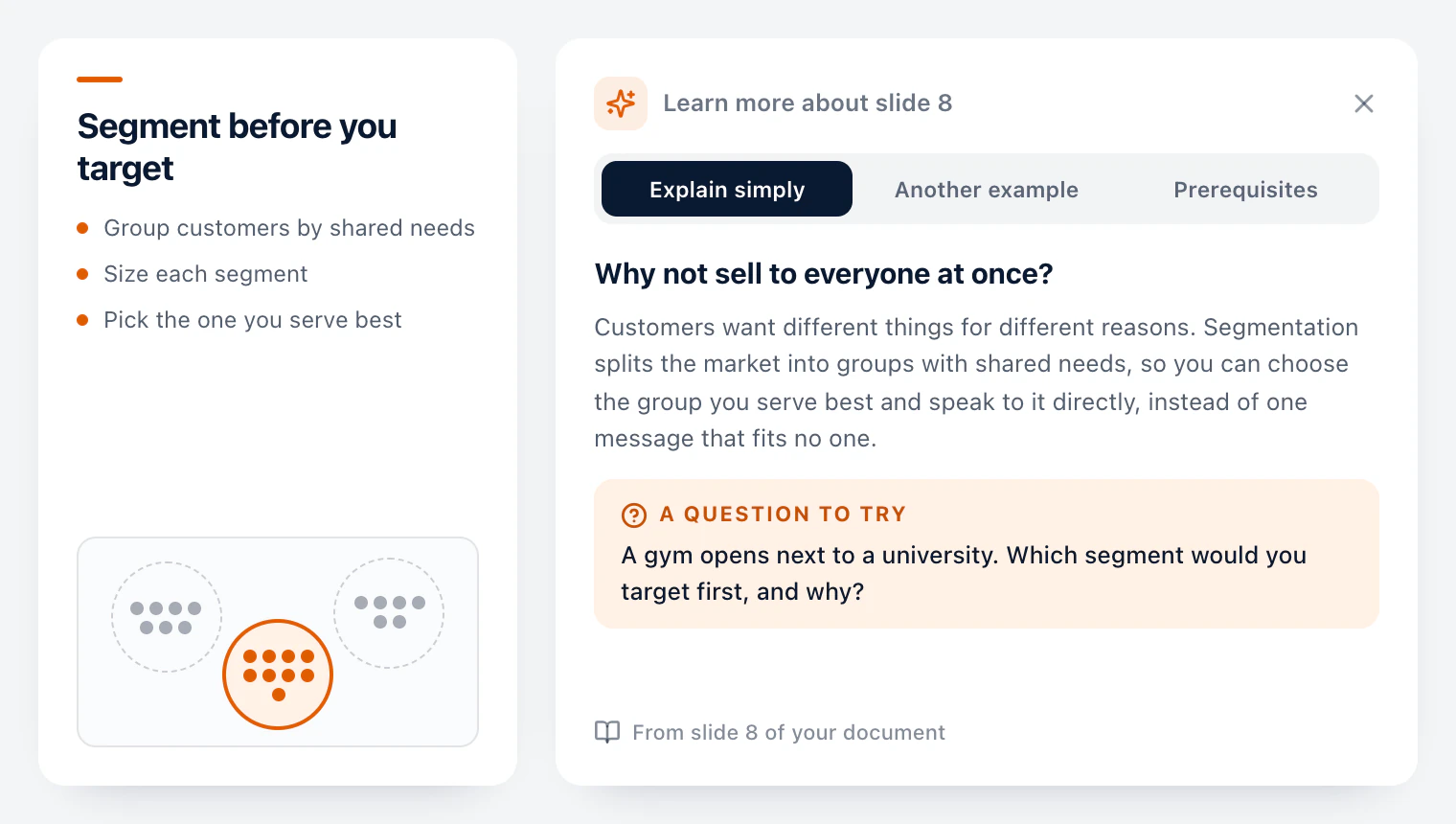
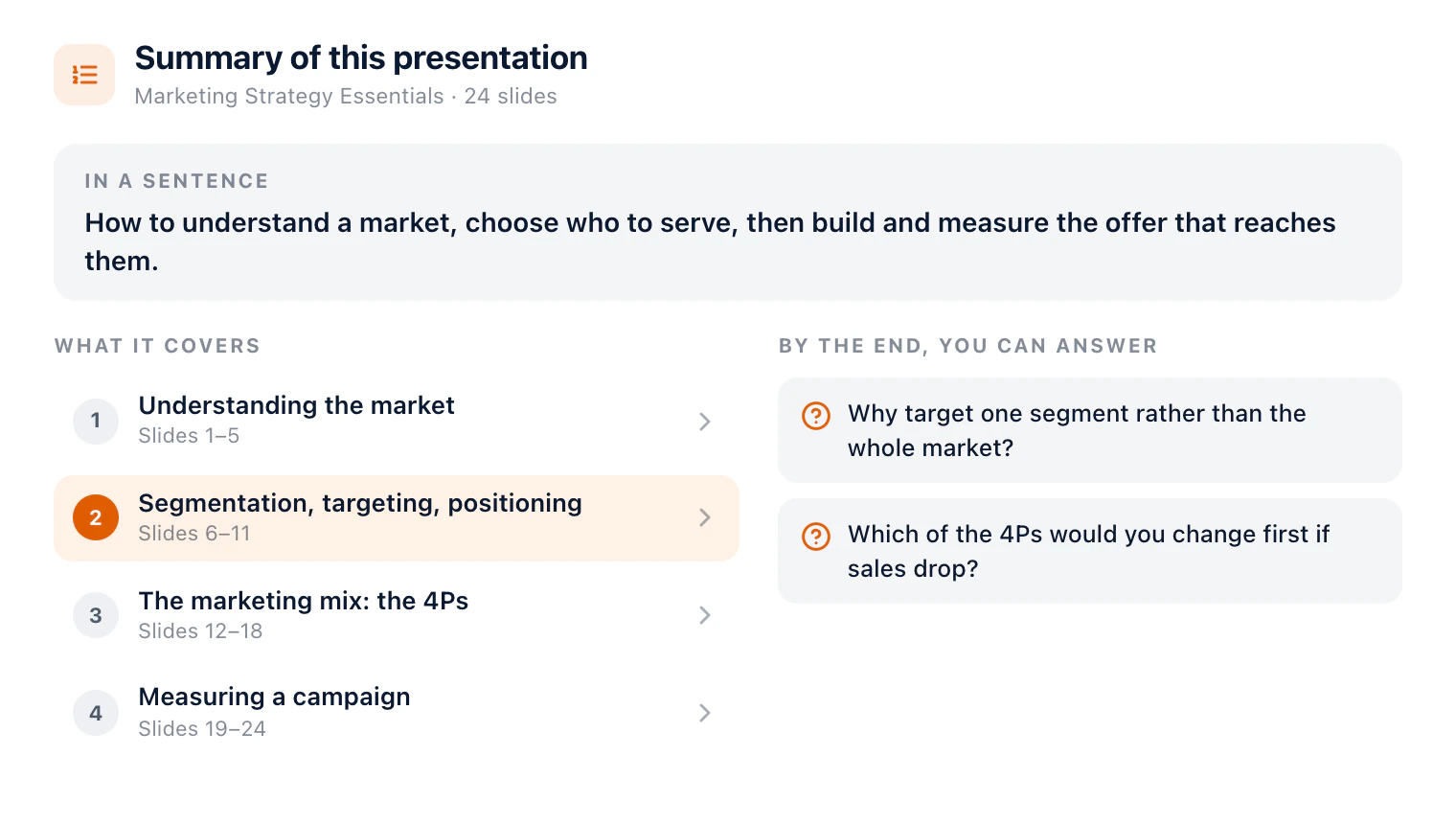
Two tools inside Diaposi Augmented Learning, both built from the document you uploaded: Learn more explains any slide again, and the summary gives you the whole document, chapter by chapter, before you start or before the exam.
Stuck on a slide? Learn more explains it in simpler words, shows it through another example, or goes back to what it assumes you already know, with a question to test yourself. Every answer comes from your own lecture slides, PDF or notes, so it never drifts away from your course.
Get the document in one sentence, the chapters it covers with their slides, and the questions you should be able to answer by the end. The summary is written from your file, in its language, and stays one tap away while you study, so you always know where you are and what is left.
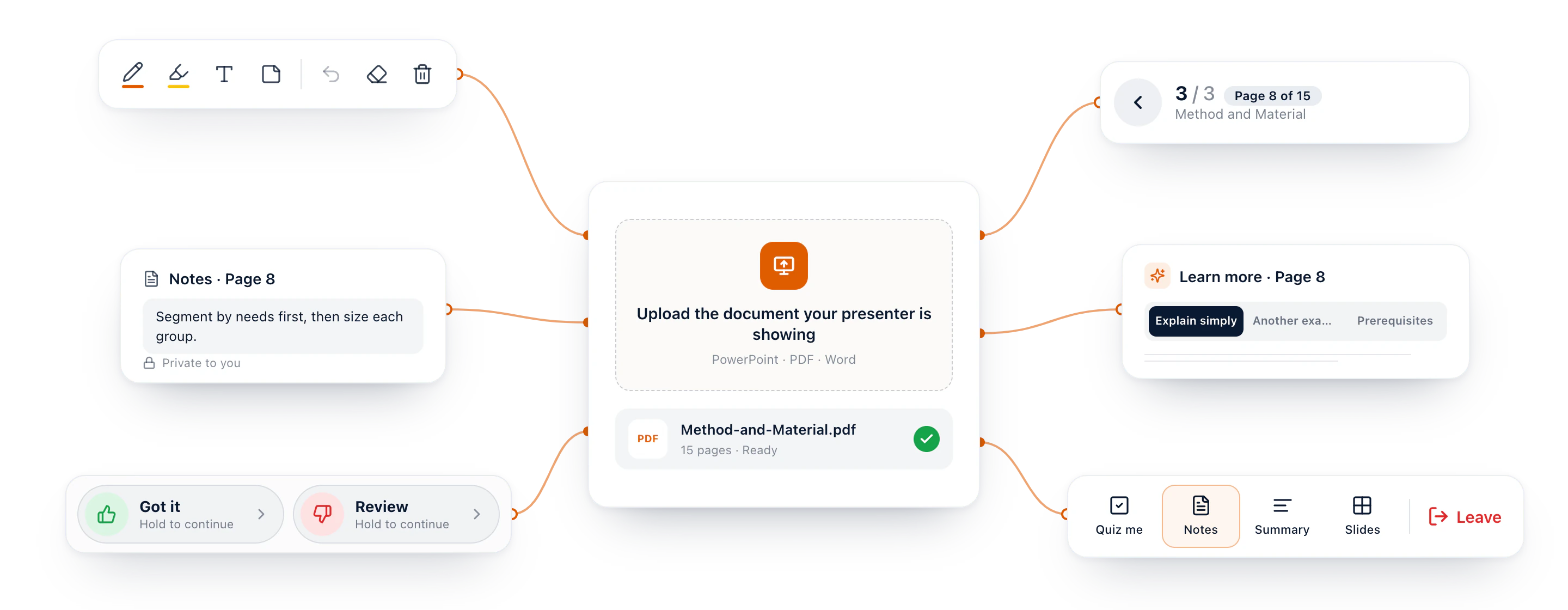
When someone presents slides outside Diaposi, in a lecture, a conference or a meeting, upload the same document and follow along at their pace. Mark each page Got it or Review, take notes and draw on the slide, and open Quiz me, the summary and Learn more whenever you need them: all of Diaposi Augmented Learning, on one page.
Every document you follow or study stays in your learning journeys, filed in folders with how far you got, your notes and your drawings. Come back whenever you like, pick up where you stopped, quiz yourself on a chapter or run a mock exam on it, at any time.
Start for free: create your account
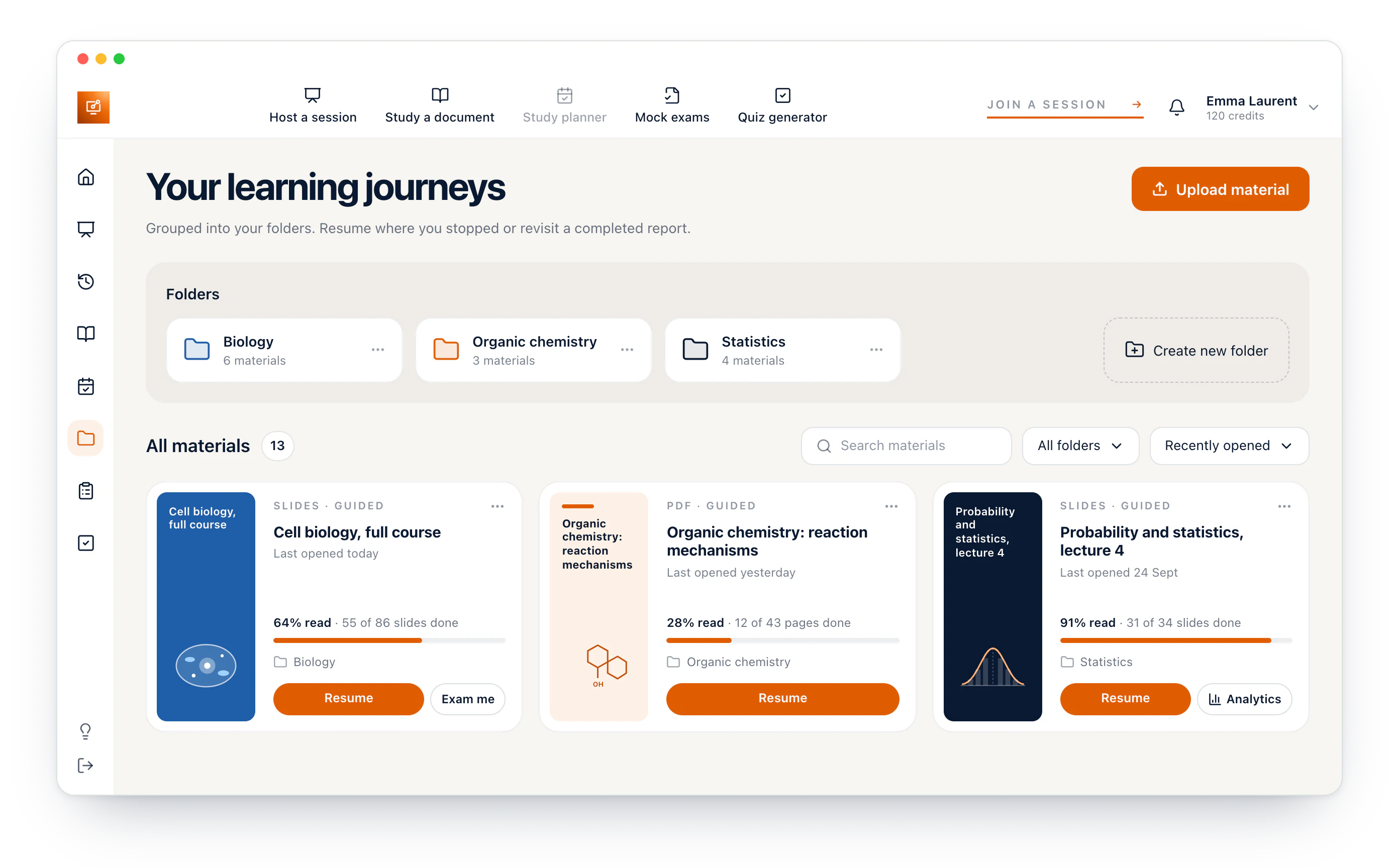
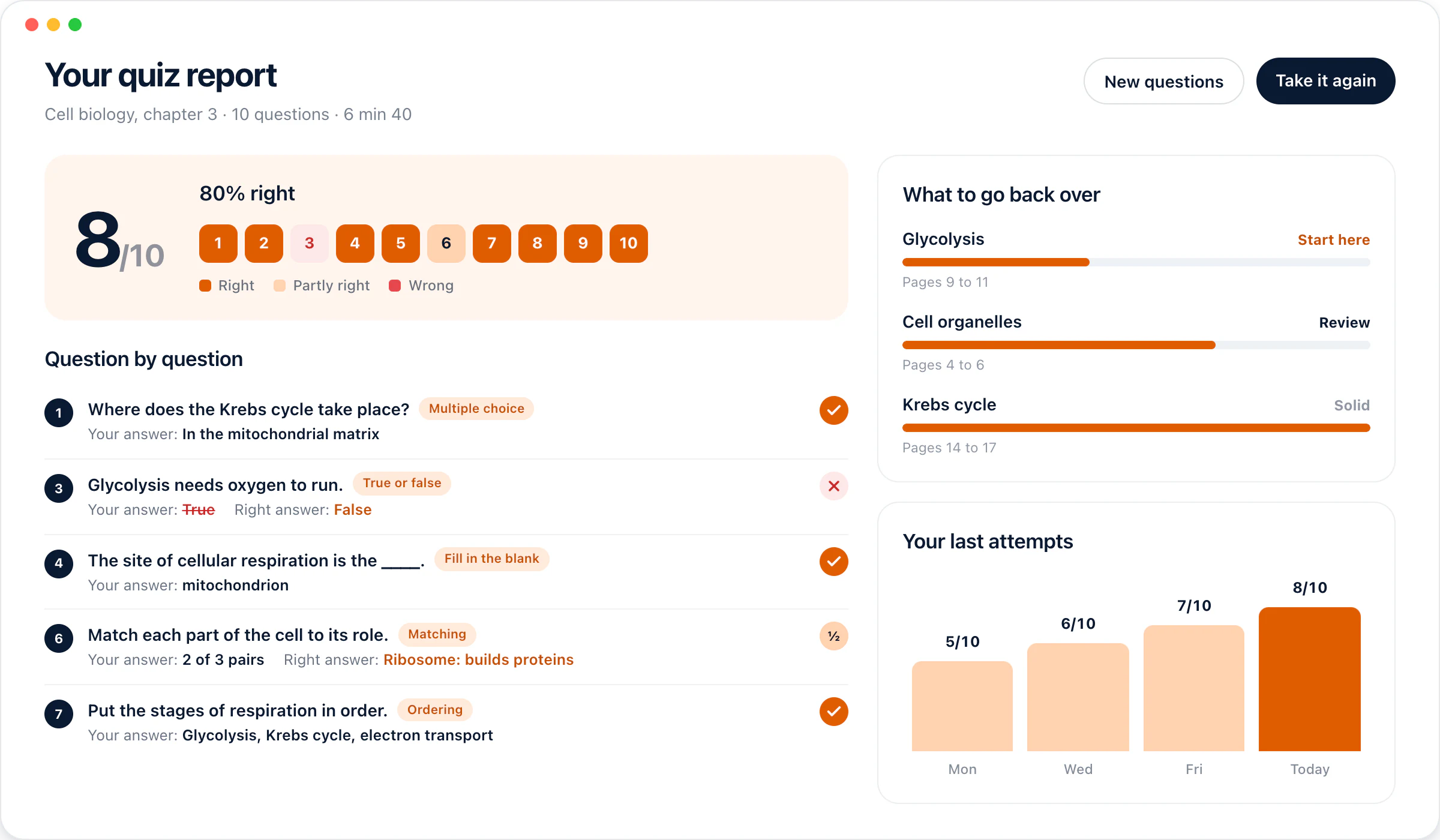
Upload your slides, PDFs or notes and get a quiz on the chapters you choose in less than a minute: multiple choice, true or false, fill in the blank, matching and more. Take it at your own pace. Every quiz ends on a report with your score, each right answer and the chapters to go back over.
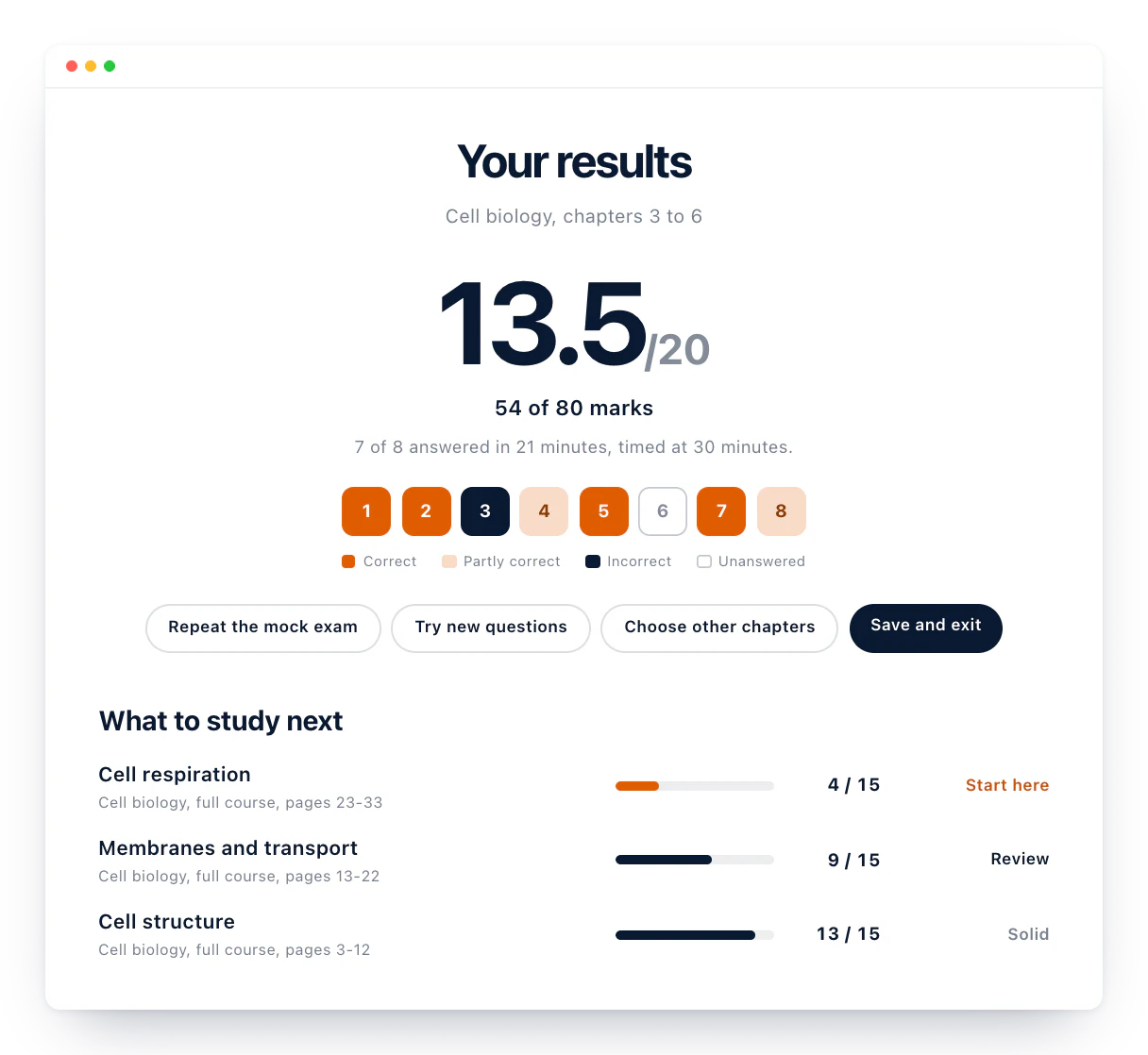
Choose the chapters, the level and the timer, and your mock exam is ready in less than a minute. Sit it under exam conditions, with the answers hidden until you hand it in, then get your grade out of 20, every correction and the chapters to revise first.
What learners ask most often before they start.