

People ask more when nobody can see who is asking. An anonymous Q&A collects questions all session, lets the room vote for the ones it shares, and gives you an order to answer them in. In Diaposi Session, participants ask anonymously, vote questions up, and the one the room rallies behind rises onto your screen on its own.
Why does “any questions?” fail?
Because it asks people to do three hard things at once: decide their question is good enough, interrupt the room, and be seen doing it. Most stay silent, and the few who speak are rarely the ones who are lost. An anonymous channel removes the audience from the act of asking. The question arrives without a face attached.
How do you run an anonymous Q&A?
- Set the rules in the first minute. Say that questions are anonymous, where to send them, and when you will answer.
- Collect all session. A question is sharpest at the slide that raised it, not at the end.
- Let the room vote. Upvotes show which questions are shared by many.
- Answer at set moments. The most voted first, then the ones nobody has answered. Park the rest, and say so.
What about off-topic or hostile questions?
They come, and less often than people fear. Say at the start which questions you will take. An off-topic question gets one sentence and an offer to talk afterwards. A hostile one is best read out in neutral words and answered on its substance.
Anonymity is also what helps quiet participants join in, and it answers most of why people do not ask questions in lectures.
How Diaposi Session helps
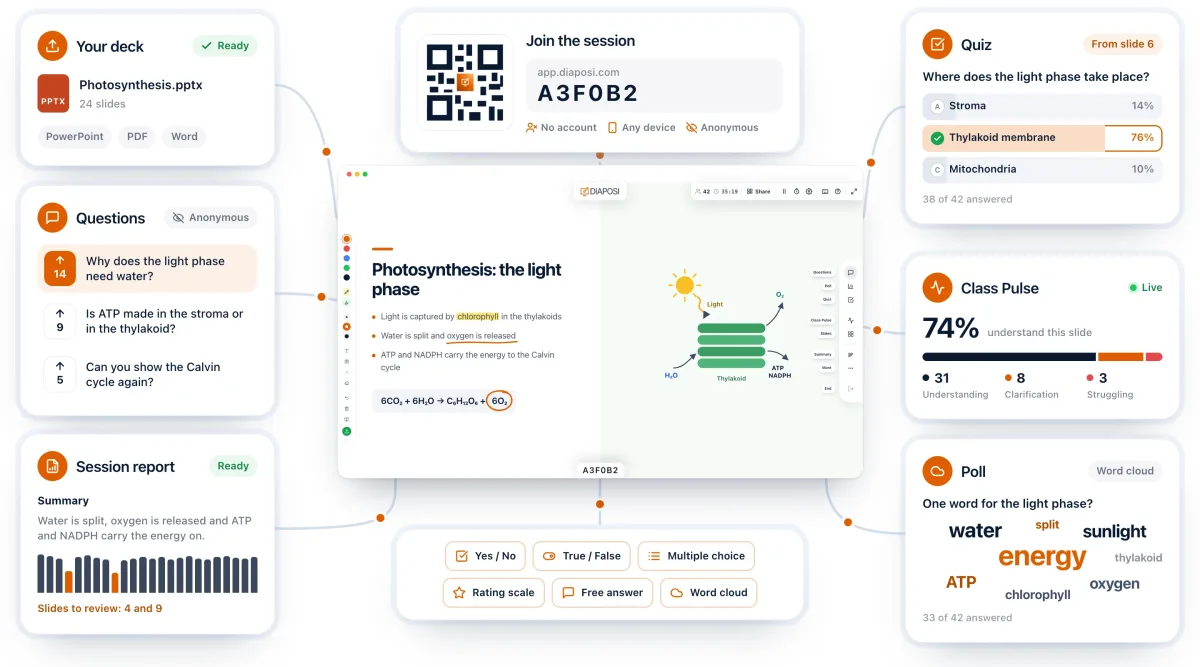
In Diaposi Session, participants ask anonymously from their phone and vote up the questions they share, so you see how many people stand behind each one. You can pin a question for later, mark it answered, or jump back to the slide it was asked on. When the room rallies behind one question, it rises onto your screen on its own.
Diaposi Session is part of Diaposi, the EdTech platform for interactive and measurable learning. Discover Diaposi Session
Frequently asked questions
Are anonymous questions really anonymous?
- They should be, to the host as well as to the room. In Diaposi Session, participants join with no account and no name, and a question carries no identity.
Should I answer every question?
- No. Answer the most voted, then the unanswered ones you have time for, and say what you will do with the rest: a written reply after the session, or the start of the next one.
Is Diaposi free?
- Yes. Diaposi is free, and there is no paid plan today.