
A live mock exam on your own slides, for your whole room
Hosts run a mock exam for their participants from the session, on the slides they present, and read the class score out of 20. Learners make a mock exam from their own files and sit it on their own.
- Free to start, no credit card
- Participants join by QR code, no app, no account
How do you run a mock exam live from your slides?
With Diaposi. The host presents the deck they already have and opens the Mock exam panel beside the slides: Diaposi writes the paper from the slides, or the host brings one from their dashboard. Participants join by QR code and sit the paper on their phones under one clock. The answers are marked, the host approves and publishes: each grade out of 20 on its phone, the class score on the screen.
Written from your slides by the AI, or brought from your dashboard
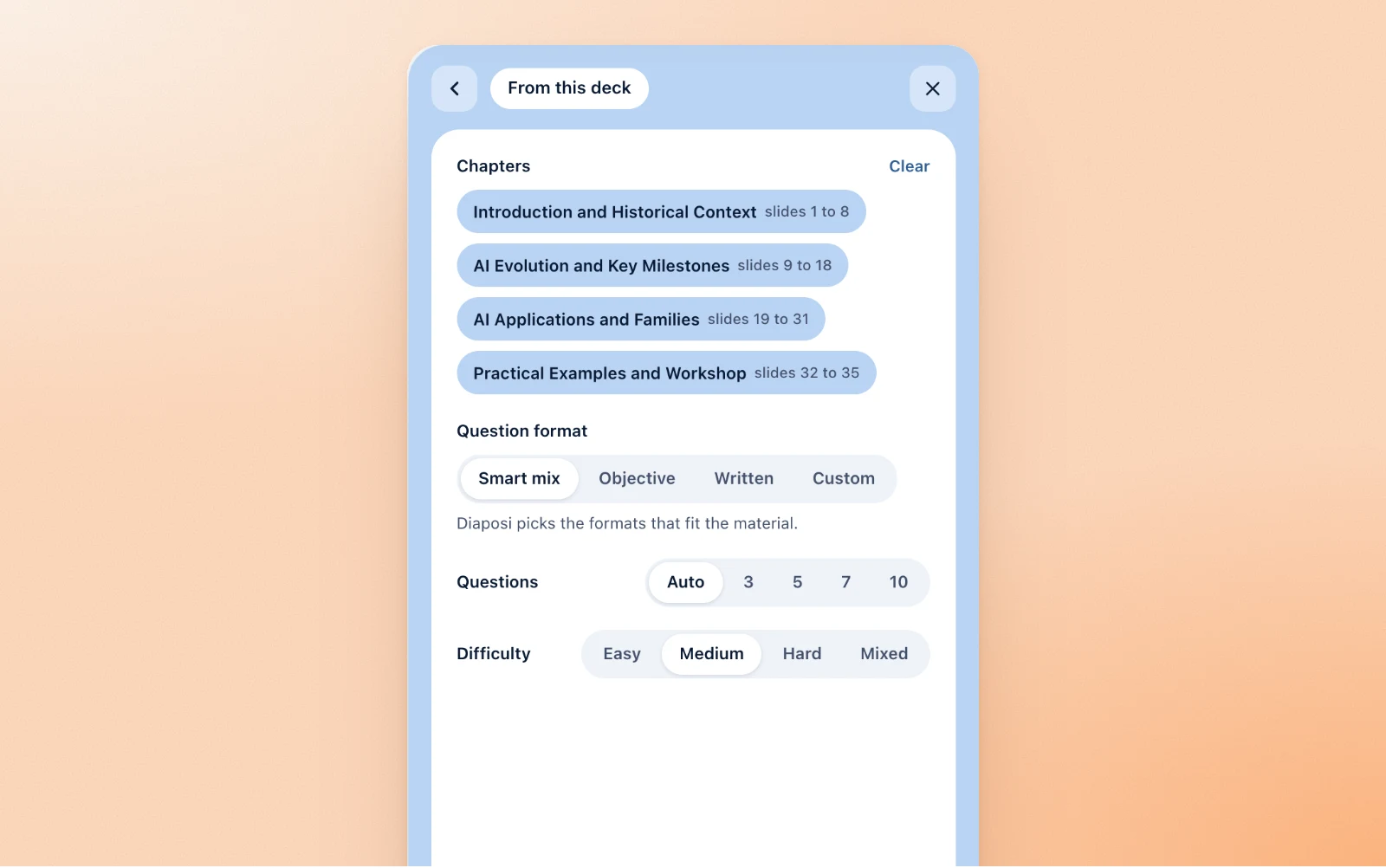
From this deck
Pick the chapters, the format of the questions, how many and how hard. Diaposi reads the text of your slides and writes the paper in their language, each question with its expected answer and its marks.
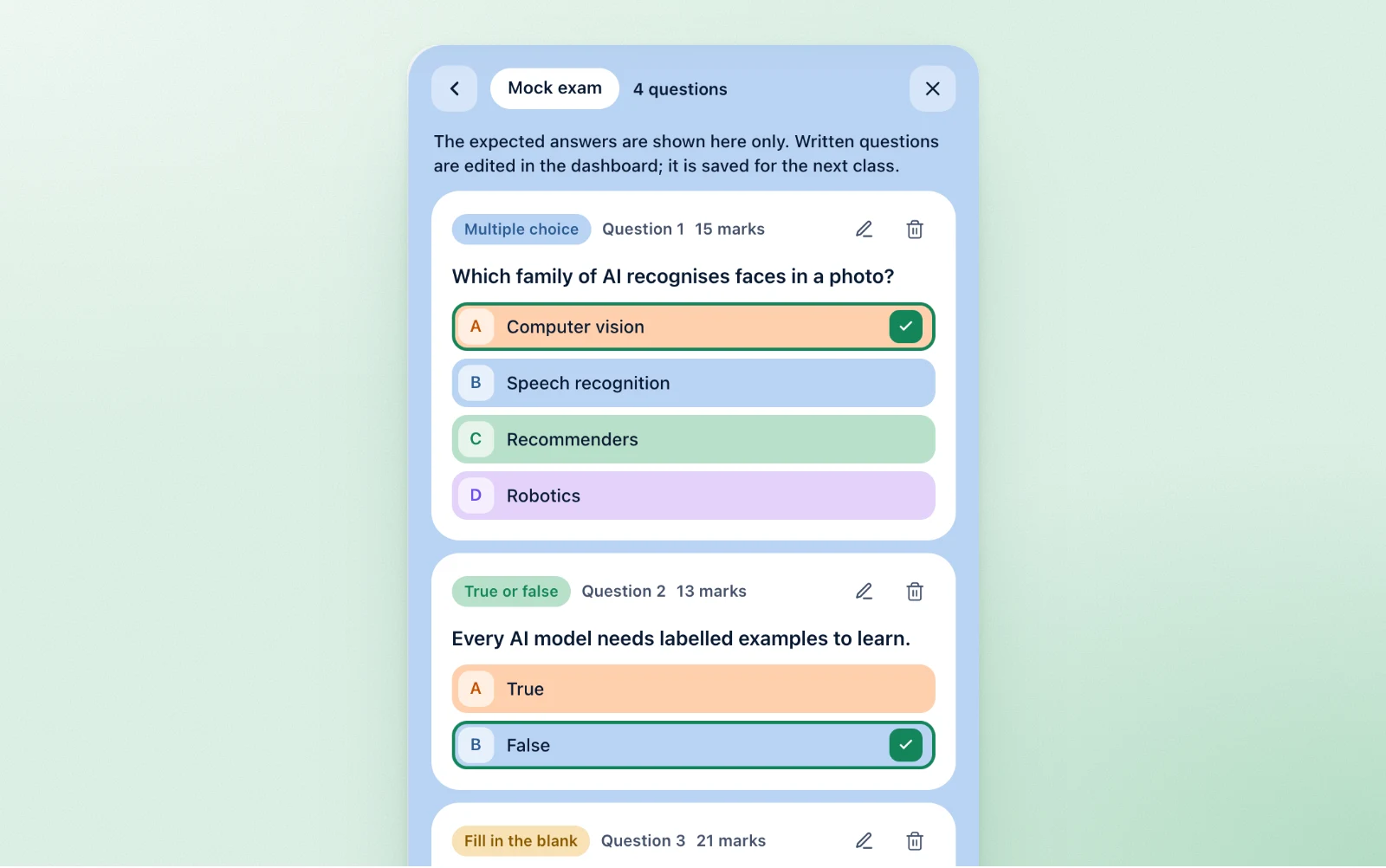
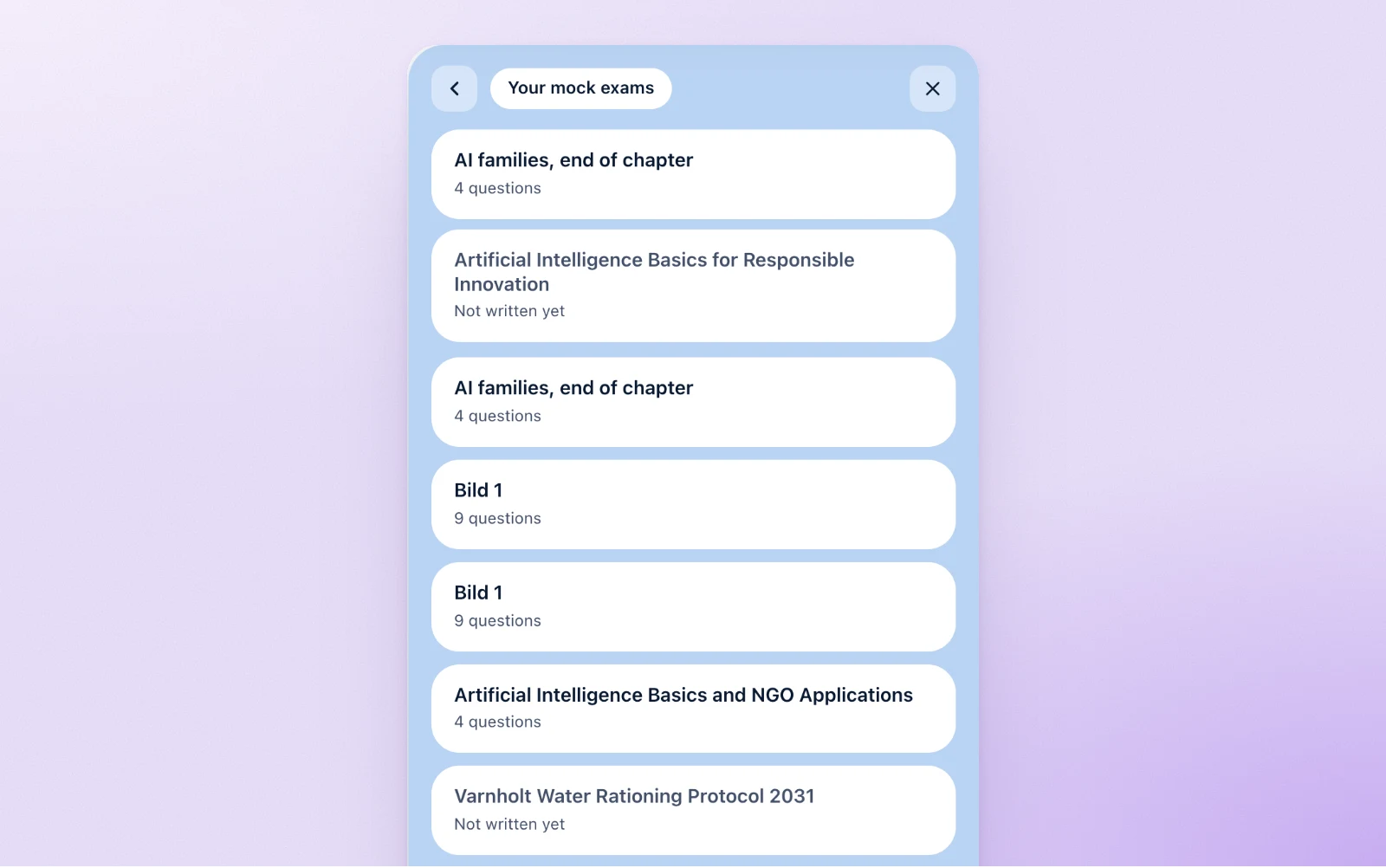
Your mock exams, or from scratch
Open a mock exam you already made in your dashboard, or add questions by hand. Every question shows its expected answer on the review, and the keyed kinds are edited right in the panel.
A live mock exam in three steps
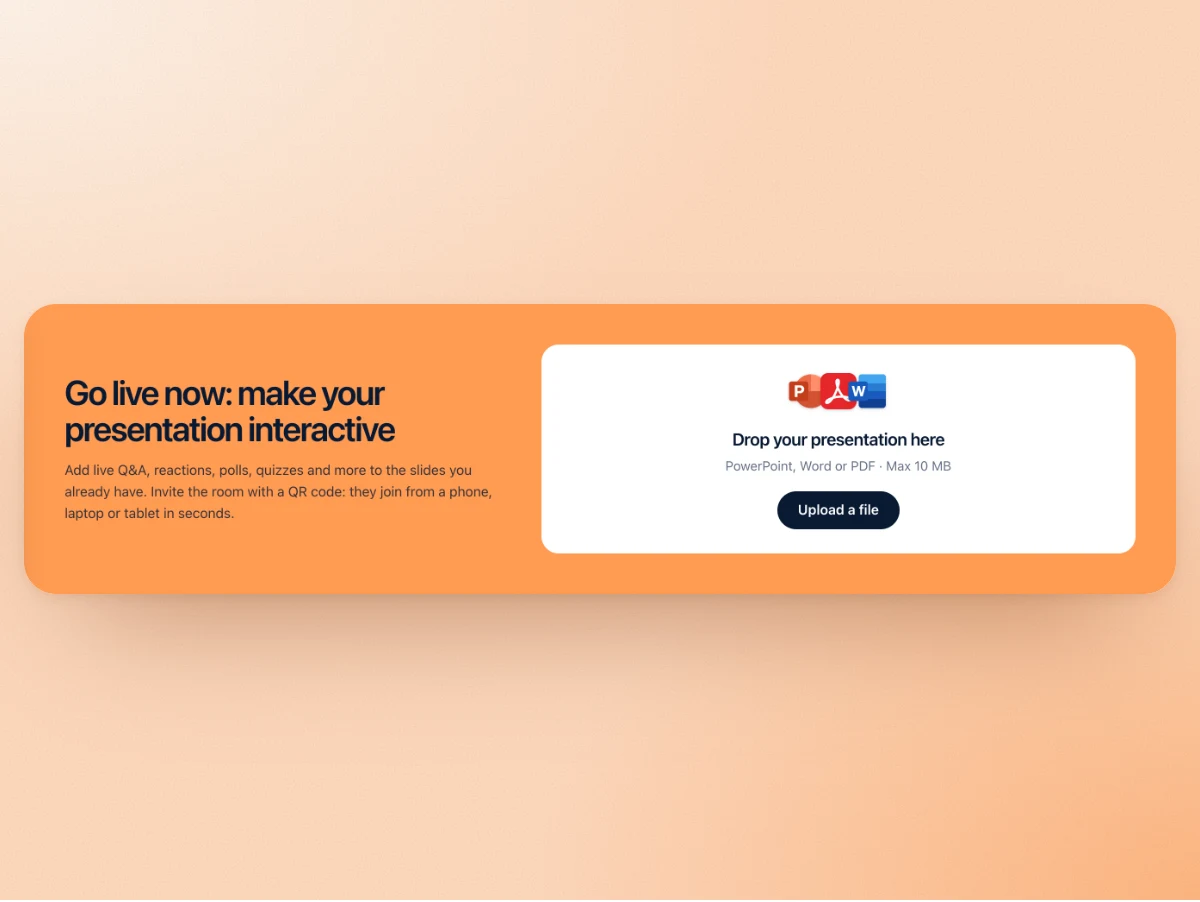
Upload the deck you already have
Drop the PowerPoint, PDF or Word file and start the session. Nothing to rebuild, nothing to install: it opens as it is.
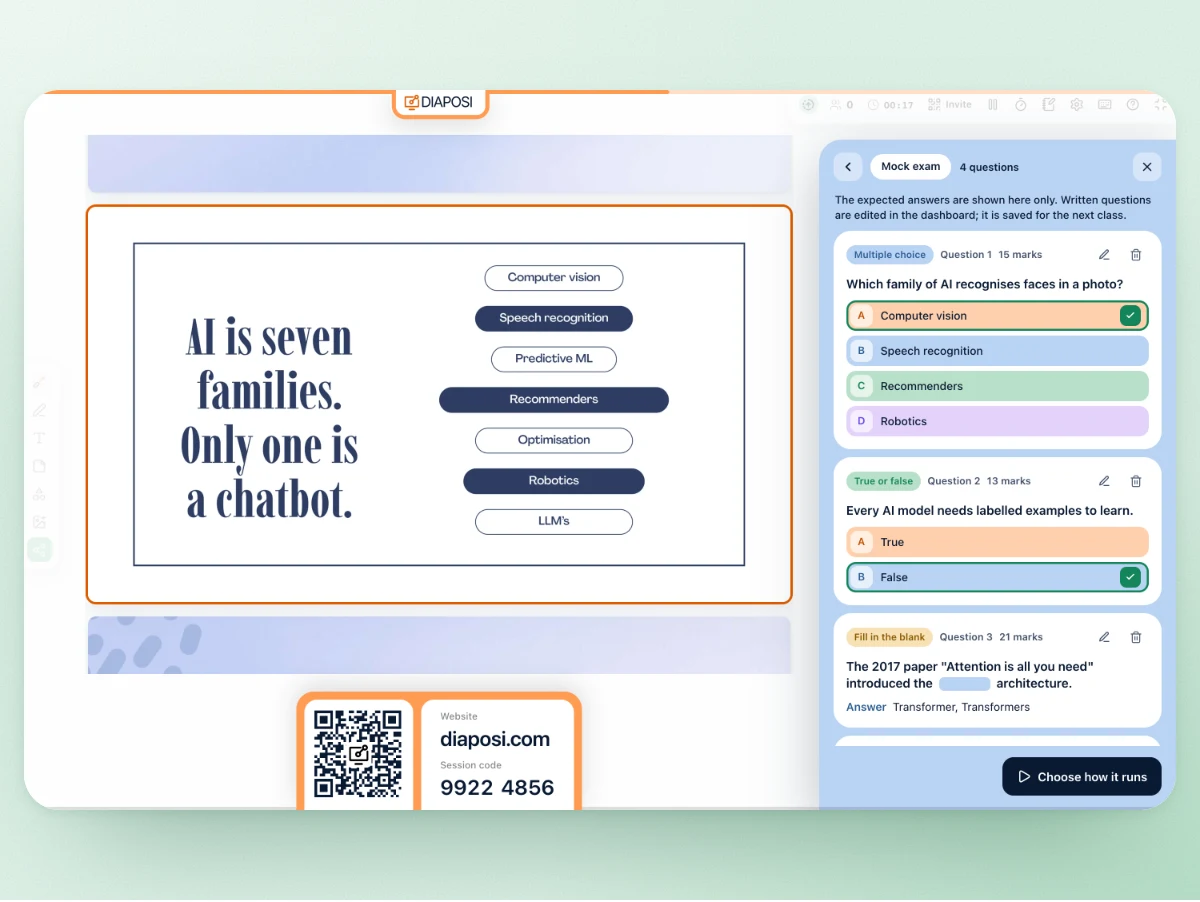
Build the paper beside your slides
Open the Mock exam panel. Diaposi writes the questions from your slides, or you bring your own. Read every expected answer and its marks, then set how it runs: the time, anonymous or named, your instructions.
Open the room: the room sits it
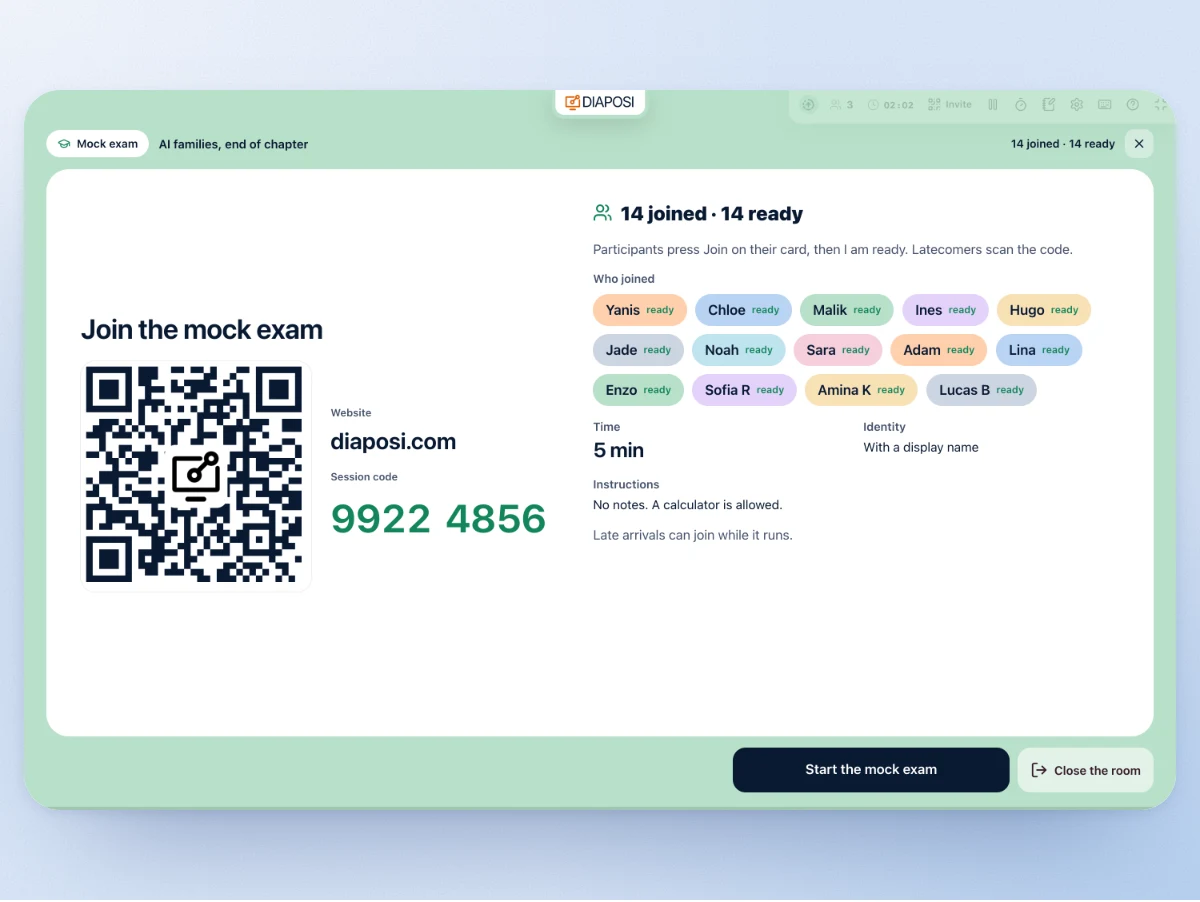
The waiting room shows the QR code and the eight-digit code. Participants press Join, then I am ready. Start it, and every phone opens the paper under one clock.
Eleven kinds of question, keyed ones marked at once, written ones marked by Diaposi
A keyed kind is marked by its key the moment the paper is in. A written answer, a problem or a case study is marked by Diaposi against the expected answer, and you can change any mark before you publish.
- Single choiceOne right answer
- Several right answersTick every right one
- True or falseA statement to judge
- Fill in the blankA word to type, every accepted spelling allowed
- NumberA number to work out
- MatchingPairs to match
- OrderingSteps to put in order
- CategorizeItems to sort into groups
- Written answerA few lines, marked on its key points
- ProblemA worked answer, marked on the expected one
- Case studyA case and its parts, each marked
On the big screen, and on every phone
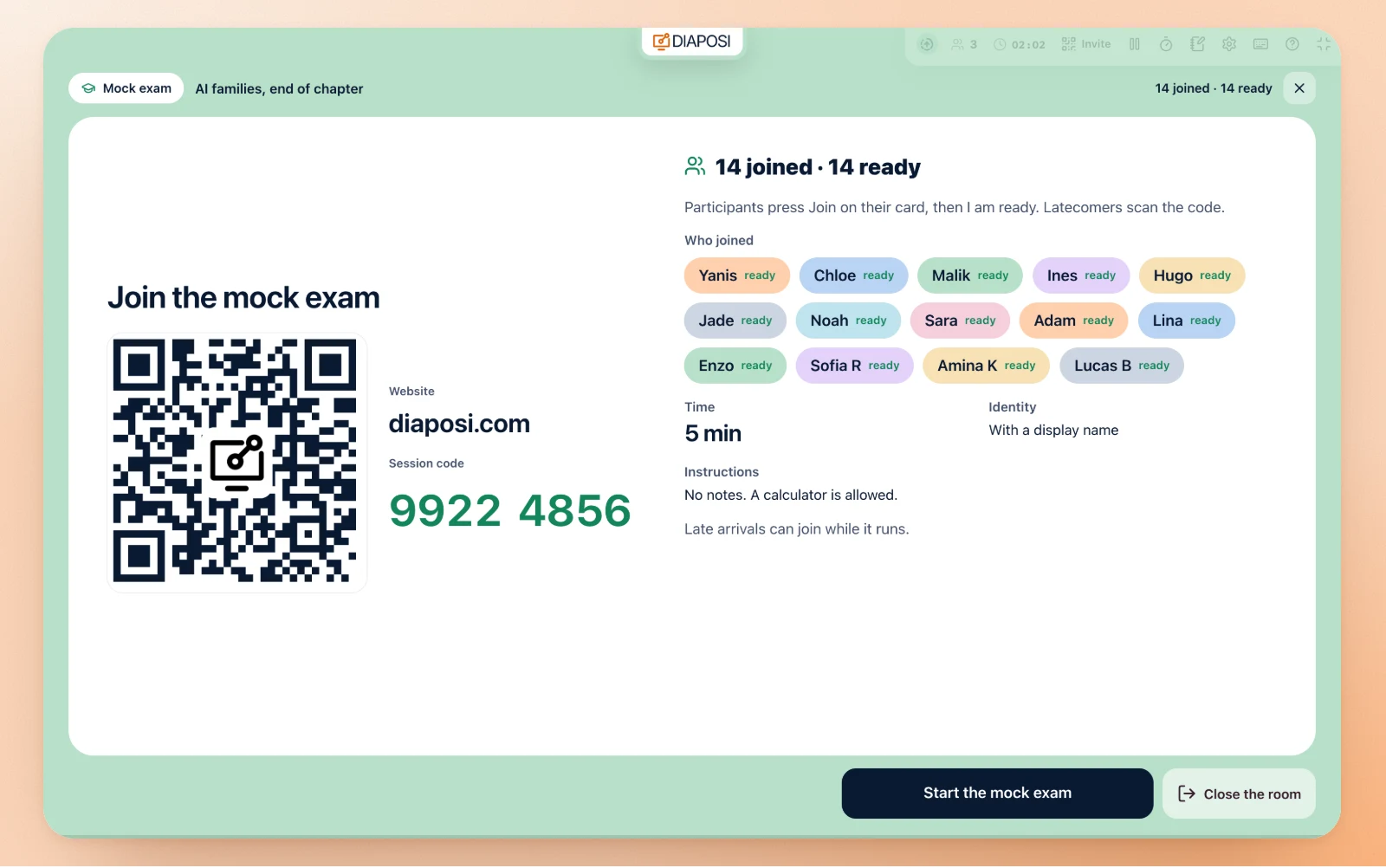
The waiting room: who joined, who is ready
The mock exam takes your whole screen: the QR code, the code, the time, anonymous or named, your instructions. Each name appears as it joins, then as it says ready. Late arrivals can still join while it runs.
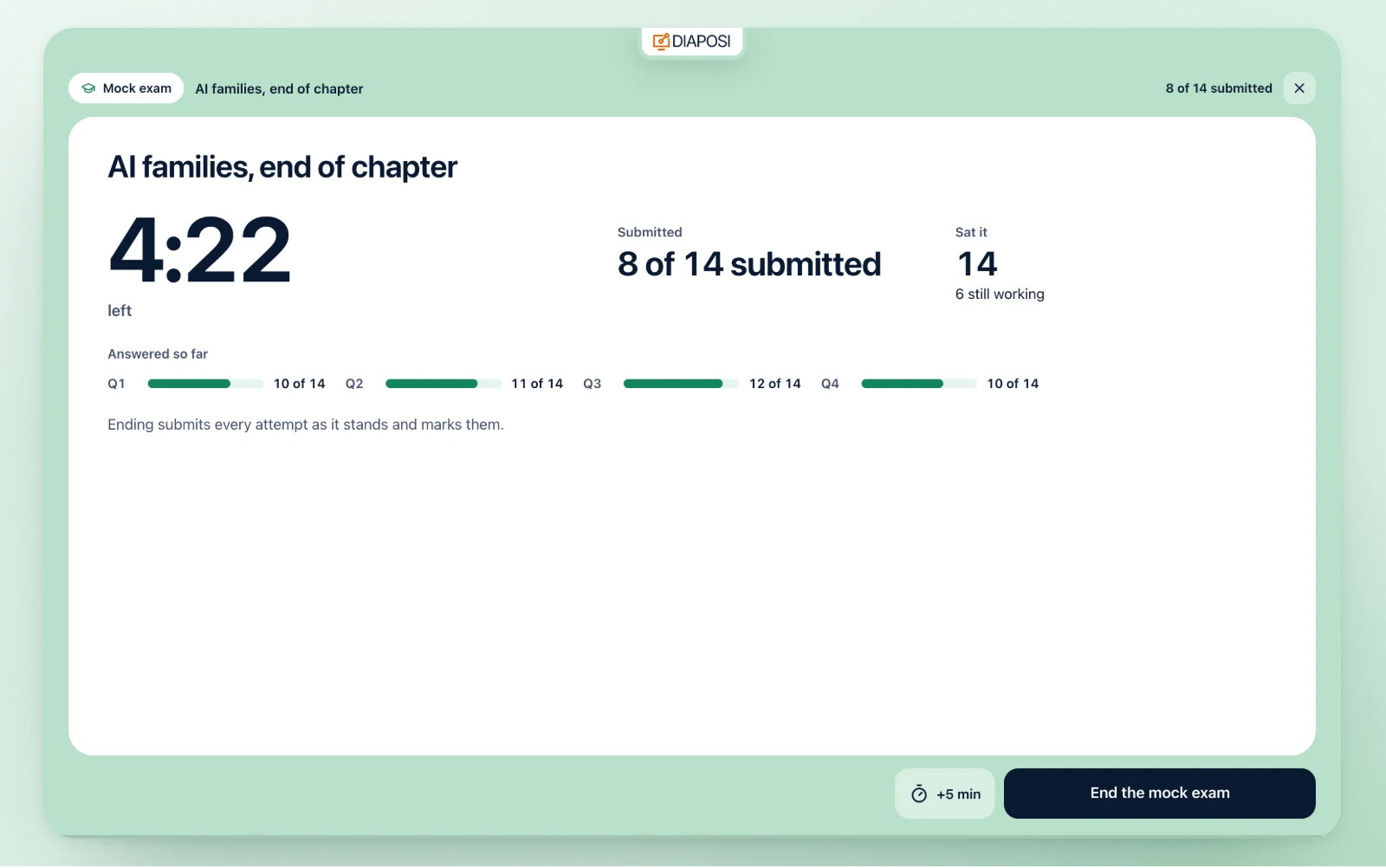
One clock for the room
The class clock counts down on the screen, with how many have submitted and how many are still working. Under it, the answers given so far, question by question. Give everyone five more minutes if you need to.
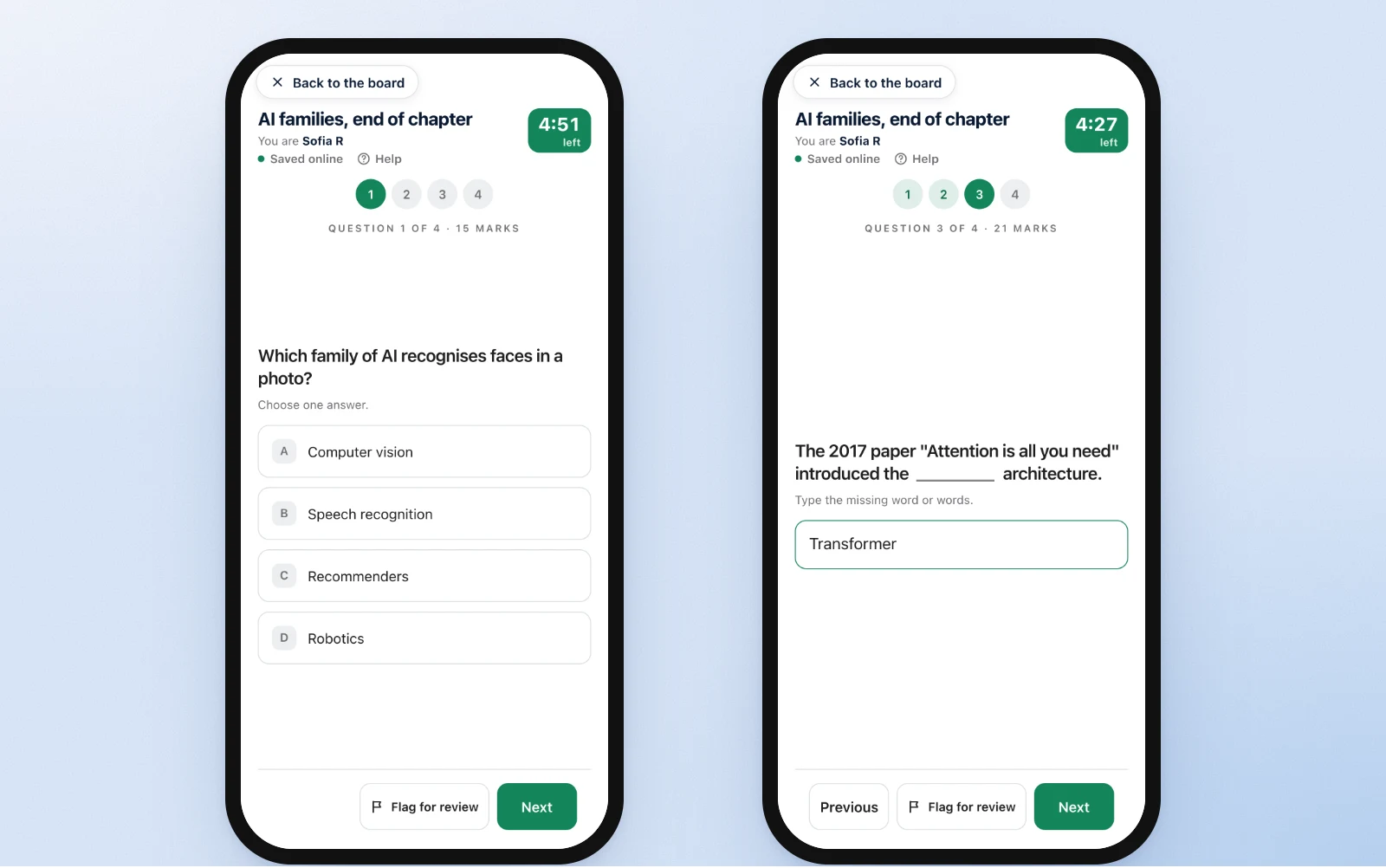
On the phone: the paper, one question at a time
The paper opens over the participant's board: one question at a time, the time left, a flag for anything to check again, a last review before they submit. Time up, the paper is handed in as it stands.
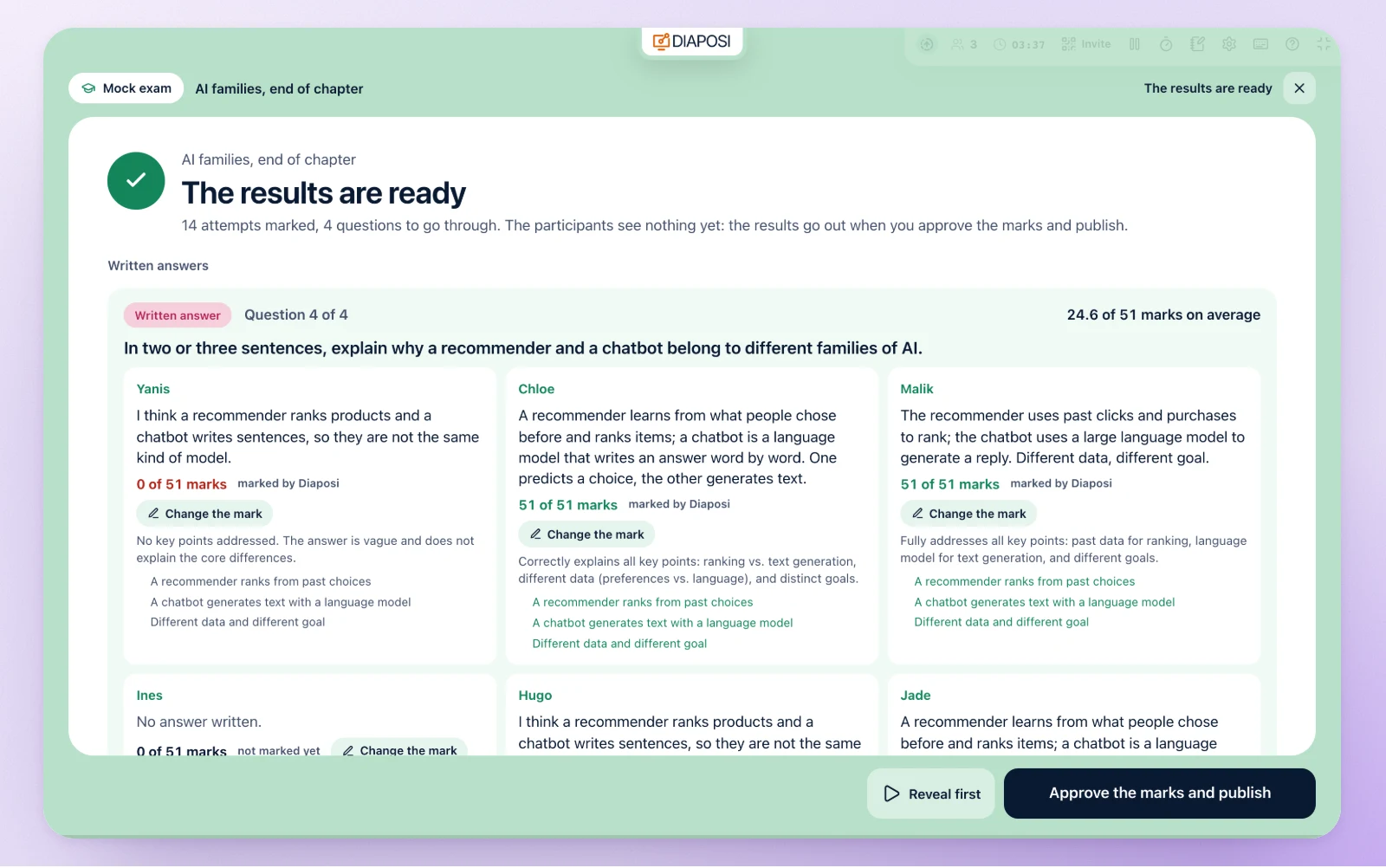
Marked before you say a word
End it, or let the clock: every attempt is submitted and marked. Keyed answers at once, written ones by Diaposi in a moment. You read what each participant wrote with its mark, change any mark, then approve and publish.
You hold the room
Start the mock exam, end it, approve the marks and publish, reveal the results, next question, the class score, back to the slides: one main button follows the step, and Space or the right arrow presses it. Close the room before it starts, give everyone five more minutes, walk the questions before you publish. Hide the mock exam and the slide comes back.
What you keep after the mock exam
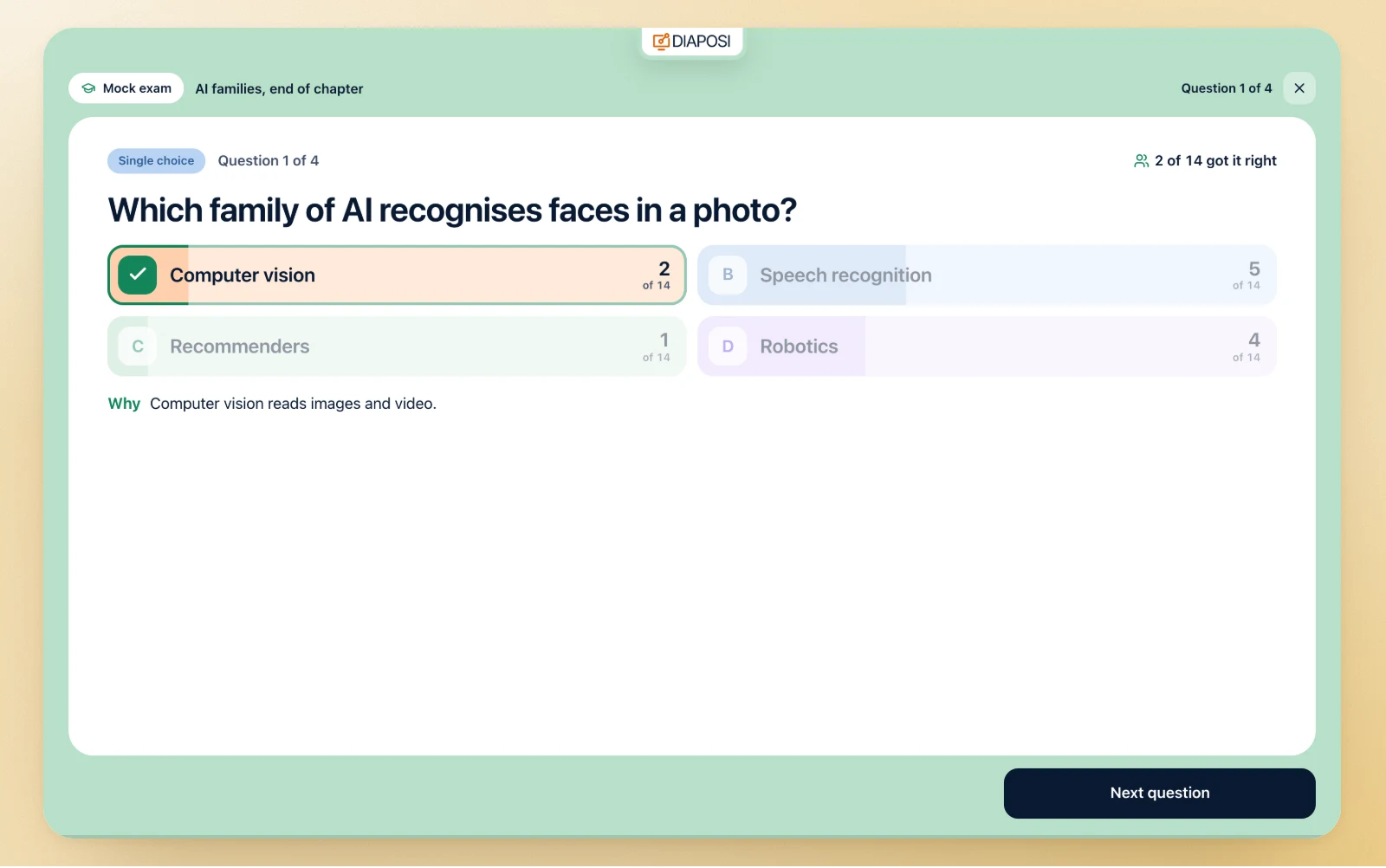
The class review, question by question
Walk the paper on the screen: each question with its expected answer, how many got it right, the average marks, and what the participants wrote on a written one.
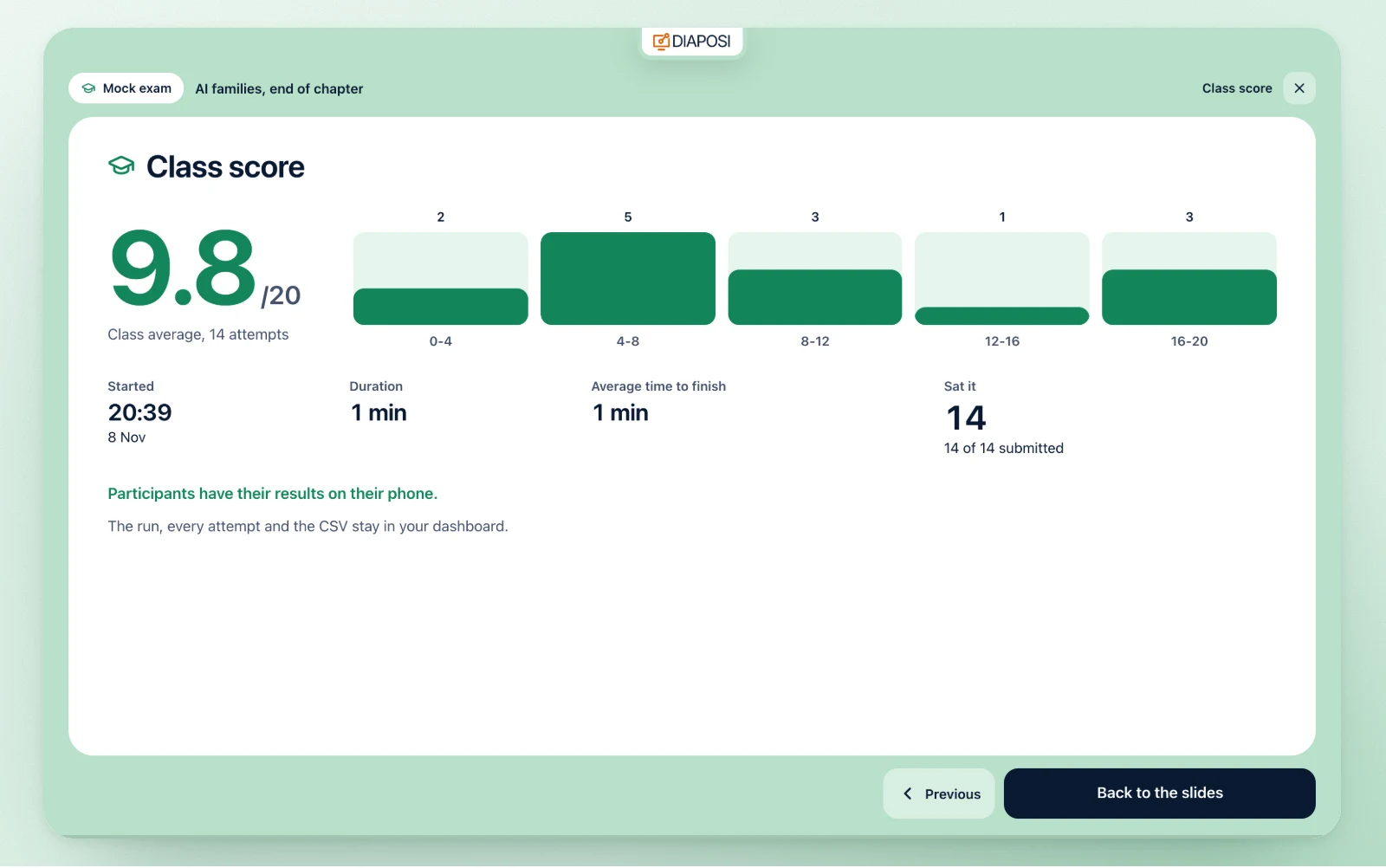
The class score out of 20
The class average out of 20, the grades in five bands, when it started, how long it ran, the average time to finish, how many sat it and submitted.
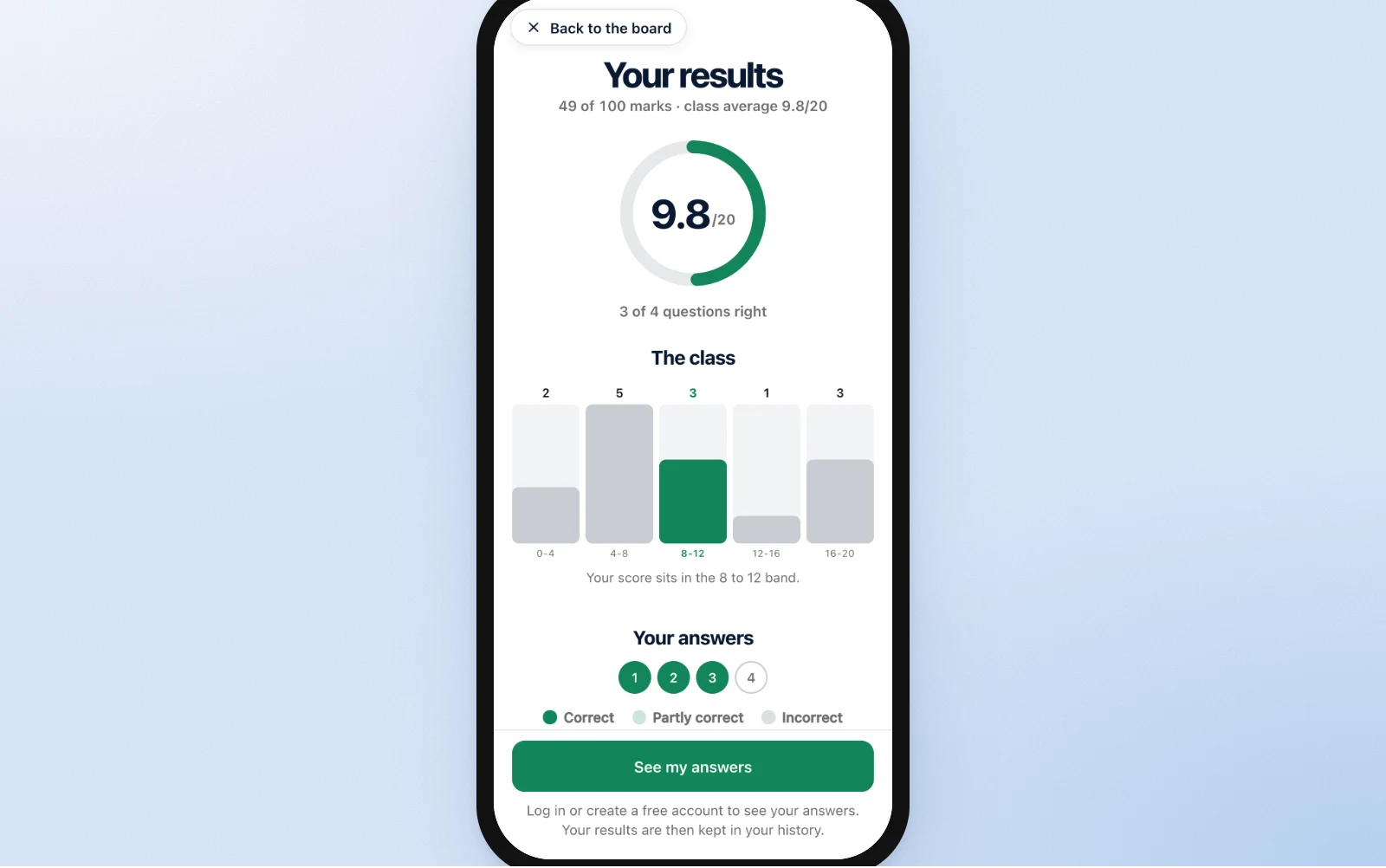
Their own results, on their phone
Once you publish, each participant sees their grade out of 20 first, then every answer next to the expected one. Each phone gets its own results only.
Kept with the mock exam, to run again
The run and every attempt with its marks are kept with the mock exam. The mock exam itself stays among your mock exams, and the next session opens it from the panel to run with the next group.
One session, every live element
The mock exam runs beside the other elements of the Interactive session, on the same deck and the same code.
Your own slides, no add-in
You upload the deck and present it from the browser, on any computer. The mock exam is a panel beside your slides, never a plug-in inside PowerPoint.
Interactive sessionAnonymous questions
Participants ask from their phones, anonymously by default, and vote up the questions they share.
Anonymous Q&ALive polls and word clouds
Ask the room in the middle of a slide and watch the answers arrive under it.
Live pollsA quiz with a podium
One question at a time for the whole room, points for the right answer, a leaderboard and a podium.
Live quizA survey before they leave
Ratings, choices and free answers at their own pace, with no right answer and no score.
Live surveyA mock exam on their own
A learner makes a mock exam from their own files, sits it alone and reads what to study next.
Practice session
Beside the mock exam: questions, polls and quizzes on the same slides
Where a live mock exam changes the room
Every mock exam is kept with every attempt and its marks, in the session report and your dashboard.
Frequently asked questions
Can I run a mock exam on my PowerPoint without an add-in?
Yes. You upload the PowerPoint, PDF or Word file and present it from the browser, on any computer, Mac included. The mock exam opens in a panel beside your slides, with nothing installed, and takes the screen only while it runs.
Can the paper be written from my slides?
Yes. Diaposi reads the text of your slides and writes the paper from the chapters you pick, in the language of the deck, in the format, number and difficulty you choose. You read every expected answer and its marks before the room opens.
Do participants need an app or an account?
No. They scan the QR code or type the eight-digit code in any phone browser, press Join and I am ready. Anonymous, each gets a label such as Participant 07; named, they give a display name you see. Only the host has an account.
How are the answers marked?
A keyed question is marked by its key the moment the paper is in. A written answer, a problem or a case study is marked by Diaposi against the expected answer. You read every written answer with its mark, change any mark, and the results stay held until you approve and publish them. Every grade is out of 20.
Can I set a time limit and add time?
Yes. Choose 15 to 90 minutes, your own number up to four hours, or no timer. Each paper is handed in at its deadline, and while it runs you can give everyone five more minutes.
How is a live mock exam different from a live quiz?
A live quiz asks one question at a time to the whole room, scores points and ends on a podium. A live mock exam is a whole paper under one clock, each participant at their own pace, with written answers as well as keyed ones, marks out of 20, and results the host publishes.
Can I sit a mock exam on my own?
Yes. In a Practice session, a learner makes a mock exam from their own files, sits it alone under its clock, and reads their grade out of 20 with what to study next.