

A live word cloud turns one-word answers from the whole room into a picture: the more often a word is sent, the larger it grows. It is a fast first read of what people think, before any discussion. In Diaposi Session, the word cloud is one of the six kinds of poll, and it can fill the screen.
What does a word cloud show, and what does it hide?
It shows which words the room reaches for first, and how many people share them: the more often a word is sent, the larger it grows. It hides everything else. There is no reasoning in a cloud, and one loud word can drown ten careful ones. Use it to open a discussion, never to close one.
What are seven good uses?
- Opener. “In one word, what do you expect from today?”
- Prior knowledge. “What word comes to mind when you hear inflation?”
- Pulse check. “How do you feel about this chapter?”
- Brainstorm. “Name one cause of the problem.”
- Vocabulary. “Which term from today was new to you?”
- Recap. “What was the key idea of this session?”
- Closing thought. “One word you are leaving with.”
How do you phrase the question and read the result?
Ask for one word, and say so. A question that invites a sentence produces a cloud of “the” and “and”. When the cloud is up, read it out loud: name the biggest word, then pick a small, surprising one and ask who sent it and why. That second step is where the discussion starts.
A word cloud is one kind of poll among several. See how to use live polls in a presentation and the complete guide to interactive presentations.
How Diaposi Session helps
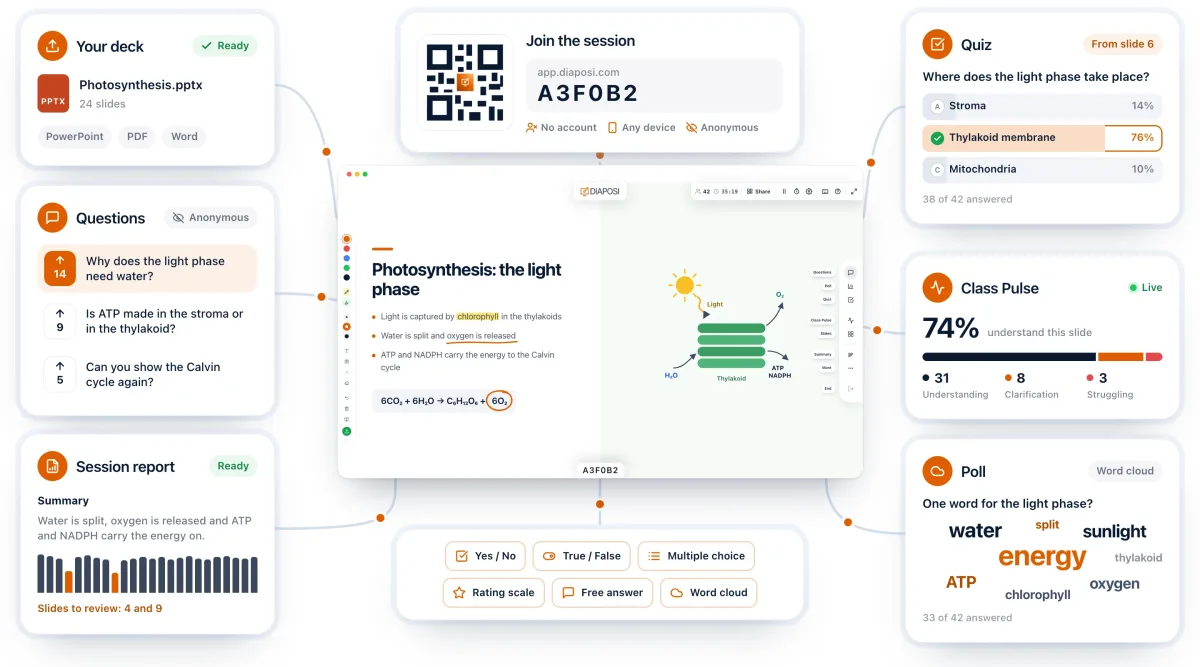
In Diaposi Session the word cloud is one of six kinds of poll, and it can fill the screen. Participants send their word from their phone, with no account. Like every poll, it stays in the session report, so the words the room chose are there when you prepare the next session.
Diaposi Session is part of Diaposi, the EdTech platform for interactive and measurable learning. Discover Diaposi Session
Frequently asked questions
When should I not use a word cloud?
- When the question has a right answer, or needs reasoning. A word cloud counts words. It cannot show who is correct or why. Use a multiple-choice poll or a short written answer instead.
How many people do I need for a word cloud?
- A dozen answers is enough to see a pattern. Below that, read the words as a list.
Is Diaposi free?
- Yes. Diaposi is free, and there is no paid plan today.