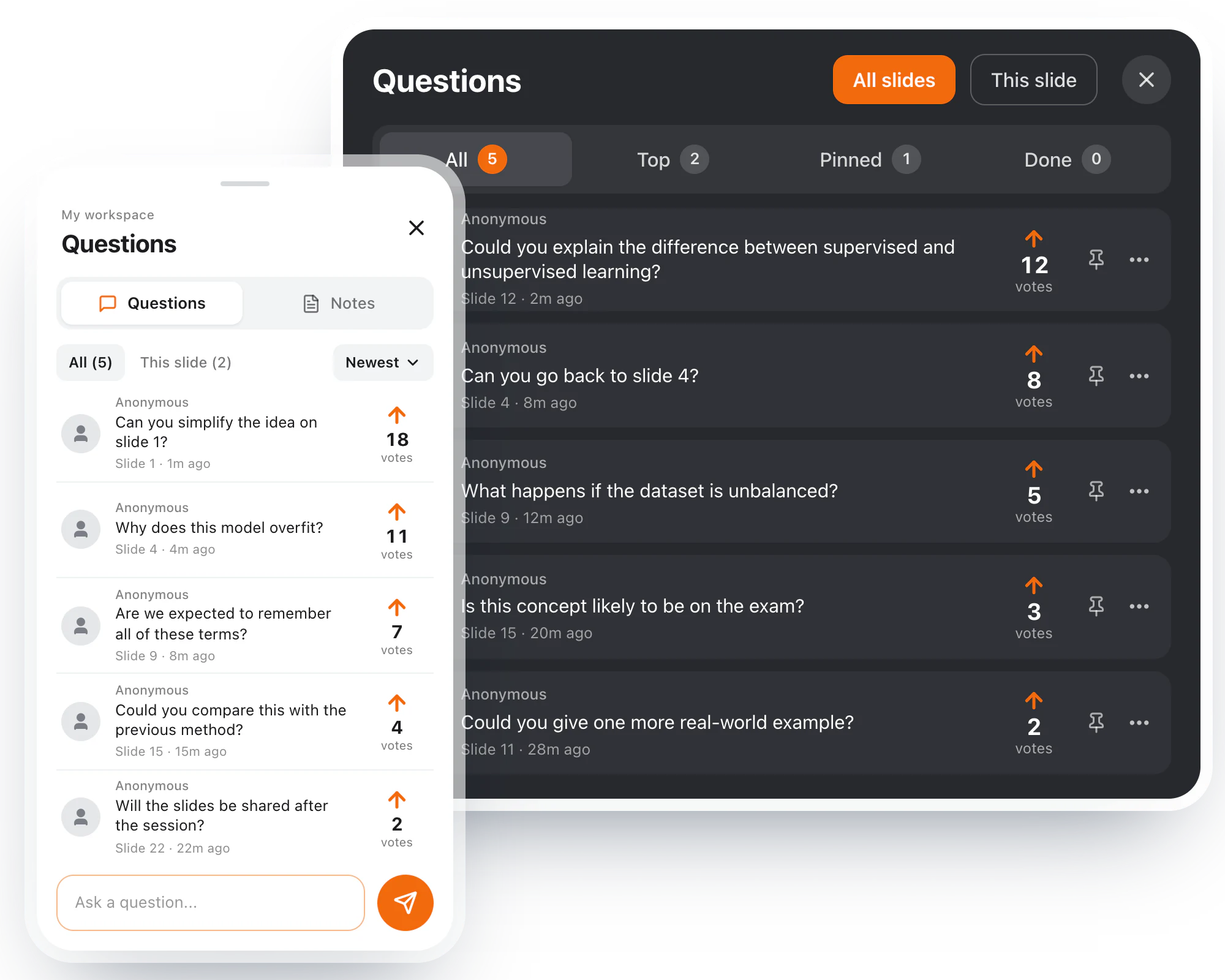
Ask from your own phone, on the slide in front of you, without giving your name. If someone has already asked what you were going to ask, vote for theirs instead: the questions most of the room wants rise to the top, so the host answers those first.

Products
Diaposi SessionDiaposi Augmented LearningDiaposi Live examDiaposi Live quizDiaposi Live WhiteboardLearning measured and quantifiedThree ways to learn
Join a sessionFollow your presenterLearn on your ownYour host presents from the Diaposi cockpit and sets the pace. You join with the code or the QR code, with no account and nothing to install, and every slide is yours to react to, note and keep for later.
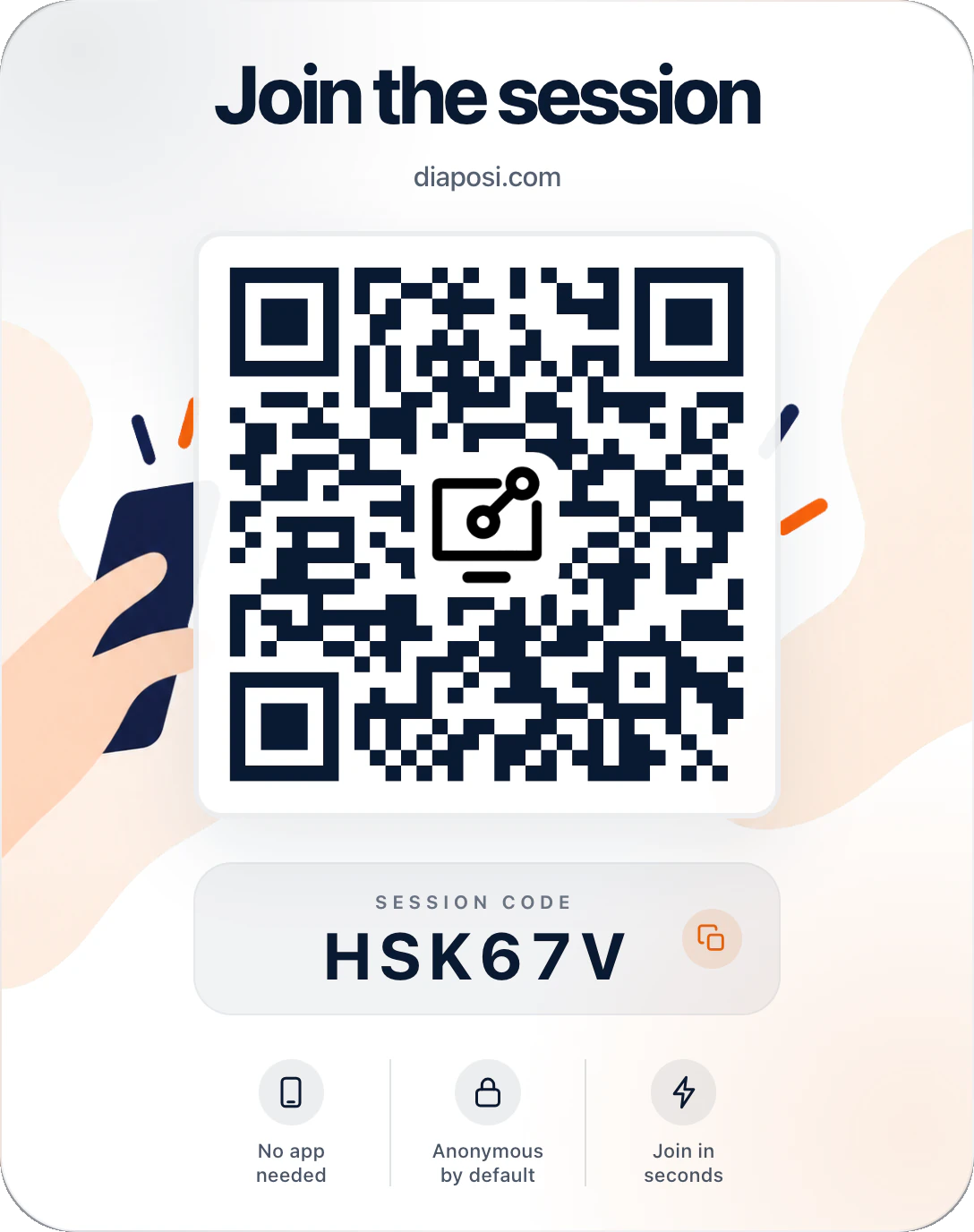
Scan the QR code on the host's screen or type its six-character code. No app, no account and no name to give.
The slide being shown opens on your screen. Go back to an earlier slide, take notes and draw on it, and mark it Got it or Review.
A phone, a tablet or a laptop, in the browser you already have. What you send reaches the host without your name, and your notes and drawings stay yours.
















Ask from your own phone, on the slide in front of you, without giving your name. If someone has already asked what you were going to ask, vote for theirs instead: the questions most of the room wants rise to the top, so the host answers those first.
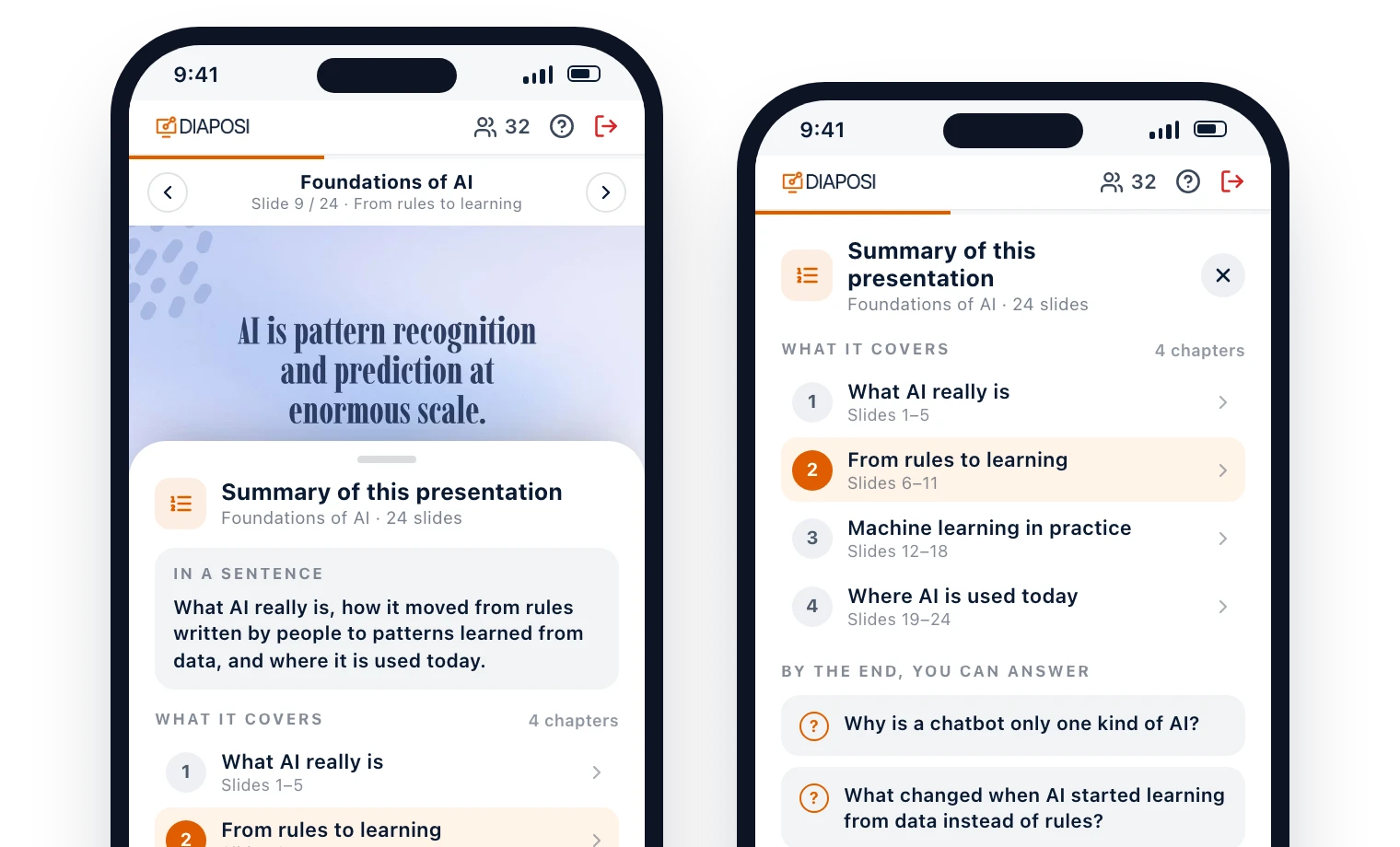
Open the summary and Diaposi AI puts the presentation in one sentence, lists its chapters with the slides each one covers, and tells you what you should be able to answer by the end. It follows the language of the slides.
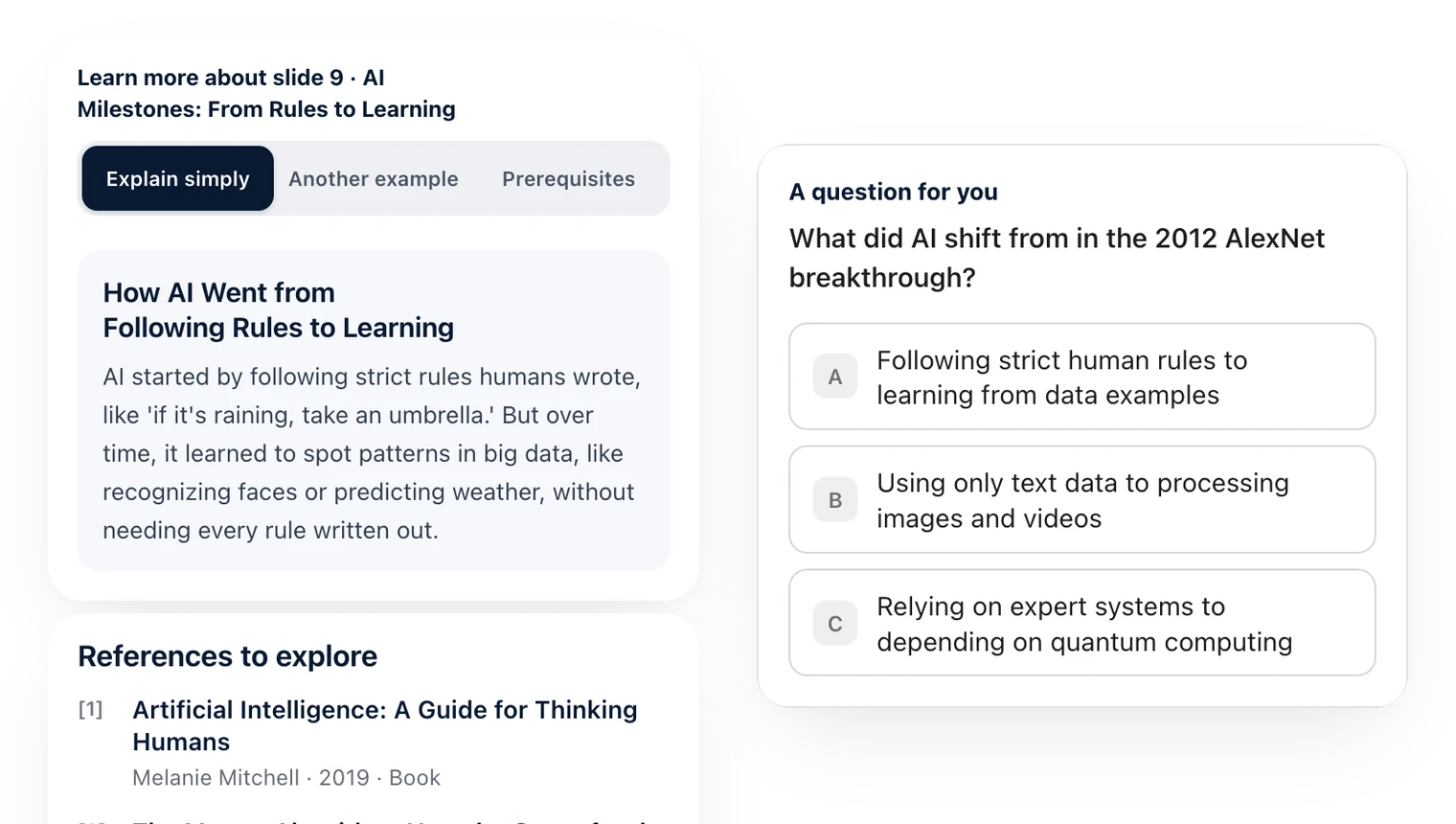
Lost on a slide? Open Learn more to have it explained simply, through another example or through what you need to know first, with a question to check yourself. All of it grounded in the slide you are on.
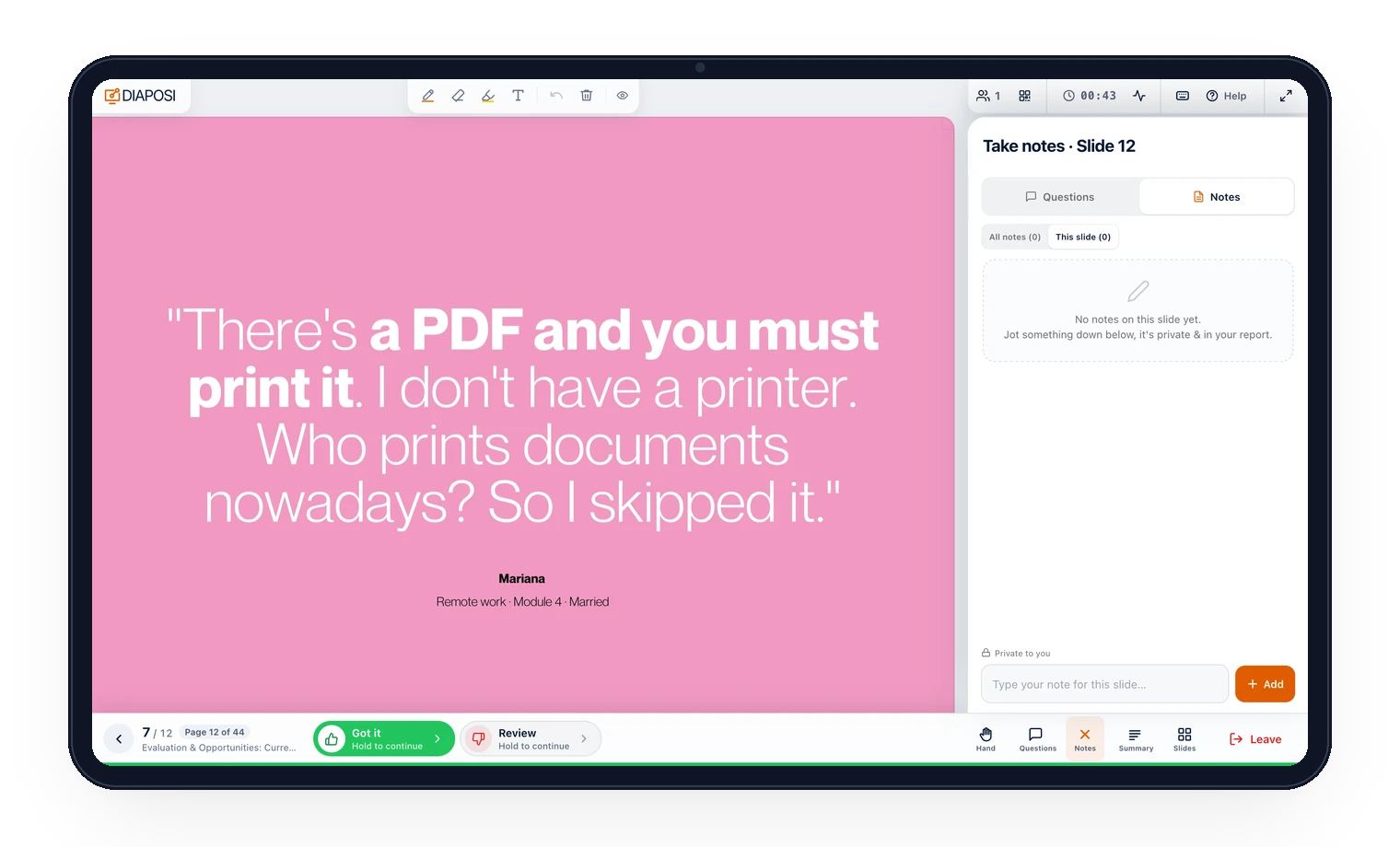
One tap under each slide says Got it or Review, without your name. Type a note or draw on the slide: your notes stay private, come back with their slide, and can be edited or deleted at any time.
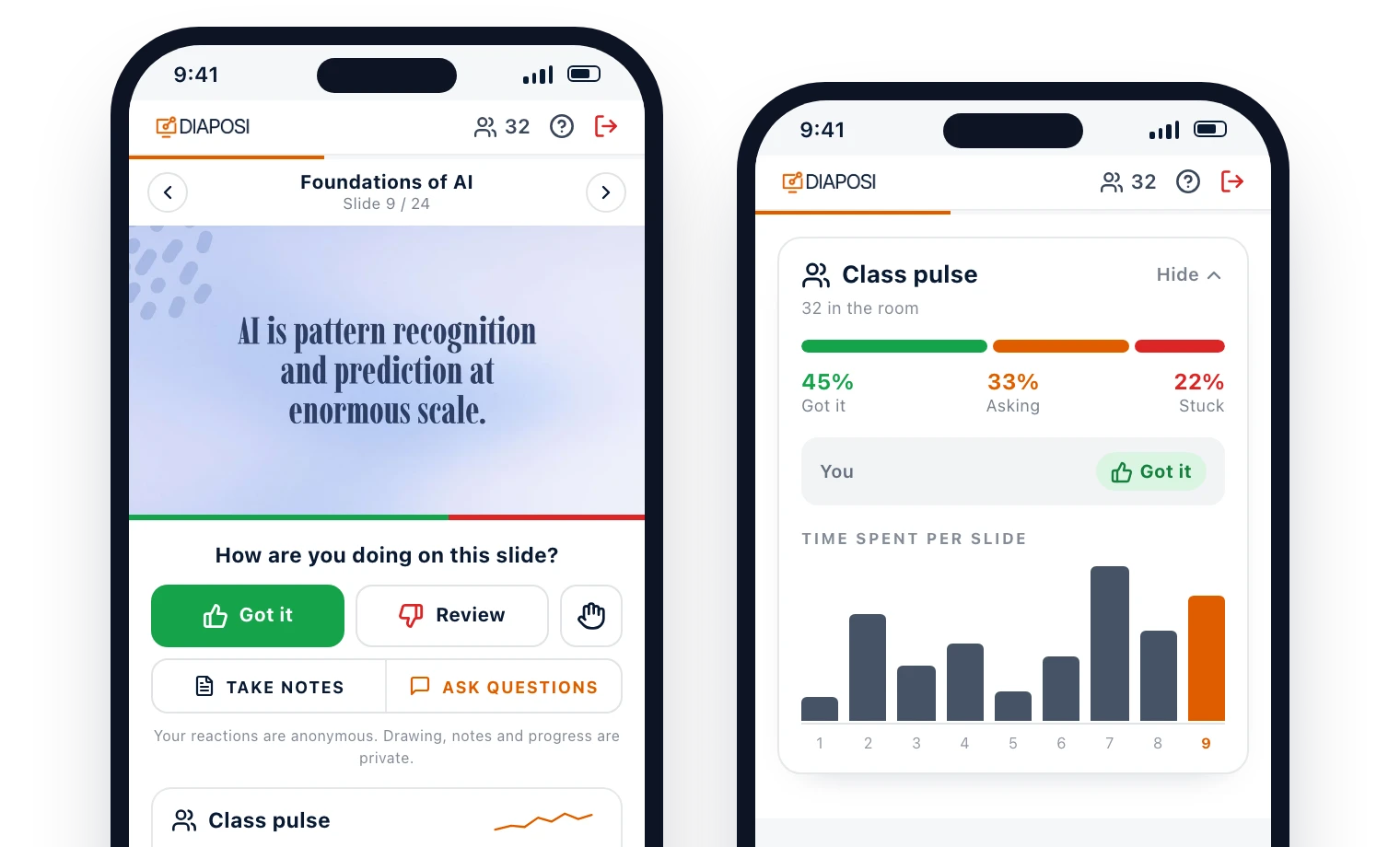
Tell the host how the slide is landing: you follow, you need it again, or you are lost. Nobody sees your name, and the host sees how the whole room is doing while there is still time to go back over it.
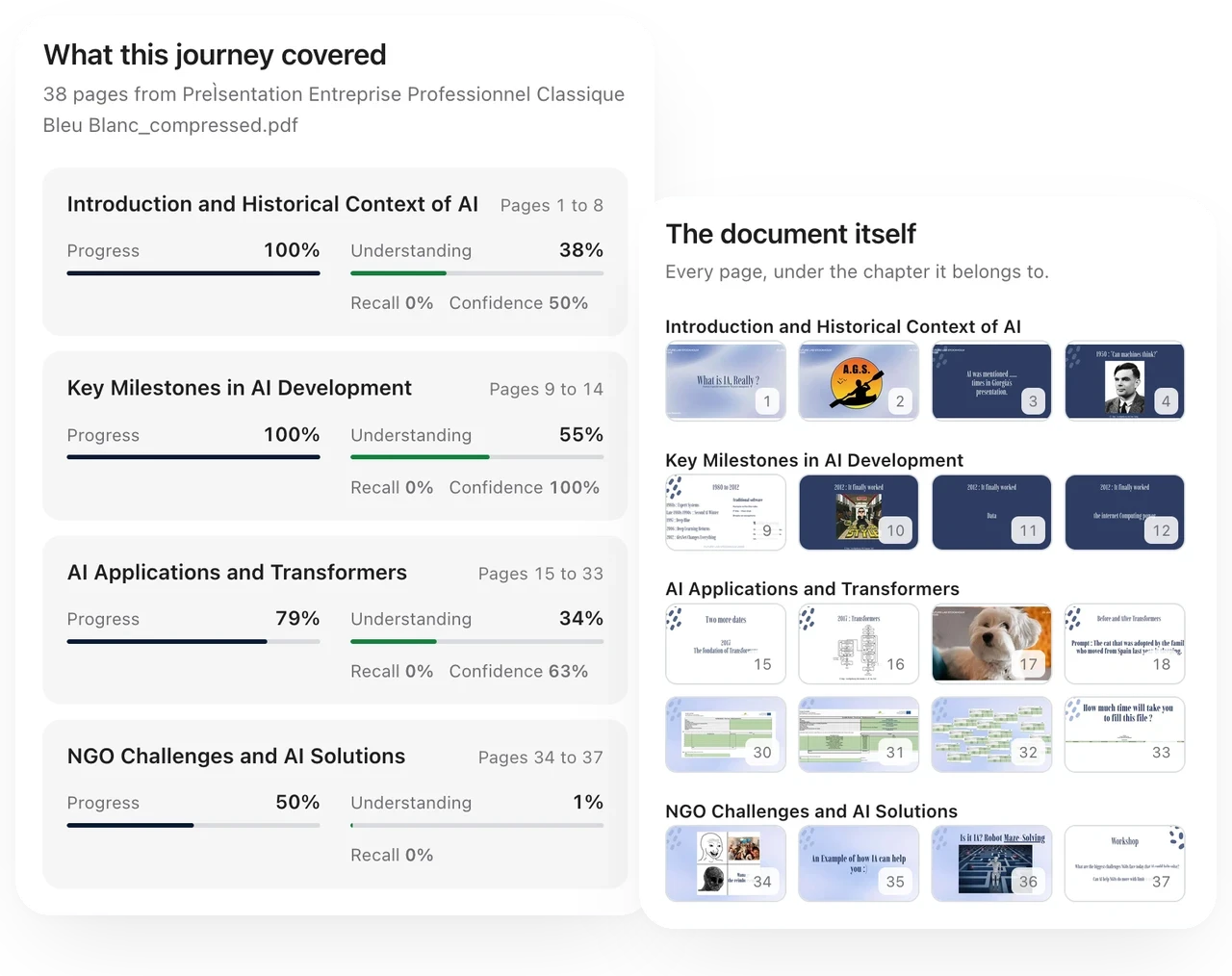
With a free account, the session is kept in your learning journeys: the slides you marked, your answers, your focused time and the pages to look at again, with your notes beside them. Quiz yourself on it later, or turn it into a mock exam.













Everything else the session puts in your hands, on any screen.
One tap tells the host you want to speak, without leaving the slide. Lower it again once you have.
Polls, word clouds and quizzes open on your screen the moment the host launches them. Answer in a tap, then see the room's results.
Browse back to a slide you missed. One tap on Follow your host brings you back to the slide being shown.
What the host draws on the slide appears on yours. Hide it when you want the slide clean.
Open the slides panel to see the deck as a grid and jump straight to the slide you want.
Show the QR code on your own screen, so the person next to you can join in seconds.
When the host opens with it, write what you hope to take away, and say at the end whether it was met.
If the host pauses the session, reactions and questions wait, and you can keep drawing and taking notes.
With a free Diaposi account, nothing you did in the room is lost.
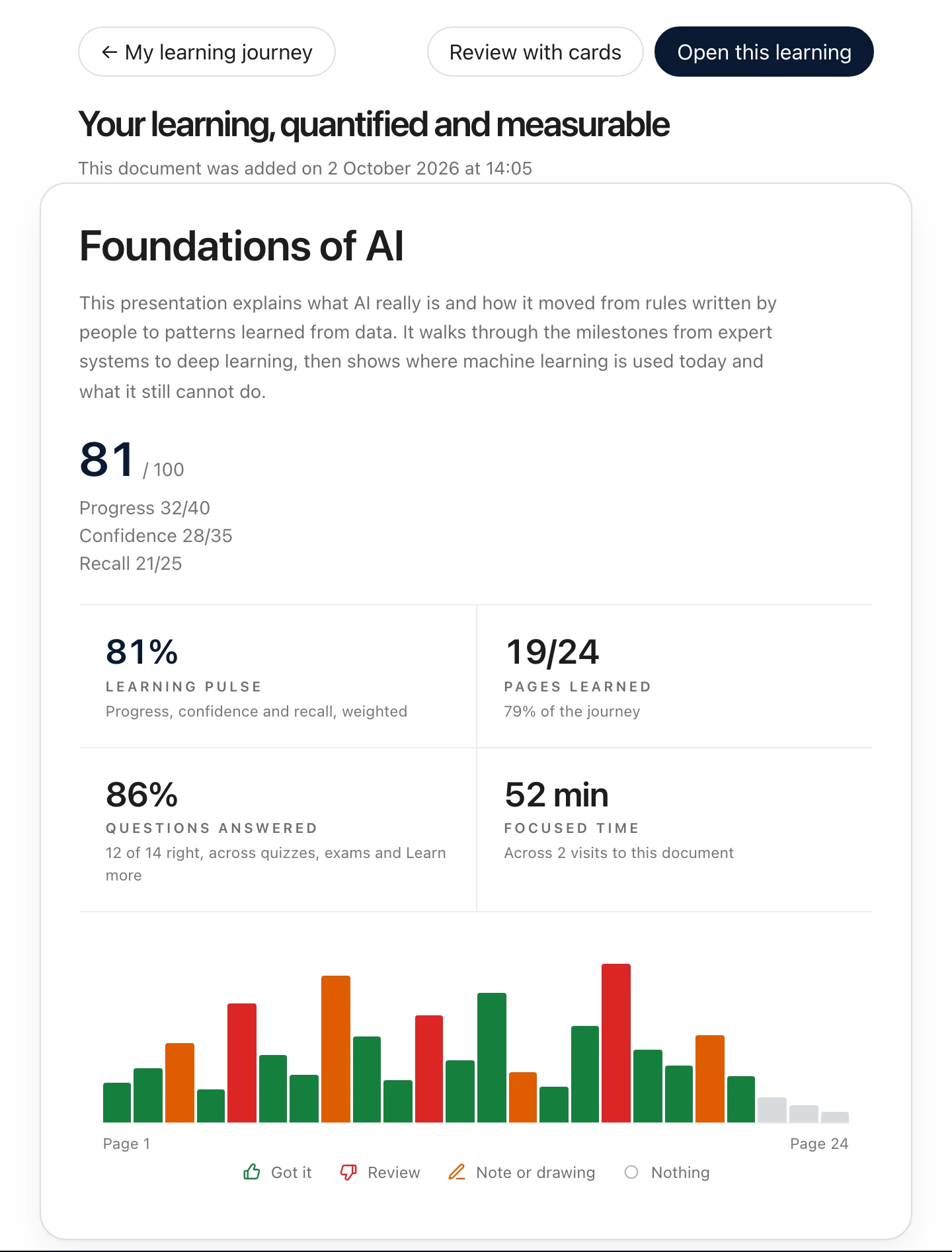
Upload the PowerPoint, PDF or Word file being presented and follow it page by page on your own screen, with private notes, drawing, Got it and Review, and any page explained another way. Then quiz yourself on the chapters you choose, or sit a timed mock exam graded out of 20.

Upload the PowerPoint, PDF or Word file you already have and run polls, anonymous questions and quizzes from one cockpit, with a report when you end. Free to start, with no account.
What participants ask before their first Diaposi session.