Anonymous live Q&A, on the slides you already have.

Live Q&A in Diaposi lets your audience ask questions from their phones during a presentation, without giving their name, and vote up the questions they share, so you answer what most of the room wants to know. It is part of Diaposi, the free EdTech platform for interactive and measurable learning, and works on the PowerPoint, PDF or Word file you already have.

  • Anonymous by default
  • Voted by the room
  • No app to install
Anonymous questions in Diaposi: a participant's phone with the questions asked and their votes, beside the host's list of the same questions, ranked by votes, pinned or done

Live Q&A can be on your slides, or on a whiteboard

On the slides you already have

Upload your PowerPoint, PDF or Word as it is and present it from Diaposi. Every question arrives on the slide it was asked about, and you set the time between two comments from the session settings.

Discover Diaposi Session

On a whiteboard

Nothing to present from? Start the session on a whiteboard instead of slides, or open one in the middle of your deck. The questions keep coming in while you draw and write in front of the room.

Discover the whiteboard

How to run a live Q&A with Diaposi

From the deck you already have to the questions your room actually wants answered, in four steps and a few minutes.

  1. Upload your presentation

    Drop the PowerPoint, PDF or Word file you already have, up to 50 MB. Nothing to rebuild and nothing to install: it opens in the browser, on a Mac or a PC.

  2. Share the code

    Your room scans the QR code on your screen or types its six-character code. No app, no account and no name to give.

  3. Let the questions come in

    Participants ask from their own phone, on the slide in front of them, anonymously. When several ask the same thing, it becomes one question with their number on it, and they vote for the ones they share.

  4. Answer what matters most

    Sort by Top to see what most of the room is asking, open the slide a question came from in one tap, pin one for later and mark it Done once answered.

How live Q&A works in Diaposi

Four things make the room ask more, and leave the presenter in charge of when to answer.

  • Participants ask from their own phone, with no account and no name to give, so the shy and the unsure ask too. The presenter sees the question and the slide it was asked on, never who asked it.

  • Instead of asking again, anyone can vote a question up, or down when it is not what the room needs, and the same question asked twice becomes one with its count. What most of the room wants to know rises to the top.

  • Nothing covers the slide. A question much of the room is asking is raised in a band under it, with how many asked it and the slide it came from, and the others wait in the questions panel. The presenter carries on, answers when it suits the talk, and marks it answered.

  • Sort by Top, or show only the questions on the slide you are on. Pin one for later, jump to the slide it came from in one tap, and mark it Done once it is answered.

Every question is kept, slide by slide

When the session ends, nothing the room asked is lost. The questions stay with the slides that raised them, and you can come back to them, filter them and take them with you.

  • Slide by slide in the report

    Each slide of the report lists its questions with the time they were asked and their upvotes, beside how the slide landed.

  • In your analytics

    Every session sits in your analytics with its questions, its participation and its quiz results, and participants with a free account keep how many questions each slide raised in their learning journey.

  • Exported to PDF or Excel

    Download the report as a PDF, or as a CSV that opens straight in Excel or Google Sheets.

Start by creating your free account

Live Q&A, answered.

What people ask before their first live Q&A.

Host your interactive presentation with Diaposi

Upload the PowerPoint, PDF or Word file you already have and run polls, anonymous questions and quizzes from one cockpit, with a report when you end. Free to start, with no account.

Diaposi Session in one picture: the presenter's cockpit with its slide, and around it the polls, the anonymous questions, the quiz and the class pulse the room sends in

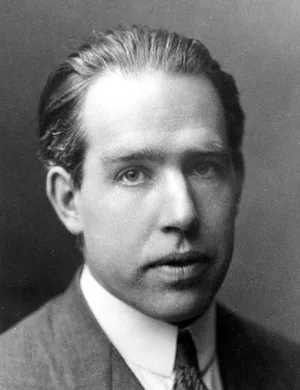
  • Niels Bohr
    Niels Bohr
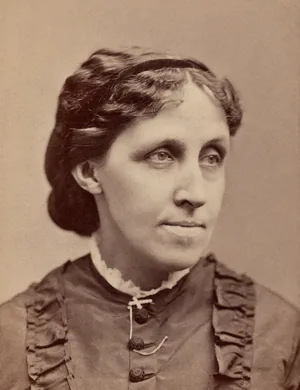
  • Louisa May Alcott
    Louisa May Alcott
  • Johann Sebastian Bach
    Johann Sebastian Bach
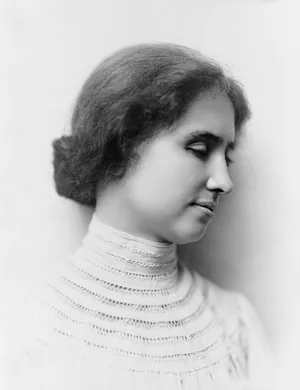
  • Helen Keller
    Helen Keller
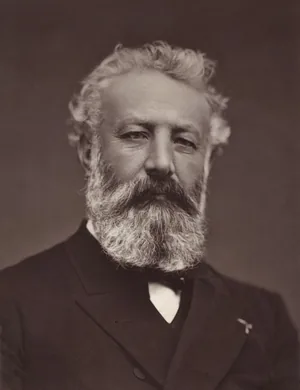
  • Jules Verne
    Jules Verne
  • Caroline Herschel
    Caroline Herschel
  • W. E. B. Du Bois
    W. E. B. Du Bois
  • Mary Shelley
    Mary Shelley
  • Max Planck
    Max Planck
  • Charlotte Brontë
    Charlotte Brontë
  • Leo Tolstoy
    Leo Tolstoy
  • Maria Gaetana Agnesi
    Maria Gaetana Agnesi
  • Mark Twain
    Mark Twain
  • Hans Christian Andersen
    Hans Christian Andersen
  • Erwin Schrödinger
    Erwin Schrödinger
  • Booker T. Washington
    Booker T. Washington

Bring Diaposi to your institution

For a course, a department or a whole university. Diaposi makes every live session interactive and measurable, with the slides your staff already have. Tell us what you have in mind and we will get back to you.

  • Every session measured: attention, participation and every answer, slide by slide.
  • Works with the education ecosystem.
  • No training on API dataAPI data is not used to train models.
  • European infrastructureEncrypted across multiple EU zones.
  • GDPR controlsEuropean data rights and controls.
  • Mistral complianceSOC 2 Type II · ISO 27001/27701

Universities across Europe.

  • University of Oviedo, Spain
  • Medical University Sofia, Bulgaria
  • University of Crete, Greece
  • Karlsruhe University of Applied Sciences, Germany
  • South-Eastern Finland University of Applied Sciences, Finland
  • University G. d'Annunzio, Chieti-Pescara, Italy
  • University of Skövde, Sweden
  • Munster Technological University, Ireland
  • University of Rouen Normandy, France
  • Gheorghe Asachi Technical University of Iasi, Romania
  • KTH Royal Institute of Technology, Sweden
  • Malmö University, Sweden
  • Universidad Complutense de Madrid, Spain
  • Freie Universität Berlin, Germany

Contact our team