As a participant in a Diaposi session
Tap Got it or Review under each slide the presenter shows, from your phone, with no app. With a free account, the slides you marked Review join your deck.
Join a session
Products
Diaposi SessionDiaposi Augmented LearningDiaposi Live examDiaposi Live quizDiaposi Live WhiteboardLearning measured and quantifiedThree ways to learn
Join a sessionFollow your presenterLearn on your ownFlashcards in Diaposi are review cards built from your own slides: the pages you marked Review and the questions you missed come first, every answer is explained, and each card returns on a spaced schedule. They are part of Diaposi, the free EdTech platform for interactive and measurable learning.

Each card asks a question on a page of your document, with options to choose from, by click or with the number keys.
The reveal always explains why the right answer is right, next to the one you chose.
Say how well you really knew it: Again, Hard, Good or Easy. A lucky guess and a sure answer are not scheduled the same way.
Each card rests until it falls due, so it returns just as it starts to fade. Cards graded Again come back at the end of the sitting.
Click a card to turn it over.
Follow your document page by page with Diaposi Augmented Learning, in a lecture or on your own. Mark each page Got it or Review, and when you finish a chapter, Diaposi offers a short quiz on it. The pages you flagged and the questions you miss become your review cards.

Under every slide sit two buttons. Got it says you follow; Review says you want it again, and that page joins your deck. You can press them in two places.

Tap Got it or Review under each slide the presenter shows, from your phone, with no app. With a free account, the slides you marked Review join your deck.
Join a sessionUpload your PowerPoint, PDF or Word file and follow it page by page: Got it or Review under each page, a short quiz when you finish a chapter, and your review cards building themselves as you go.
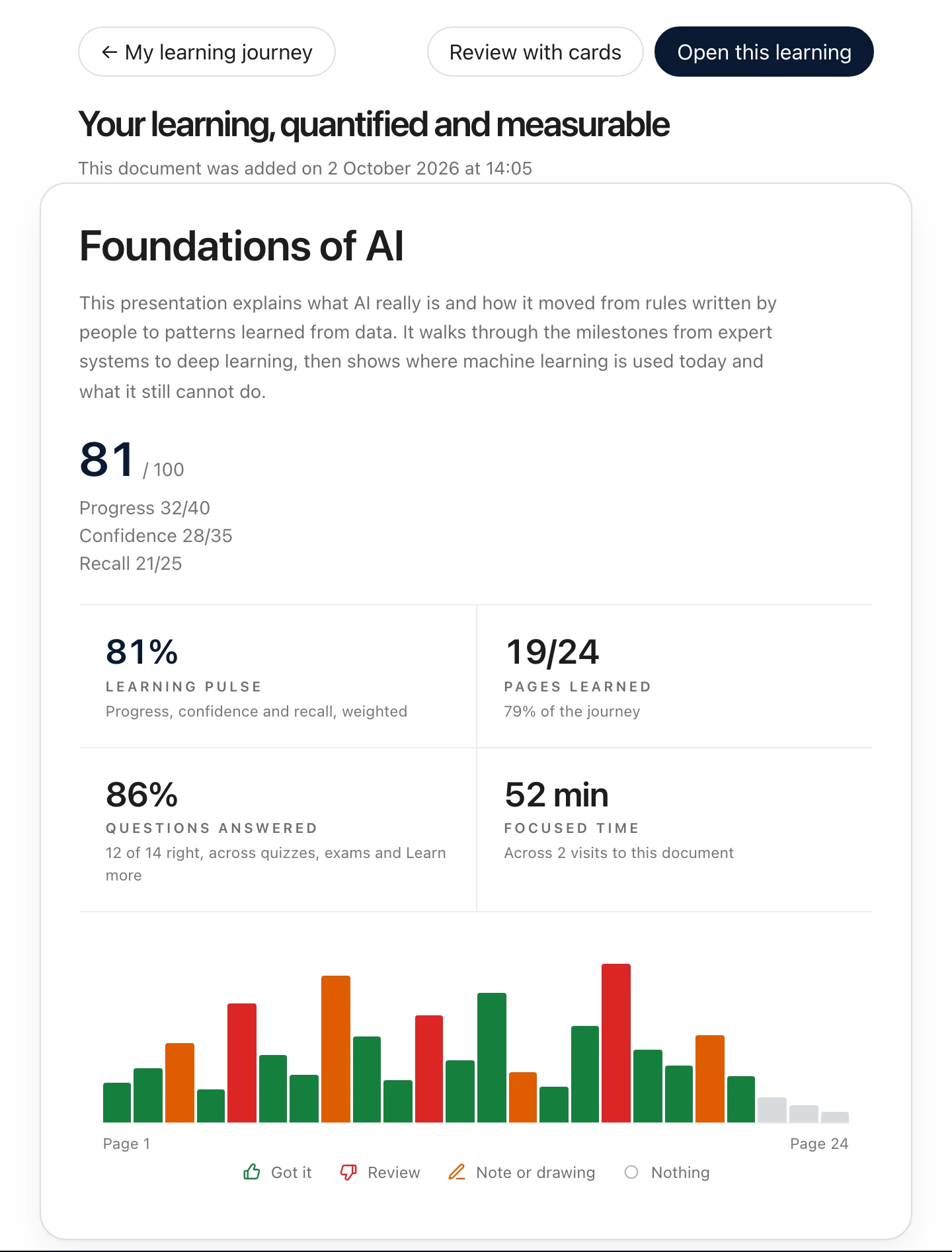
Discover Diaposi Augmented LearningYour deck is built from what you did on the document. Open it from your report with Review with cards, and every card says why it is there.
Review cards are short, honest and always explained, so a few minutes a day go a long way.
The pages you marked Review and the questions you missed lead the deck.
A long queue is held back so each sitting stays short. The rest waits for next time.
Every answer comes with its explanation, so a card teaches as it tests.
Reread page takes you straight to the page a card came from.
Cards are written from your document, in the language it is written in.
Review cards come with a free Diaposi account, with your report, quizzes and explanations.
Flashcards are part of Diaposi Augmented Learning, the way to study any deck on your own, during a lecture or long after it.
Upload your slides, notes and PDFs and study them at your own pace: notes and drawing on every page, any page explained another way, quizzes, review cards and mock exams, with your progress measured in one place.
Discover Augmented LearningIn a lecture that is not run on Diaposi? Upload the deck being presented and follow it page by page on your own screen, with your notes, your drawing, Got it and Review.
Follow your presenterWhat people ask before their first deck.