
Diaposi AI: your own slides, turned into quizzes, surveys and polls
Upload the deck you already have. Diaposi AI reads it and drafts the summary, the chapters, a quiz, a survey and poll questions. You read and edit each one before the room sees it.
- Free to start, no credit card
- Participants join by QR code, no app, no account

What is Diaposi AI?
Diaposi AI is the assistant inside Diaposi that reads the slides you upload and writes drafts from them. On upload it prepares a summary, the chapters and the key questions. During the session it drafts a quiz, a survey and poll questions from the same slides. You can edit every draft, and a quiz, a survey or a poll reaches the room only when you launch it.
What Diaposi AI does, and what it does not
It does
- Read the text of your PowerPoint, PDF or Word file
- Write a summary, the chapters and the key questions on upload
- Draft a quiz from the chapters you choose
- Draft a survey from the slides
- Suggest poll questions for the slide on screen
- Sharpen your wording, add the answers, group the room's ideas into themes
- Write in the language of your slides
It does not
- Create or redesign slides
- Train AI models on your slides
- Read your speaker notes
- Send a quiz, a survey or a poll to the room by itself
- Show the right answers to the room before you do
- Read a scanned deck that holds no text
What Diaposi AI writes for a live session
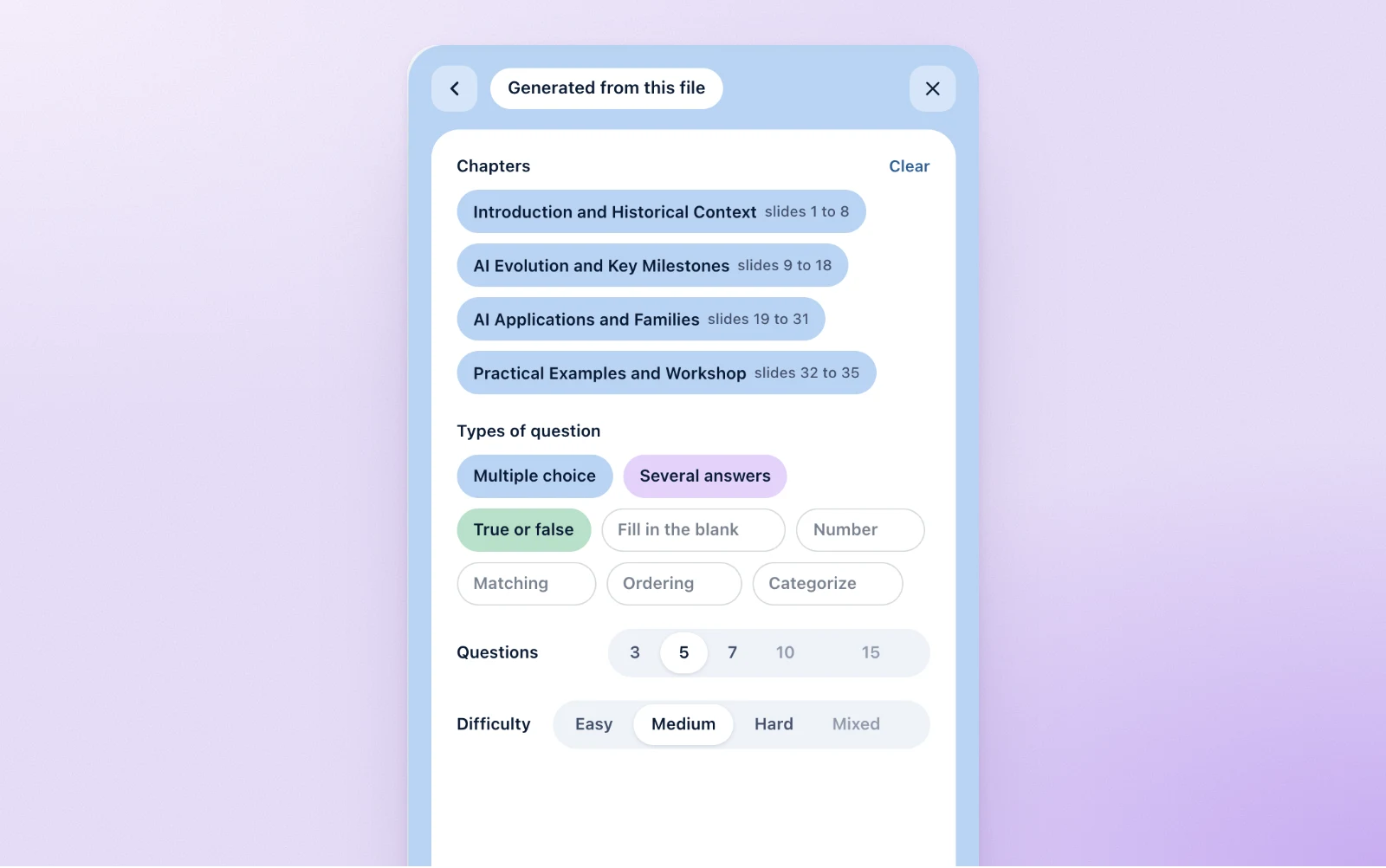
A quiz from the chapters you pick
Choose the chapters or the whole deck, the kinds of question, how many and how hard. Diaposi AI writes the quiz from those slides. You read it before the room does, with the right answers on your panel only.
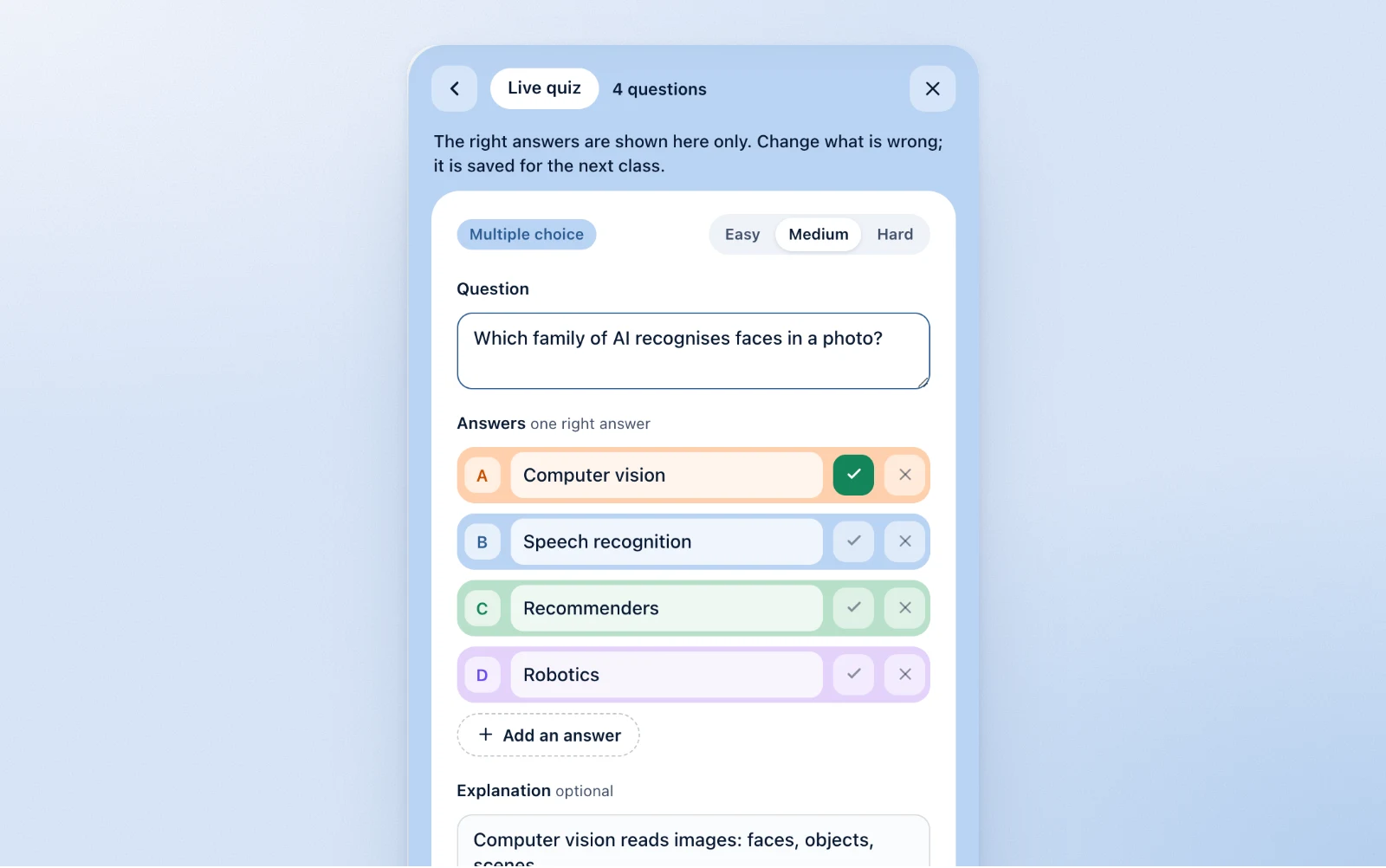
Every question stays yours to edit
Change a question, remove it or add your own. Nothing goes out before you press Launch.
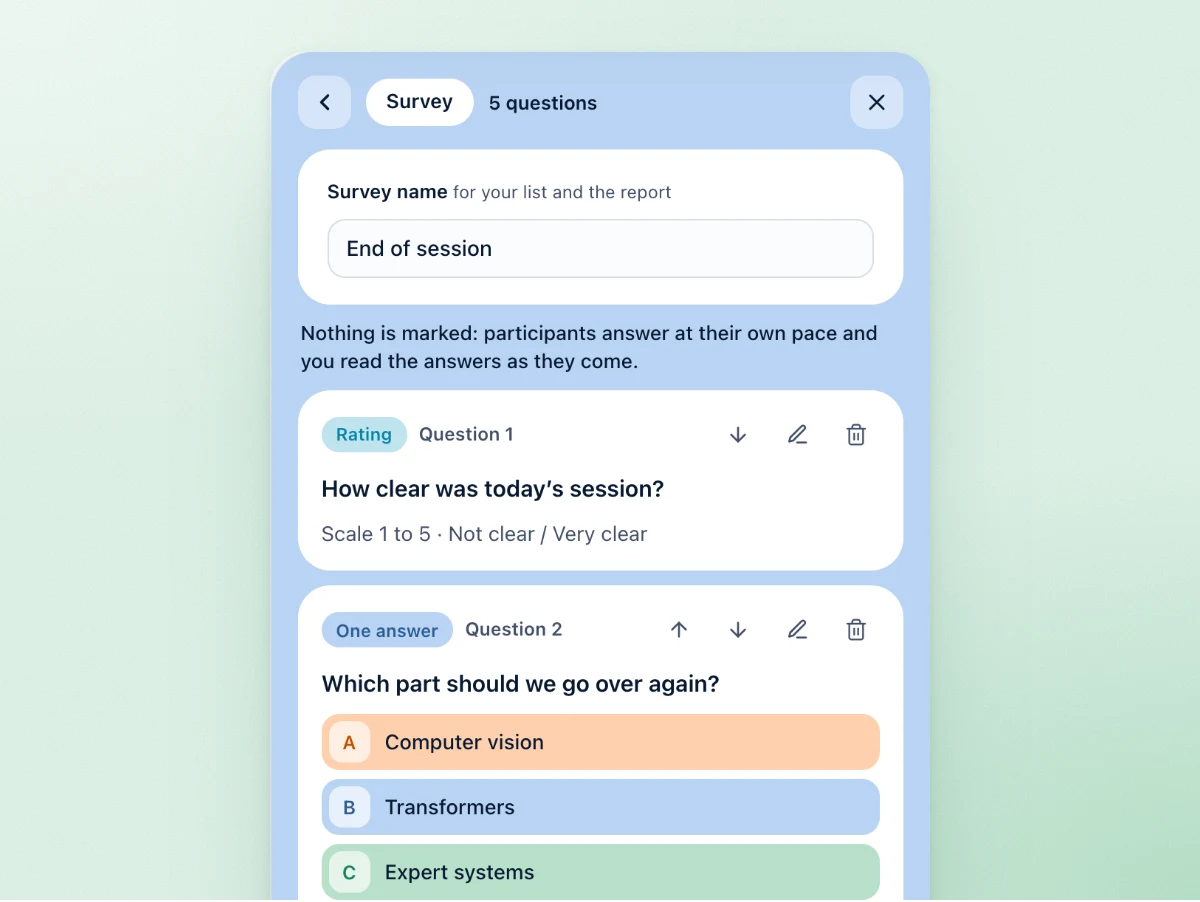
A survey written from your slides
Diaposi AI drafts the questions from the deck and you edit each one. The answers are anonymous by default.
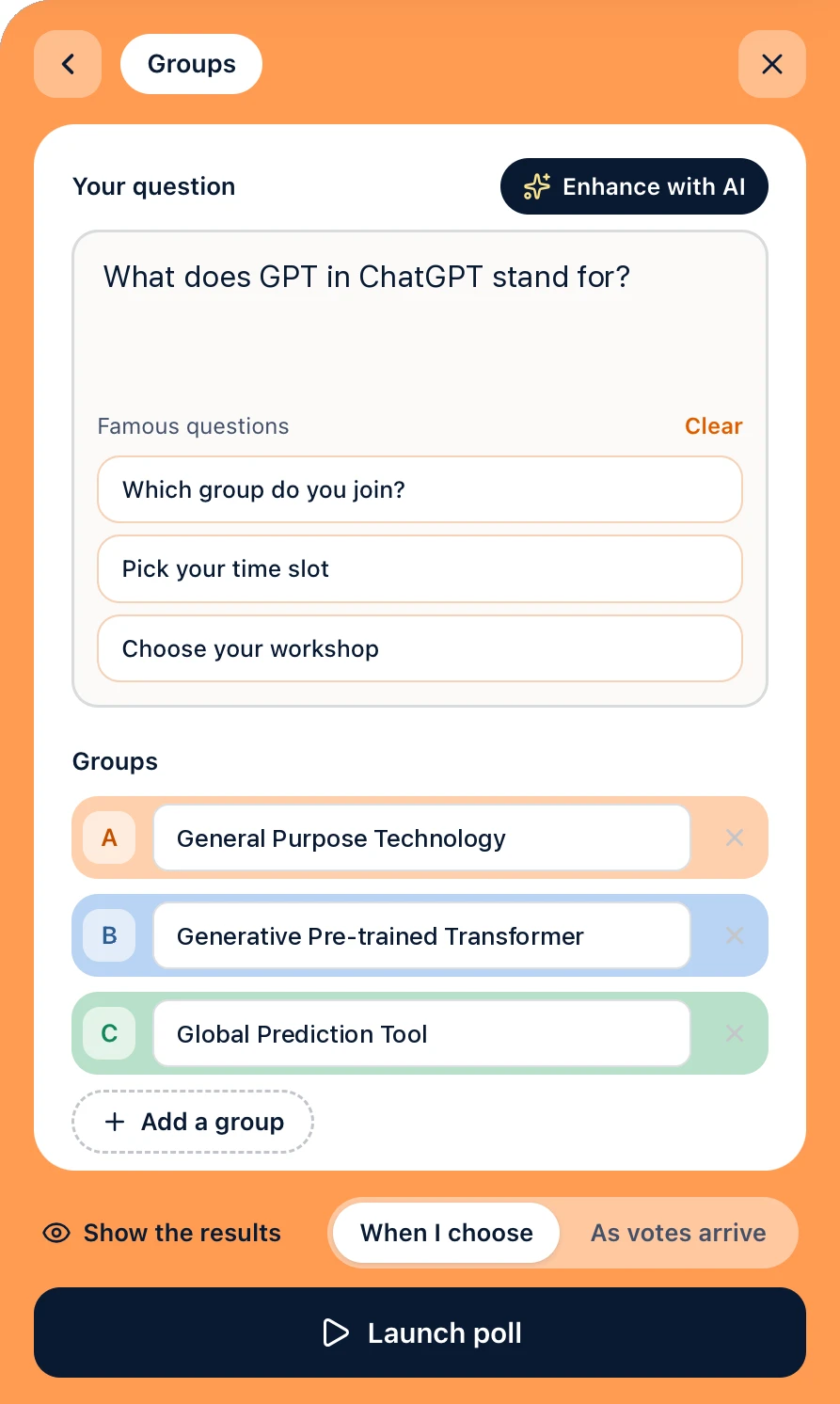
Poll questions for the slide on screen
Diaposi AI suggests questions from the slide you are showing. It can also sharpen your own wording, add the answers and group the room's ideas into themes. One press brings your wording back.
Read on upload, corrected by you
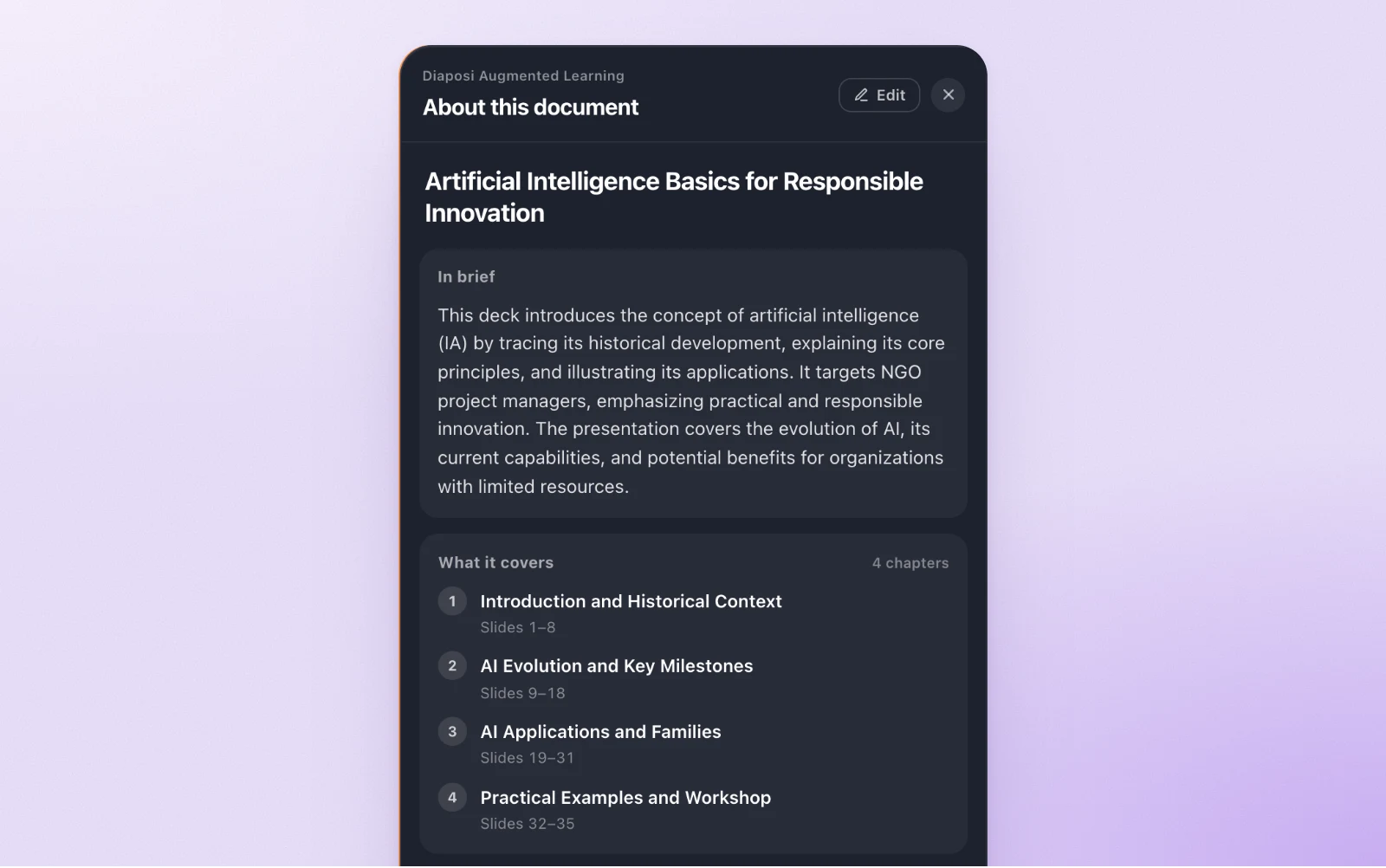
Written when the deck arrives
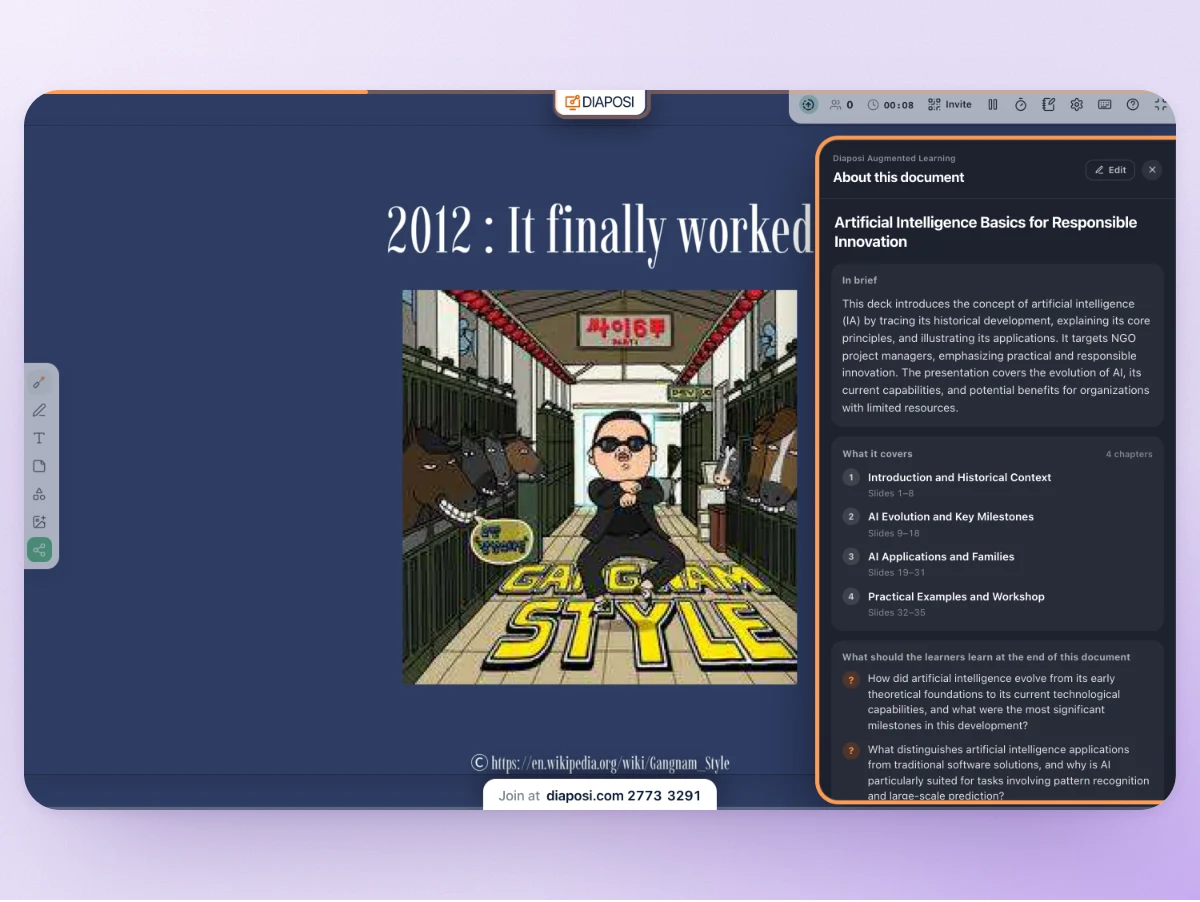
A title, a summary, the chapters with their slides and the key questions, ready when the session opens.
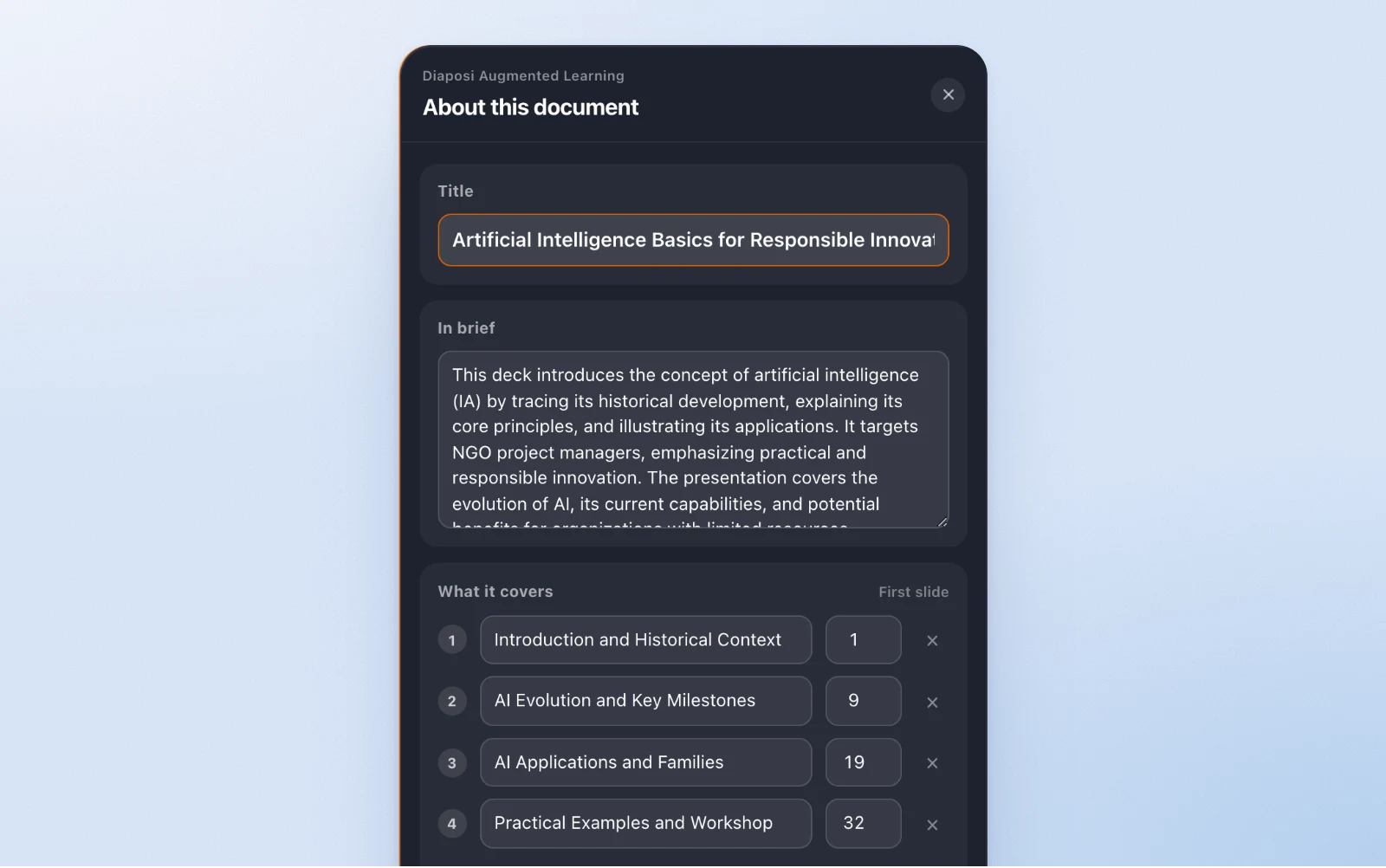
Corrected by you
Edit the title, the summary, the chapters and the key questions, then save for everyone. The AI version stays one press away.
What your participants get
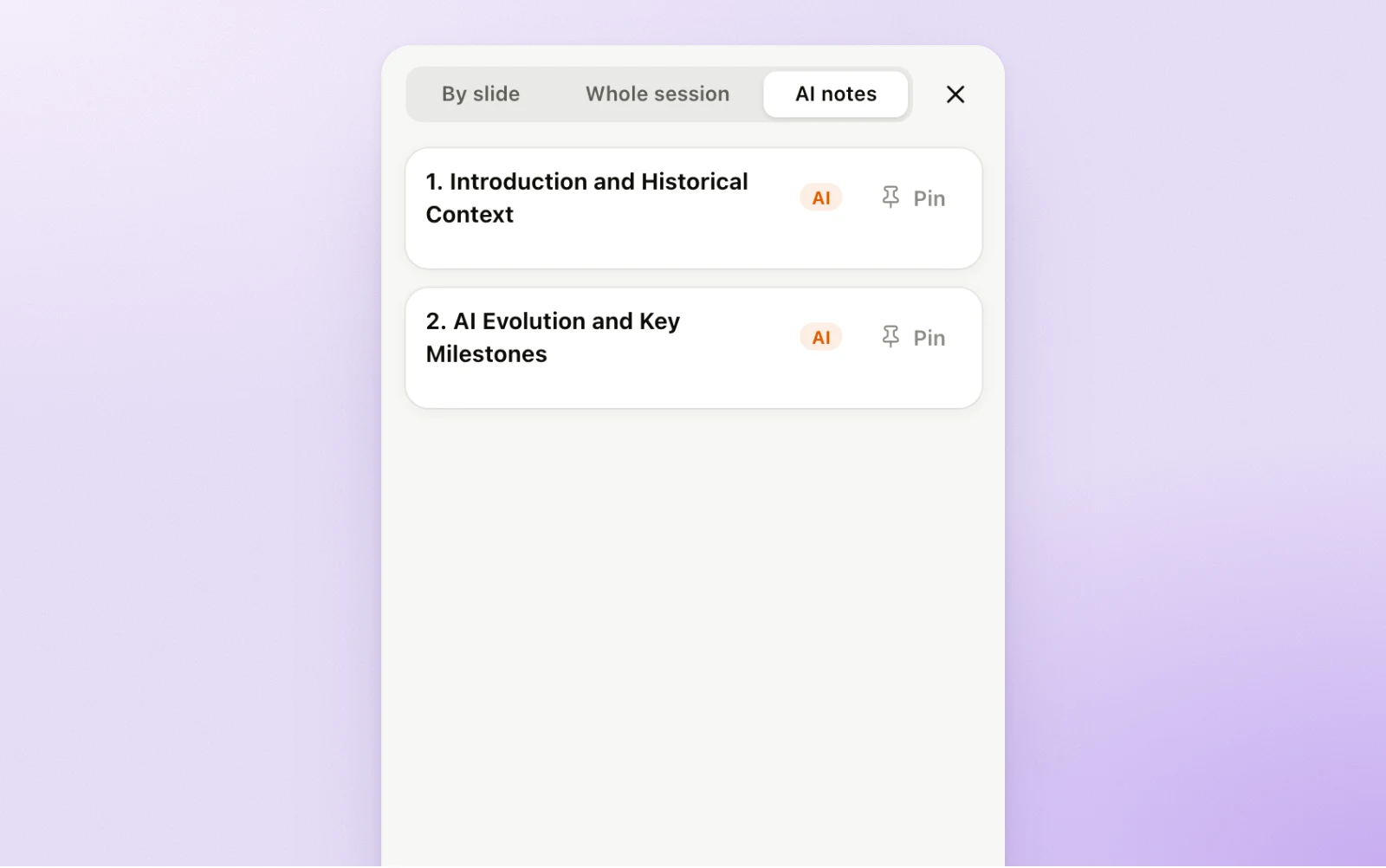
AI notes, chapter by chapter
Participants who are signed in read the AI notes of a chapter once you have reached it, on a laptop or a tablet. They keep them with the session afterwards.
From your slides to a live quiz in three steps
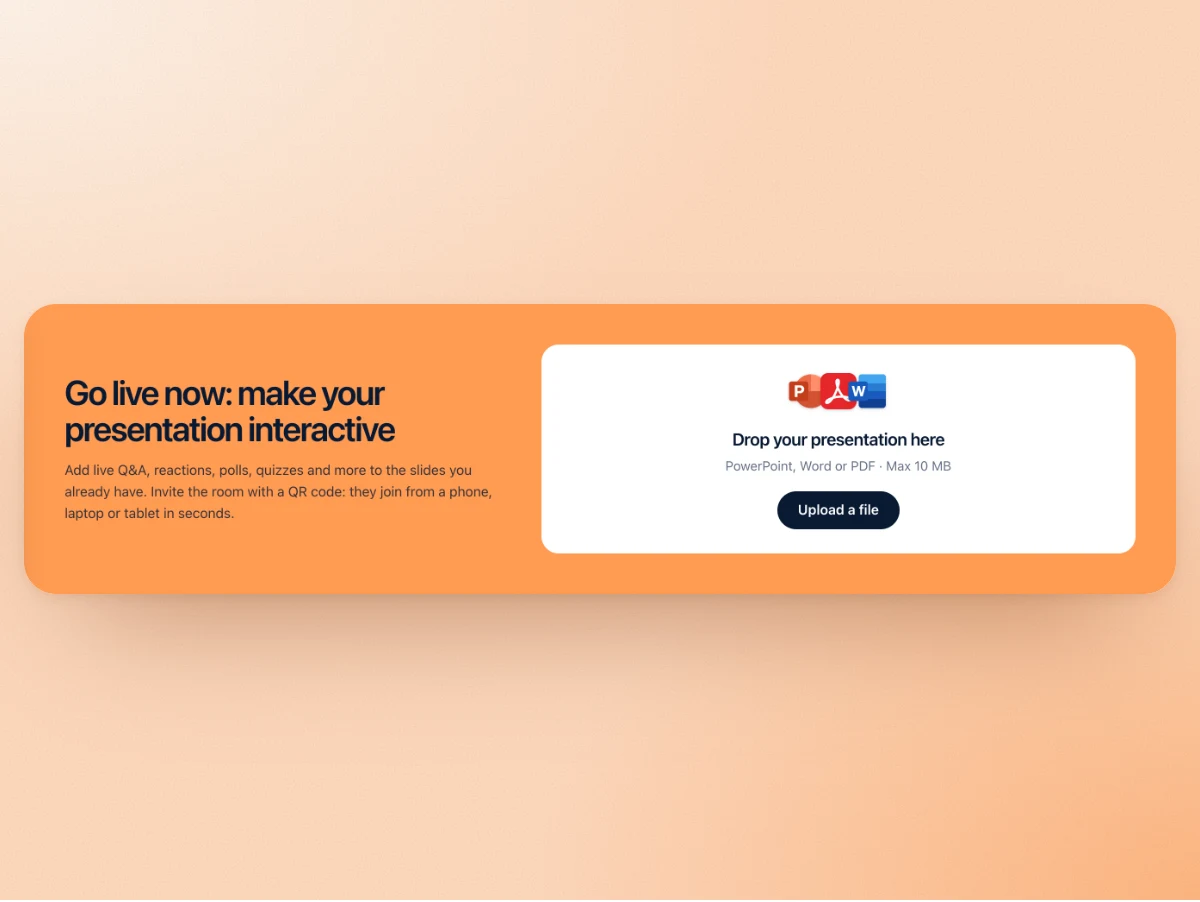
Upload your slides
PowerPoint, PDF or Word. Diaposi AI reads the text while the session opens.
Read what it wrote
Check the summary and the chapters, then generate a quiz or a survey and edit the questions.
Launch it to the room
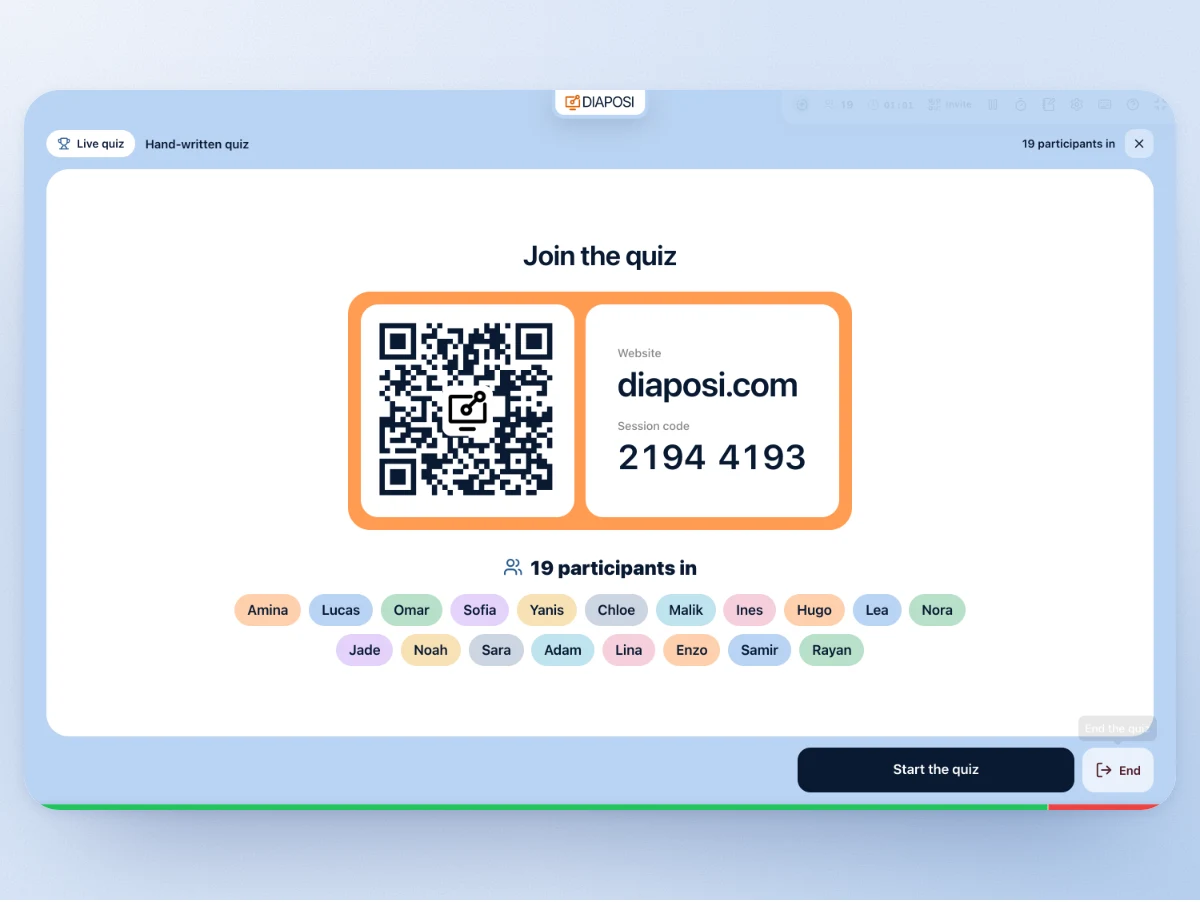
Participants join by QR code and answer from their phone. The results come in live.
Your content stays in your hands
Diaposi AI works for the host. It writes drafts, and you decide.
Your slides are the source
The quiz, the survey and the poll questions are written from the text of your own deck.
Speaker notes are not sent
Diaposi AI reads the text on the slides. Your speaker notes stay out of it.
Nothing goes out by itself
A quiz, a survey or a poll reaches the room when you launch it, and the right answers show on your panel only.
The session never waits for the AI
If the AI is slow or fails, your session opens anyway and you write the question yourself.
Where Diaposi AI works
One deck, read once, and four places where it helps.
Hosting is free during the beta.
The host plans are not for sale yet. A live mock exam from your slides comes with Upgrade: join the waitlist to hear when the plans open.
Frequently asked questions
What is Diaposi AI?
Diaposi AI is the assistant inside Diaposi that reads the slides you upload and writes drafts from them: a summary, the chapters, the key questions, a quiz, a survey and poll questions. You edit every draft before the room sees it.
Can Diaposi AI make a quiz from my PowerPoint?
Yes. Upload a PowerPoint, a PDF or a Word file, choose the chapters, the kinds of question, how many and how hard, and Diaposi AI writes the quiz from those slides. You read it first, with the right answers on your panel only.
Can I edit the questions the AI writes?
Yes. Every question of a quiz or a survey can be changed, removed or replaced with your own before you launch it. The summary, the chapters and the key questions can be edited too, and the AI version can be brought back.
Does Diaposi AI create slides?
No. Diaposi AI does not create or redesign slides. It works on the deck you already have and adds the interactive part: a quiz, a survey, poll questions and notes.
Which language does it write in?
The language of your slides. A deck in French gets its summary and its questions in French, whatever the language of the interface.
Are my slides used to train AI?
No. Your slides are never used to train AI models. Their text is sent only to write the summary, the questions and the drafts you asked for, and your speaker notes are never sent.
What if my deck is a scan?
Diaposi AI reads the text of the slides. A scanned deck with no readable text still opens as a session, but it gets no summary, and you write your own questions.
Is Diaposi AI free?
Hosting with Diaposi is free during the beta. The host plans are not for sale yet: you can join the waitlist to hear when they open.