

A lecture becomes more interactive and more effective when the room answers during the session, not only on exam day. The deck can stay the same. With Diaposi Session, you present your PowerPoint, PDF or Word file as it is, the hall joins with a QR code, and you see what it understood, slide by slide.
Why make a lecture interactive?
The lecture has a real strength: one person passes on a lot, to a lot of people, in little time. Its weakness is silence. For an hour and a half you cannot tell who is following, and the room only finds out what it missed when it starts revising.
Getting the room to take part pays off. The review by Freeman and colleagues, PNAS 2014 pooled 225 studies of undergraduate science, engineering and mathematics courses: exam scores were about 6% higher with active learning, and people in traditional lecture sections were 1.5 times more likely to fail. You do not have to give up the format: the room only needs something to do at a few chosen moments. See what active learning is.
How do you prepare the lecture in Diaposi?
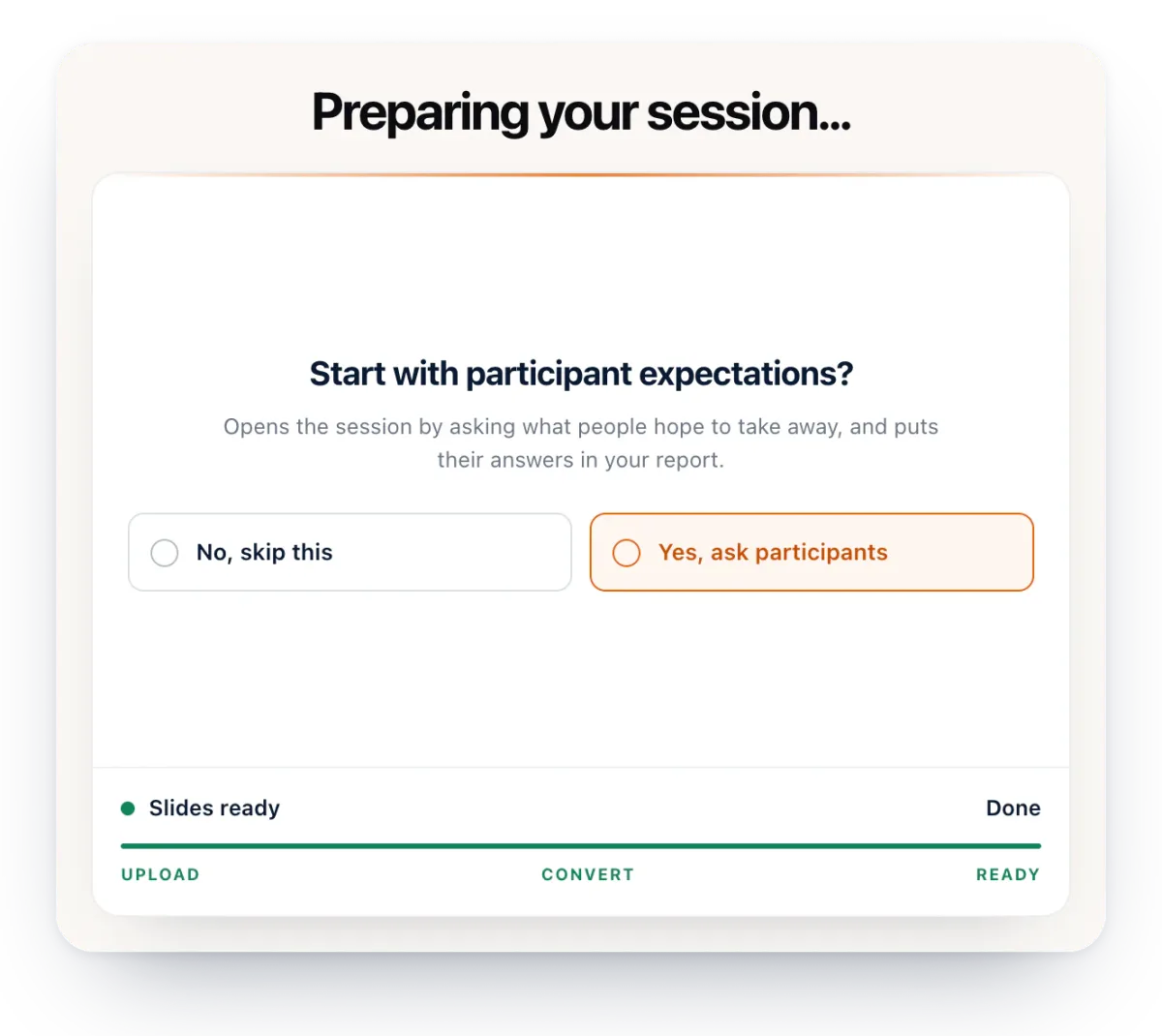
Start from the deck you already have. Upload your PowerPoint, PDF or Word file, up to 50 MB: it is shown as it is, with nothing to rebuild or install. While it is prepared, Diaposi offers to open the session by asking participants what they expect from it, and their answers go into your report.
Then pick two or three moments when the room should act: right after the hardest idea, before the break, and at the end. For a first lecture, there is no need to plan more.
How does the hall join the session?
At the start, the QR code and the session code appear on screen. Everyone scans the QR code or types the six-character code on their phone, tablet or laptop, in their browser: no app, no account, no name. The code comes back on screen for latecomers.

Each participant then sees the slide you are showing on their own screen. They can go back to an earlier slide, take private notes on it, and mark it Got it or Review.
What do you launch during the lecture?
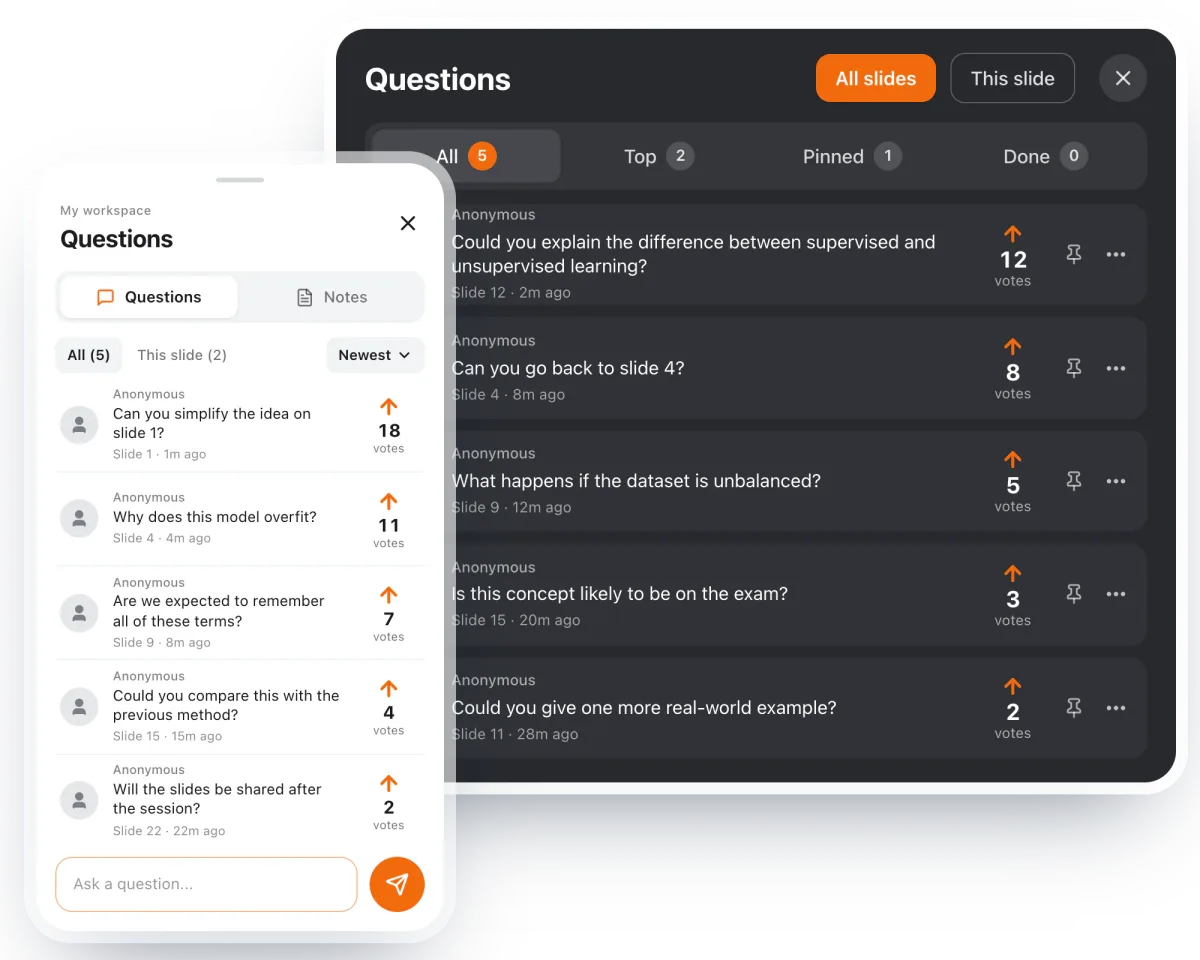
Anonymous questions. Participants write their question on the slide in front of them, without giving their name, and vote for each other’s. When several ask the same thing, you see one question with their count: you answer what the room asks most first, at the moment you choose.
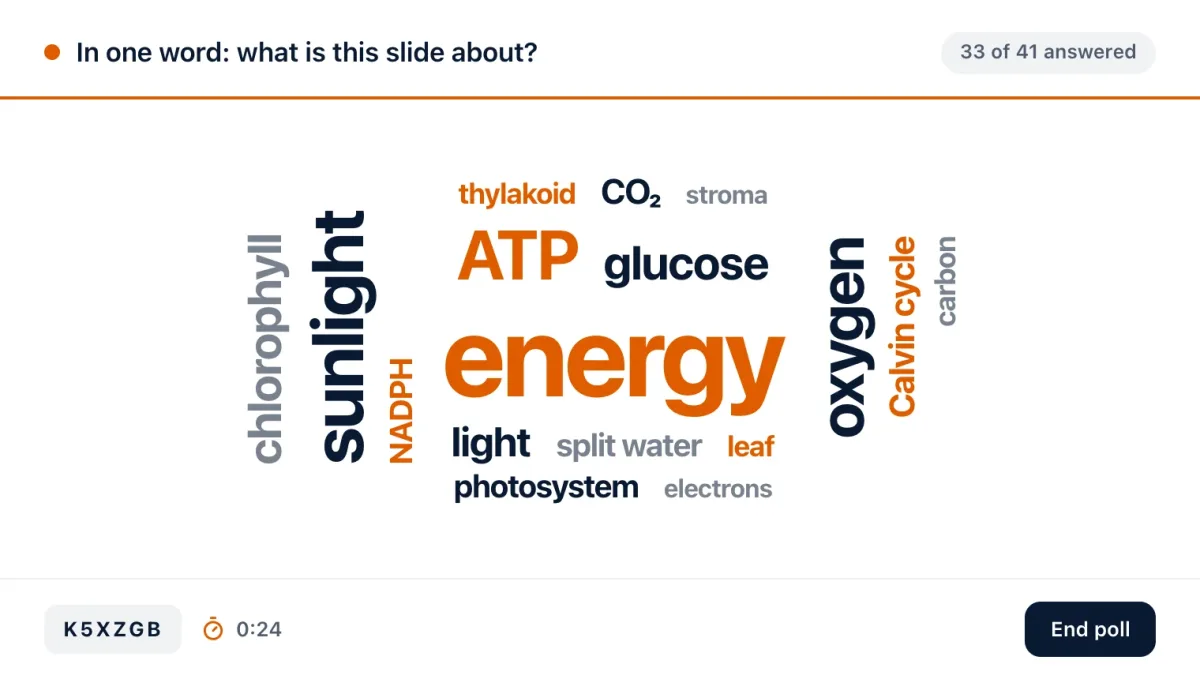
Polls. True or false, multiple choice, rating scale, open answer or word cloud: ask about the idea you have just explained, and the answers arrive from every phone as they come. If the room is split, give it two minutes to talk with a neighbour, then run the same poll again.
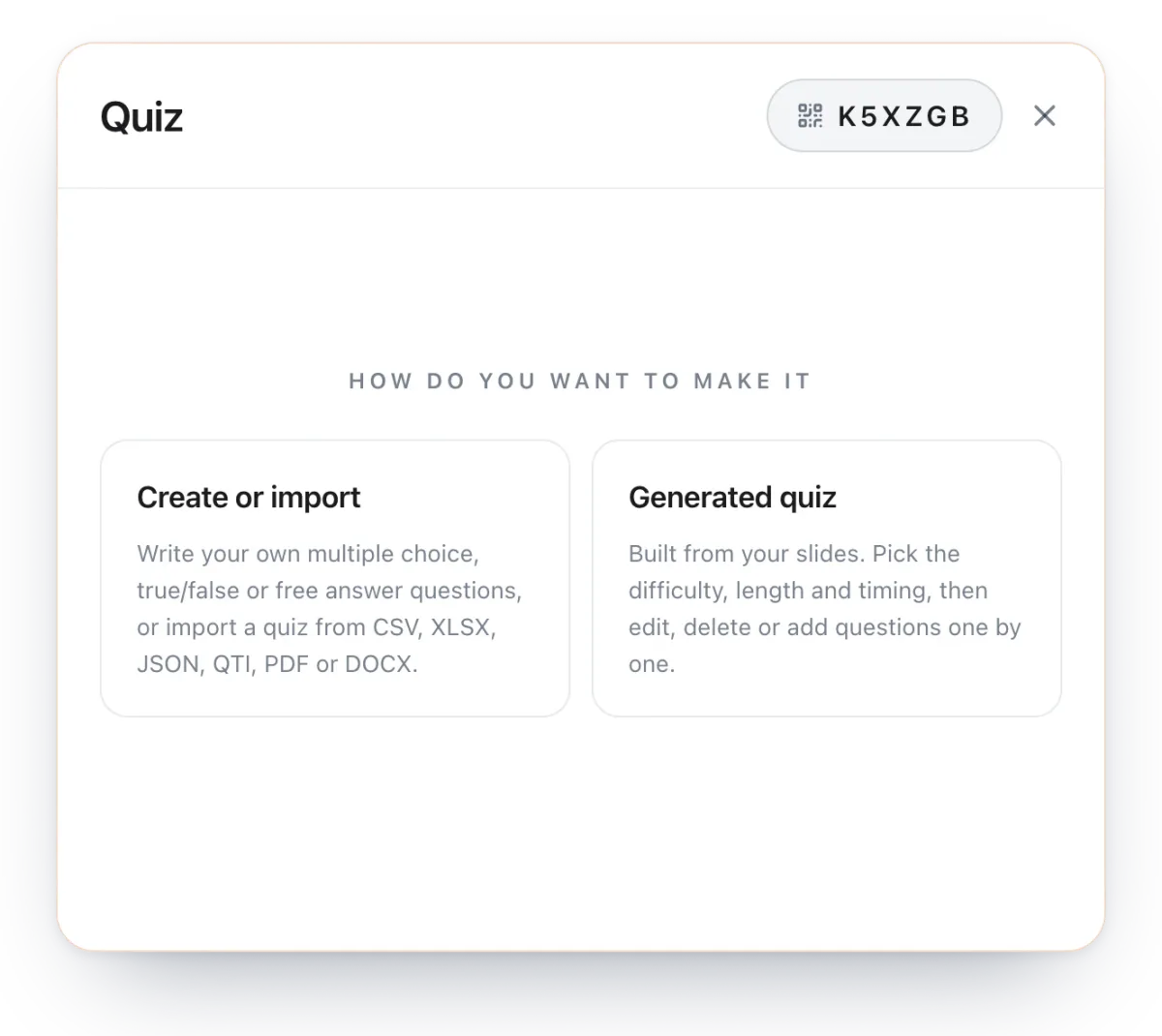
The quiz. Write or import your questions, or let Diaposi build the quiz from your slides, on the chapters covered and at the difficulty you choose. You check every question before it goes out, and nobody sees the right answers until the end.
Class Pulse. On every slide, participants signal that they are following, that they need a clarification, or that they are struggling. You see where the room drops off while there is still time to explain again.
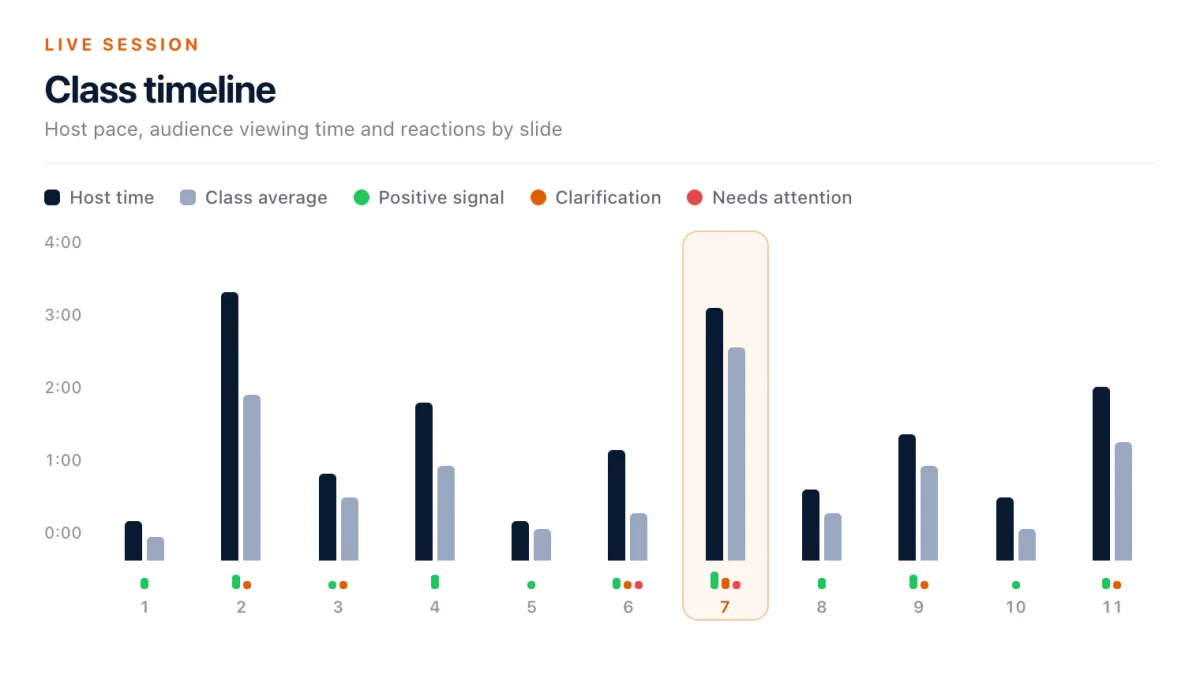
A simple rhythm to start with: a short interaction every 15 to 20 minutes, and anonymous questions open from start to finish.
What do you do after the lecture?
As soon as the session ends, the report is ready, slide by slide: where attention held and where it dropped, how many participants were still there at each slide, what the room answered to every poll and quiz, and the questions in the order they came. You can save it, share it or export it as PDF or CSV.
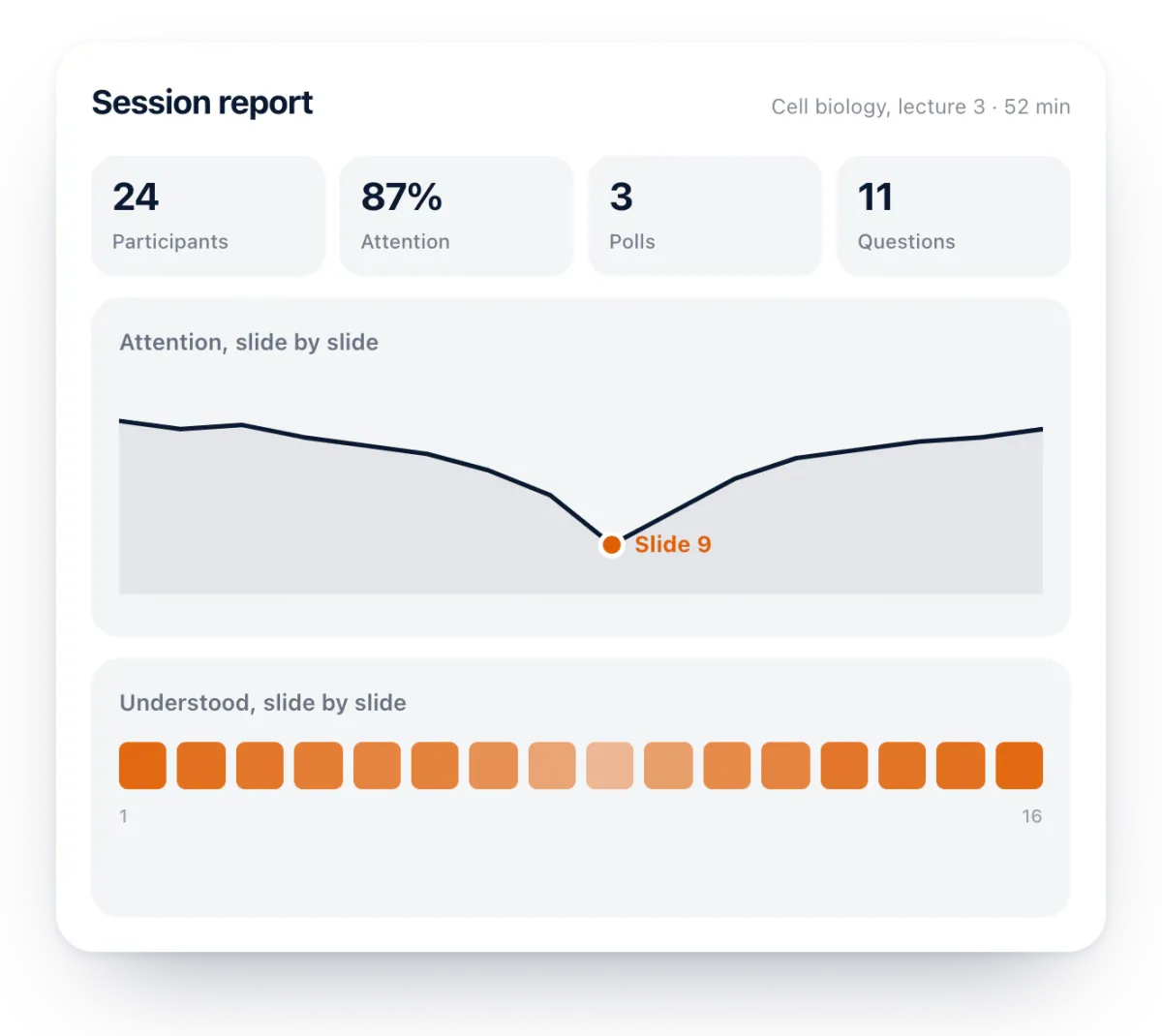
This is where the lecture becomes more effective from one week to the next. Open the next session on the slides the room marked Review, or on the ones that drew the most questions. Participants with a free account leave with their own report, notes and drawings.
How Diaposi Session helps
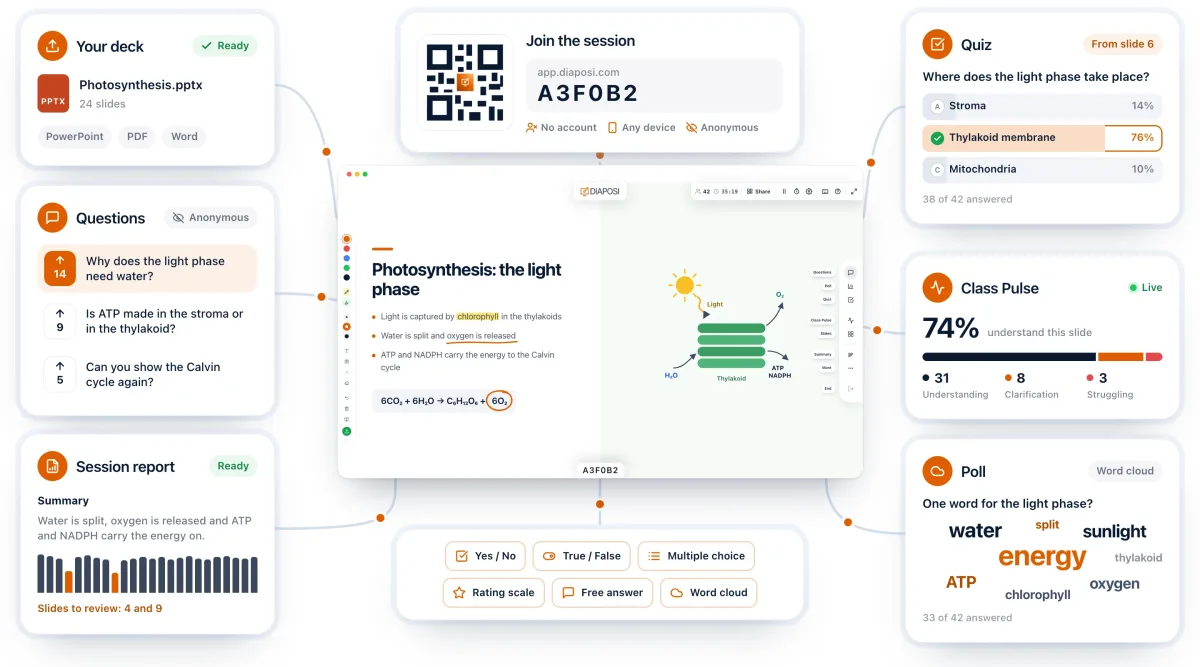
A lecture does not need a new deck to become interactive. It needs the room to be able to answer without raising a hand, and you to see those answers before the lecture ends. That is what Diaposi Session adds to the slides you already present. And because every session leaves a report, you know what to pick up in the next lecture instead of finding out at the exam.
Diaposi Session is part of Diaposi, the EdTech platform for interactive and measurable learning. Discover Diaposi Session
Frequently asked questions
Do I need to rebuild my deck to make a lecture interactive?
- No. Diaposi Session presents the PowerPoint, PDF or Word file you already have, as it is. Polls, questions and quizzes are added during the lecture, without touching the file.
Do participants need to install an app?
- No. They join from the browser on their phone, tablet or laptop, with the QR code or the session code. No account is needed, and nobody gives their name.
Is Diaposi free?
- Yes. Diaposi is free, and there is no paid plan today.